Buying a pass
Buying a pass
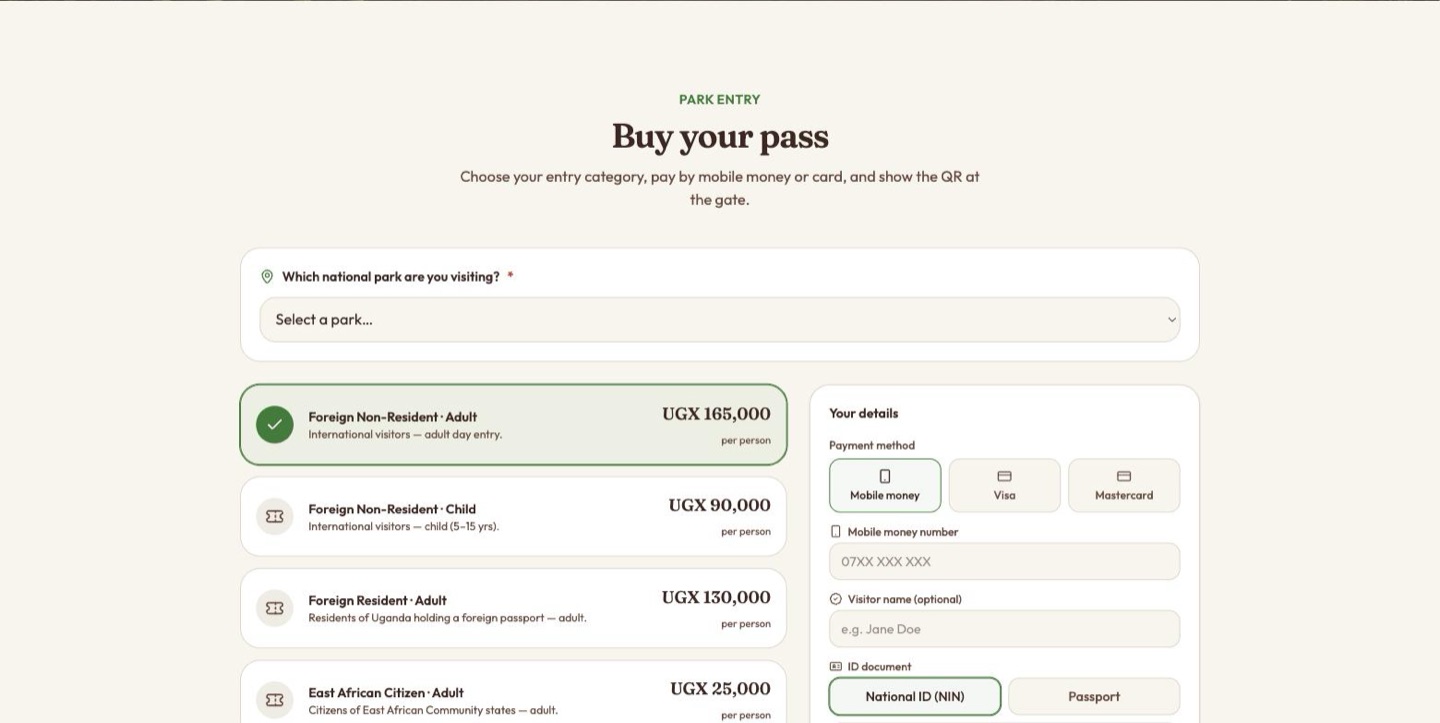
The form asks four things in order: where, what, how you are paying, and who you are.
1. Which national park
The first question on the page — "Which national park are you visiting?" — and it is required. The list of parks comes from the wildlife authority's own records, so it is not limited to Murchison Falls.
Try to pay without choosing one and the page scrolls back to this field and flags it there — "Select the national park you are visiting."
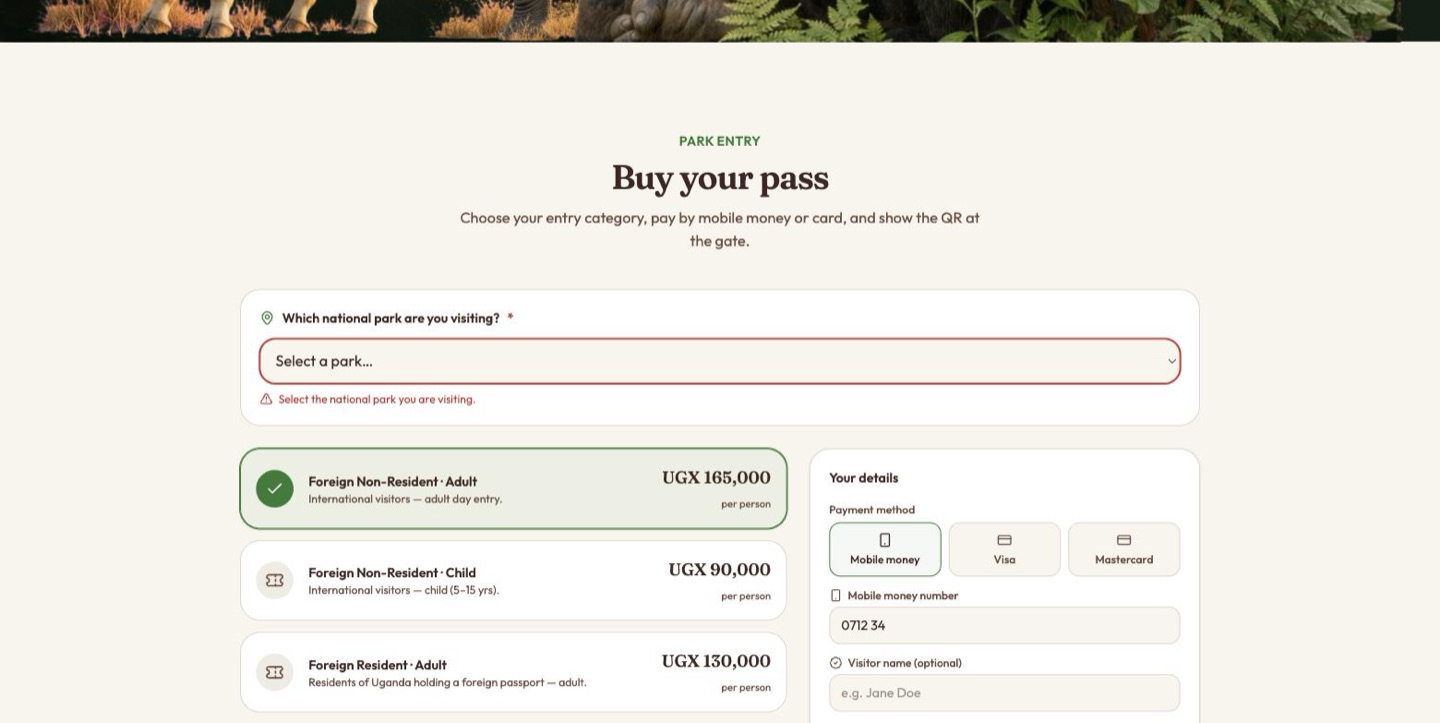
The park you choose is printed on the pass, and it is the first thing a gate officer sees when the pass is scanned — a valid pass for the wrong park is still not entry.
2. The entry category
Prices are per person and come from the backend, so treat the figures below as the shape of the tariff rather than today's price list:
| Category | Who it is for | Price |
|---|---|---|
| Foreign Non-Resident · Adult | International visitors — adult day entry | UGX 165,000 |
| Foreign Non-Resident · Child | International visitors — child, 5–15 yrs | UGX 90,000 |
| Foreign Resident · Adult | Residents of Uganda holding a foreign passport — adult | UGX 130,000 |
| East African Citizen · Adult | Citizens of East African Community states — adult | UGX 25,000 |
| East African Citizen · Child | Citizens of EAC states — child, 5–15 yrs | UGX 5,000 |
The total updates as the category changes.
3. How they are paying
Three methods, chosen with a picker:
| Method | What the visitor gives |
|---|---|
| Mobile money | The mobile money number the payment is charged to, format 07XX XXX XXX. They approve the charge with their mobile-money PIN on their own handset. |
| Visa | Card number, name on card, expiry MM/YY, and CVC. |
| Mastercard | The same card fields. |
Whichever is chosen is validated before anything is sent — a short mobile number, a card number under 15 digits, a malformed expiry or a two-digit CVC all stop the submission with a message.
backend: the pass is created against the payment method only and the card leg is played out server-side. Do not read the card fields as a live card-present integration.
4. Who they are
| Field | Required | Notes |
|---|---|---|
| ID type | Yes | National ID (NIN) or Passport, chosen with a two-way switch. |
| ID number | Yes | The number on the document chosen above. It is printed on the pass and is what a gate officer checks the visitor's document against. |
| Yes | The pass is sent there, and it is how the park reaches a paid visitor who never turned up. A malformed address is refused. | |
| Visitor name | Optional | Appears against the payment in the staff view — worth entering, since it is what staff search on. |
| Visit date | Optional | When they intend to come. It is what the gate check compares against on the day. |
| Phone | Optional | A second way to reach them, +256 7XX XXX XXX. |
Every required field is checked before the charge is sent, and the message appears directly above the Pay button rather than beside the field:
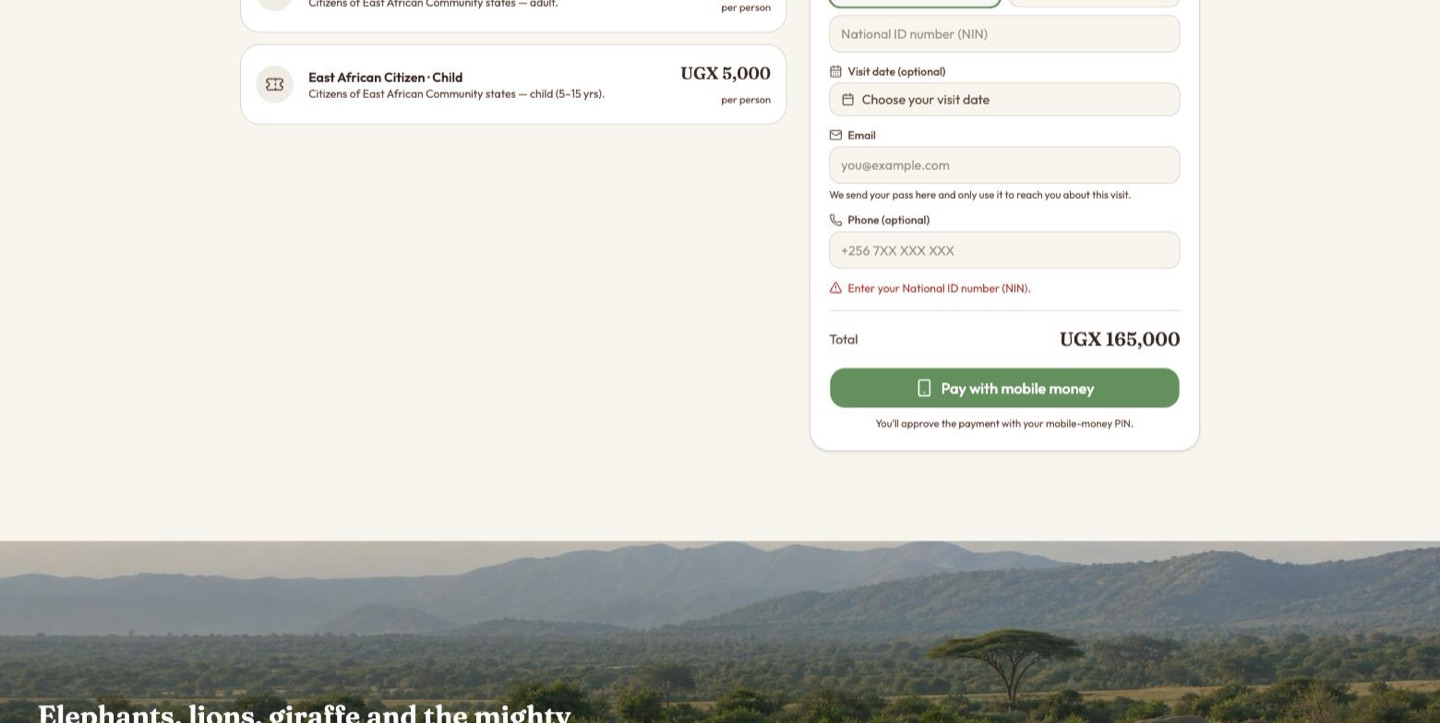
Enter your National ID number (NIN).
Pay with mobile money (or the card equivalent) sends the charge, and the page waits for the payment to settle, polling the pass every few seconds until it comes back paid or failed.
resumes the original attempt rather than starting a second collection. Changing what is being bought — the park, the category, the ID, the payment method — correctly starts a fresh attempt. See When a payment goes wrong.
The pass
Once the payment is approved the visitor gets their pass on screen:
It is drawn as a ticket, with a perforated tear line across the middle:
| Part | What is on it |
|---|---|
| Header band | The UWA mark, Park Entry Pass, the national park, and a PAID chip. |
| QR code | What the gate scans. It resolves to the pass's own verification address. |
| Pass number | The first eight characters of the reference, in capitals — quote this on the phone. |
| Details | National park, admission category, visitor name, NIN / Passport number, amount paid, visit date, issued date and time. |
| Footer | Valid for entry on your visit date. Please carry ID that matches the pass category. |
Two buttons beneath: Download PDF — the same pass as a file, rendered by the server — and Buy another, which clears the form for a fresh purchase.
Tell visitors to carry the matching document. The pass names an ID number, and the gate officer's screen shows it beside the visitor's name precisely so the two can be compared.