Verifying a pass at the gate
A pass is checked in one of two ways. Both reach the same verdict from the same live data — neither is a photograph of a ticket.
From any phone — the public scan page
Point a phone camera at the QR on the visitor's pass. It opens
/pass/{reference}, a public page with no sign-in: a UWA-branded card over
the Murchison sunrise, sized for a phone held in daylight.
Beneath the verdict sits a live indicator — "Verified live at 14:32:07" — with a pulsing dot. That is the point of the page: it proves the answer came from the system just now, not from a screenshot the visitor is holding up.
From the portal — the Park pass tab
verification:verify. Operations → Verify Access →
Park pass.
The third tab of the Verify Access console. Scan the pass QR into the field, or type the pass reference, and Look up.
Reading the verdict
Three outcomes, and only the first is entry:
| Verdict | Meaning | What to do |
|---|---|---|
| ✅ Valid pass | Paid, and valid for today. | Check the visitor's document against the ID number shown, then admit. |
| 📅 Not valid today | A genuine paid pass, but not for today's date. | Not entry. The visit date is on screen — it may be tomorrow's pass, or yesterday's. |
| ⛔ Not paid | The pass exists but no money was collected. | Not entry. Send them to buy one. |
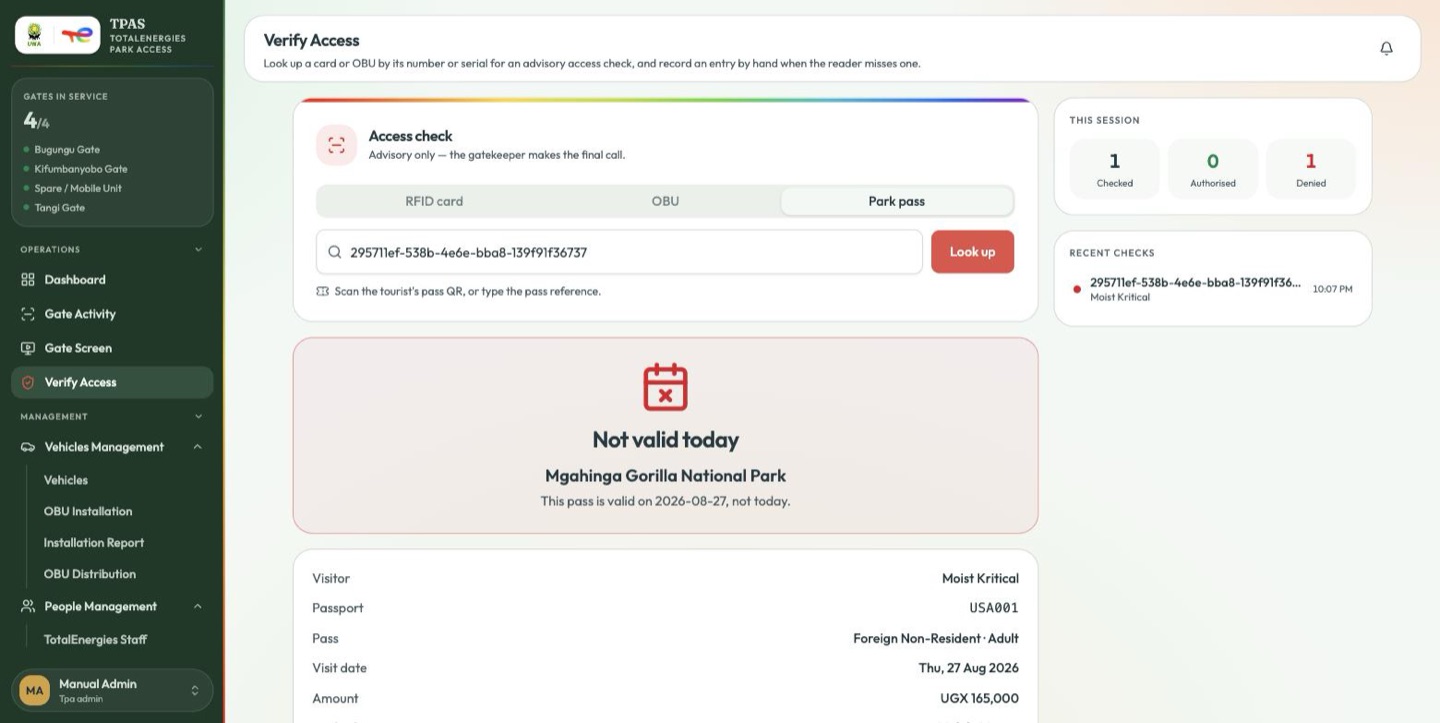
A real paid pass, refused because it is a day late: "This pass is valid on 2026-08-27, not today." Note the park named large beneath the verdict, and the document row reading Passport · USA001 — that is what you check against what the visitor hands you.
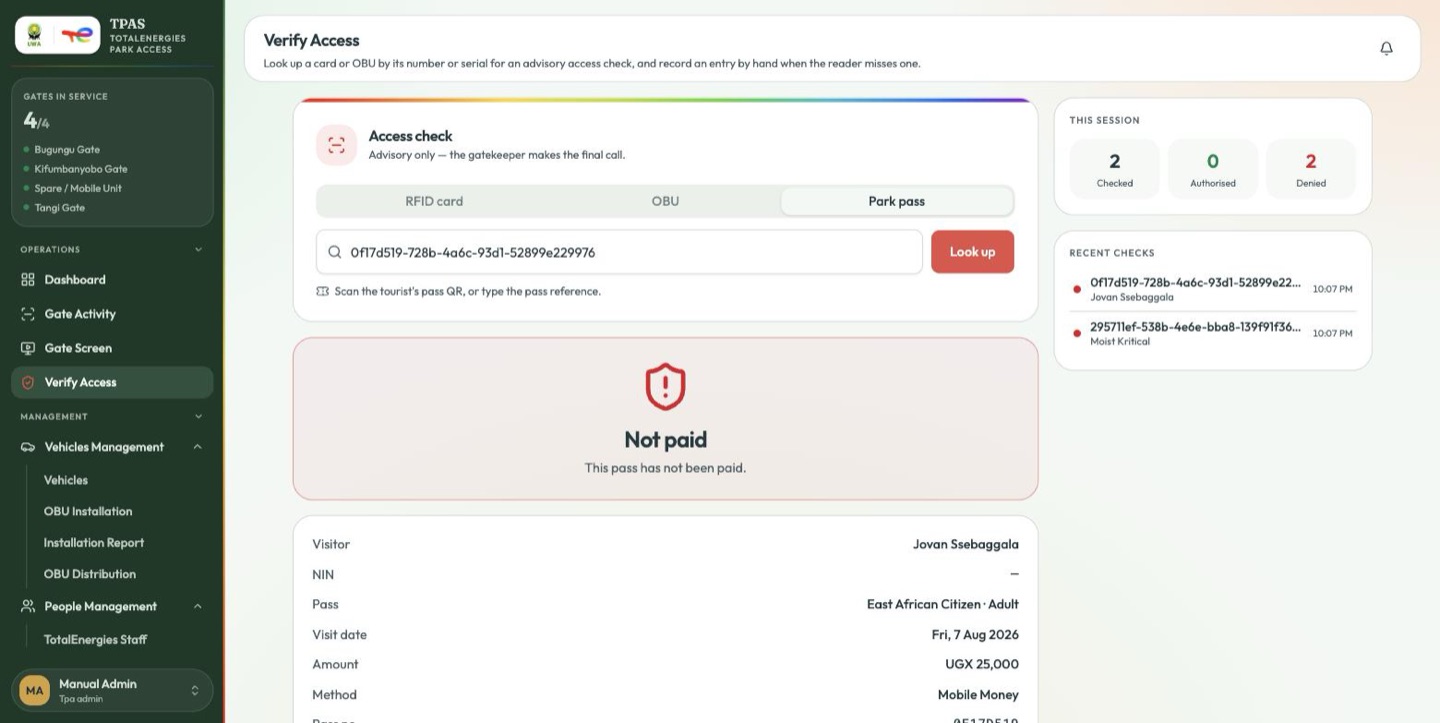
The same page for a pass that never completed payment. The details still render, so you can see who attempted it — but Not paid is not entry.
An address that matches no pass at all gets a fourth answer: Not a valid pass — "This QR does not match a park pass in the system. Ask the visitor to buy one before entering."
The national park is shown large, directly under the verdict, because a perfectly valid pass for a different park is the mistake this check exists to catch. Beneath it: the visitor's name, the ID / passport number, the pass category, the visit date, the amount, the payment method, and the pass number. The document row is labelled for whichever document the visitor gave — NIN or Passport — so it reads as the thing you are asking them for.
legitimacy and date check — is this real, is it paid, is it for today. It opens nothing and marks nothing as used. Like the card and OBU checks in Verify Access, the decision at the barrier is the officer's.