Verify Access
verification:verify. Operations → Verify Access.
This is the counter tool: somebody presents a badge, and you want to know whether it is good before you raise the barrier.
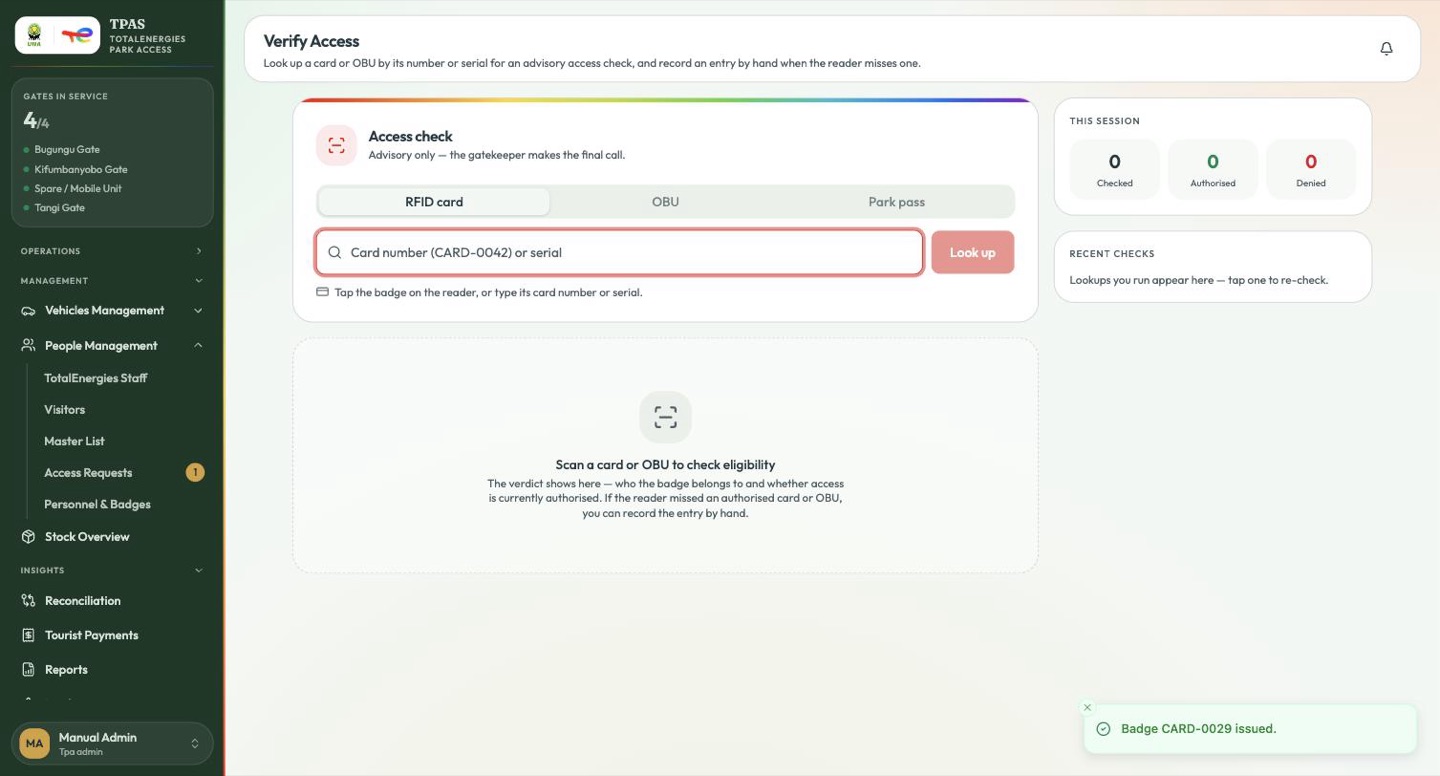
Three tabs — RFID card, OBU and Park pass. Put the cursor in the field and
tap the badge on the reader, or type either the number printed on the device
(CARD-0042, OBU-0042) or its serial — the chip id or OBU serial a reader
sees — and select Look up. Both find the same record. The verdict leads with
the number and shows the serial underneath, so you can check it against what is
in your hand.
The first two are advisory eligibility checks on a staff credential. The third, Park pass, is different in kind: it checks a tourist's park-entry pass — scan the QR on their phone, or type the pass reference.
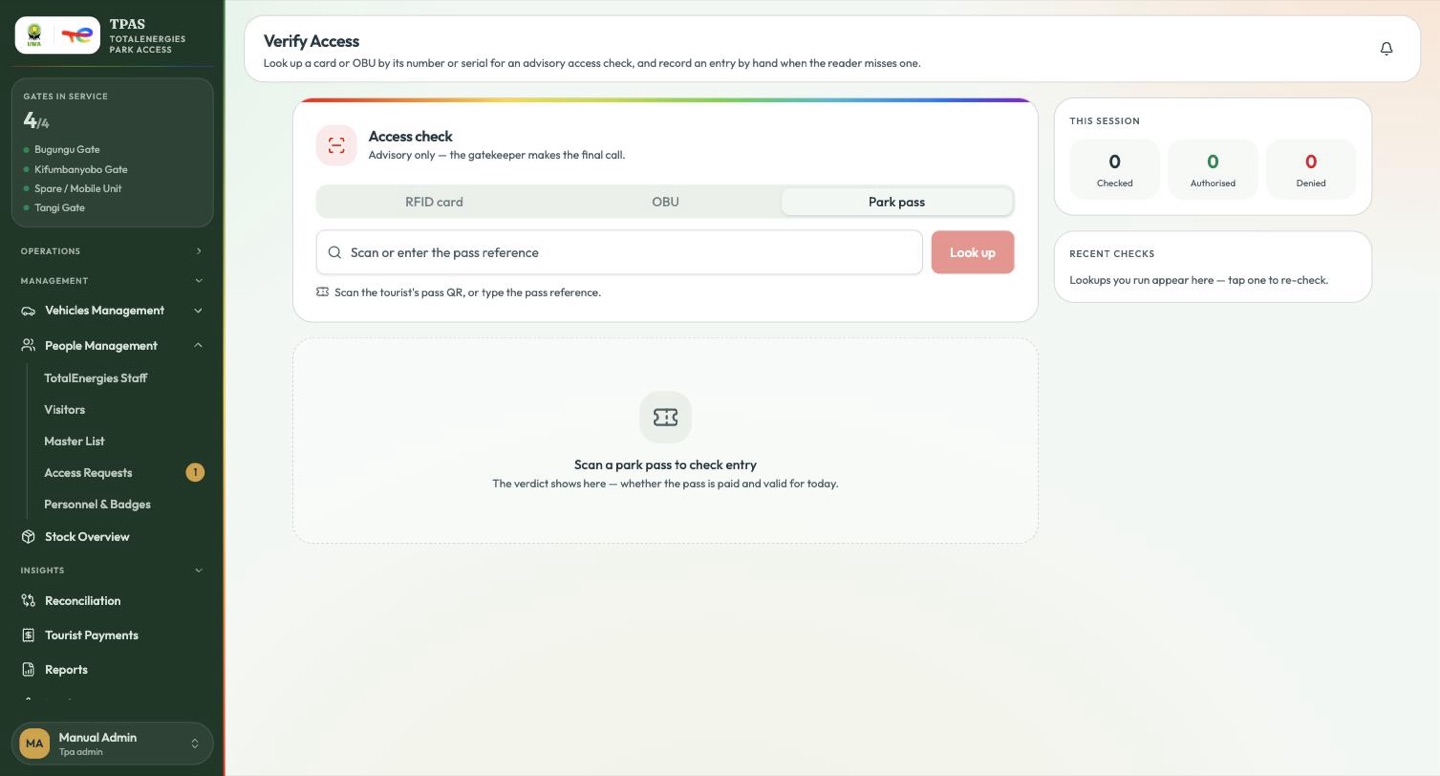
Scan a park pass to check entry — the verdict shows here — whether the pass is paid and valid for today.
That is the whole of what it does. It reports paid and valid for today; there is no Admit action and nothing on this tab opens a barrier. See Verifying a pass at the gate for what the verdict means and for the public scan page that does the same job from any phone camera.
The counters on the right track your session: how many you have checked, authorised and denied. Recent checks keeps the last few, and you can select one to re-run it.
Reading the verdict
Authorised — the badge is valid, it belongs to the named person, and their access is current.
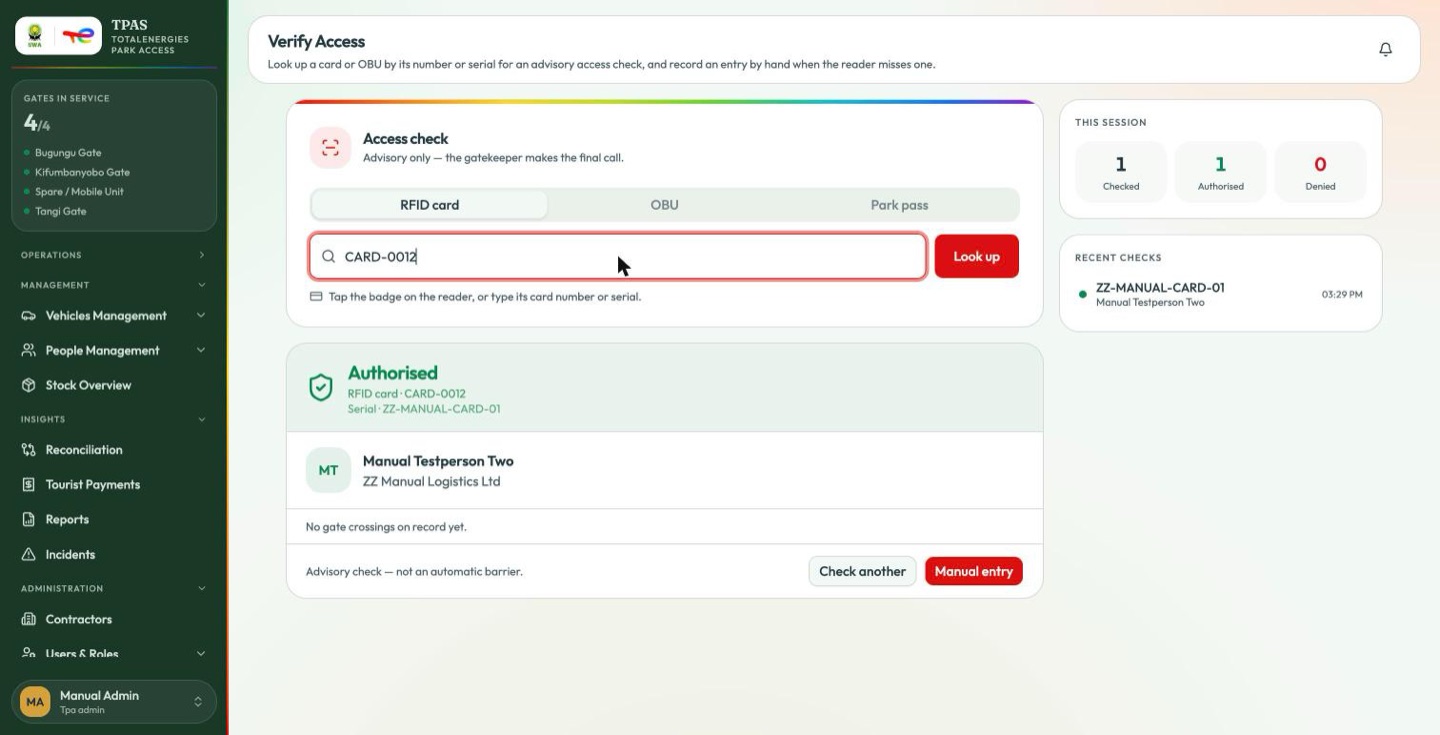
An Authorised verdict also says where the holder is: Inside the park — entered Tangi Gate, 09:12 or Outside the park — last exit …, or No gate crossings on record yet. That line matters for the next section.
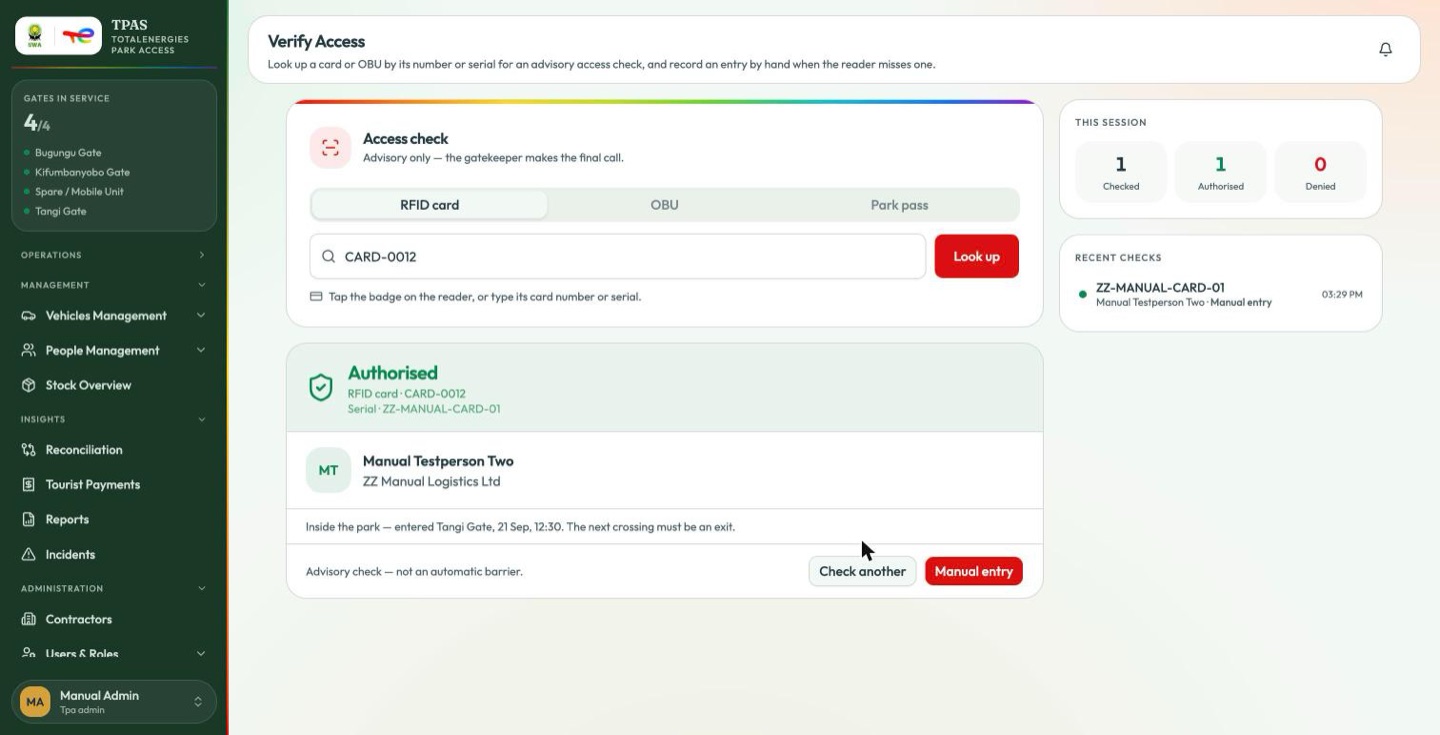
The time on that line is shown in UTC, while the Recent checks column beside it shows local time. The same crossing can therefore appear three hours apart on one screen. Read the Recent checks time as the local one.
Denied — the card was found, but access is refused. The verdict names the holder and lists the reasons.
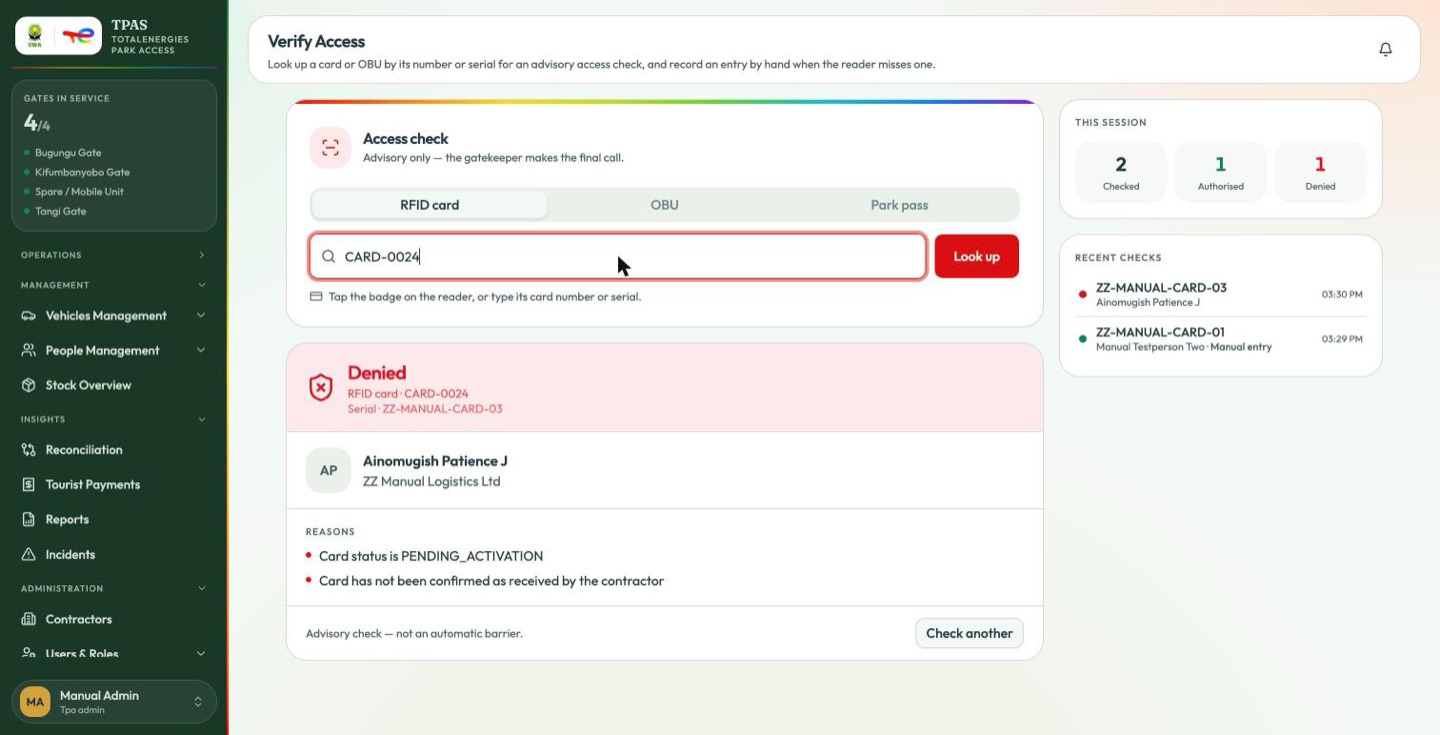
Not registered — the id is not in TPAS at all.
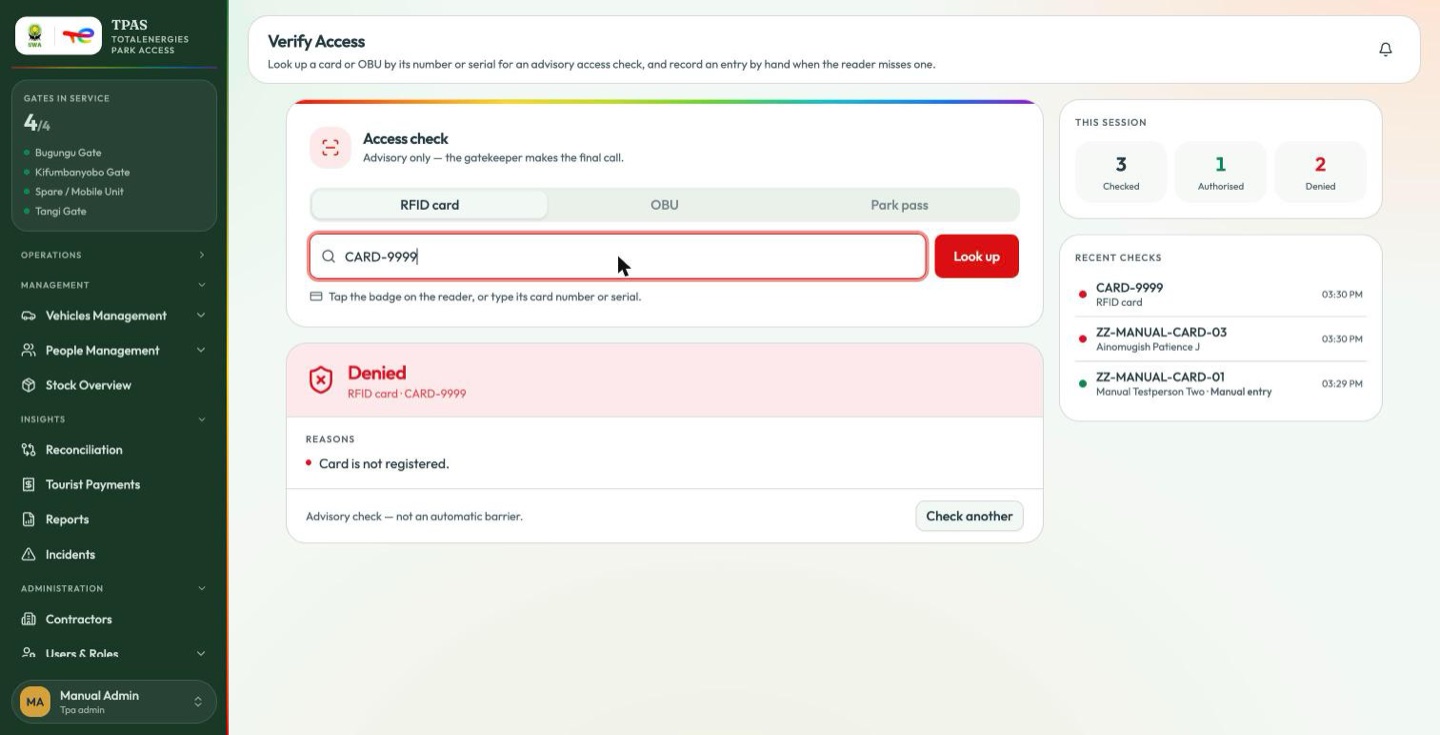
This is advisory
The screen says so twice, and it means it:
Advisory check — not an automatic barrier. The gatekeeper makes the final call.
Verify Access does not open anything. It gives you the system's opinion; the decision and its consequences are yours. If you let someone through against a Denied, that is a manual access and it must be recorded as an incident.
Recording a manual entry
capture:create (every gatekeeper has it).
The badge or OBU is Authorised but the reader did not pick it up — the reader is down, the chip would not scan. Without a read, the crossing never reaches the system: no gate activity, no access report, no count. Select Manual entry on the Authorised verdict to record it by hand.
| Field | Notes |
|---|---|
| Gate * | Which gate. Chosen for you when only one is open. |
| Direction * | Entry or Exit. Pre-set to the one the system expects next (see below); you can change it. |
| Note | Why the reader missed it, in a few words. Optional. |
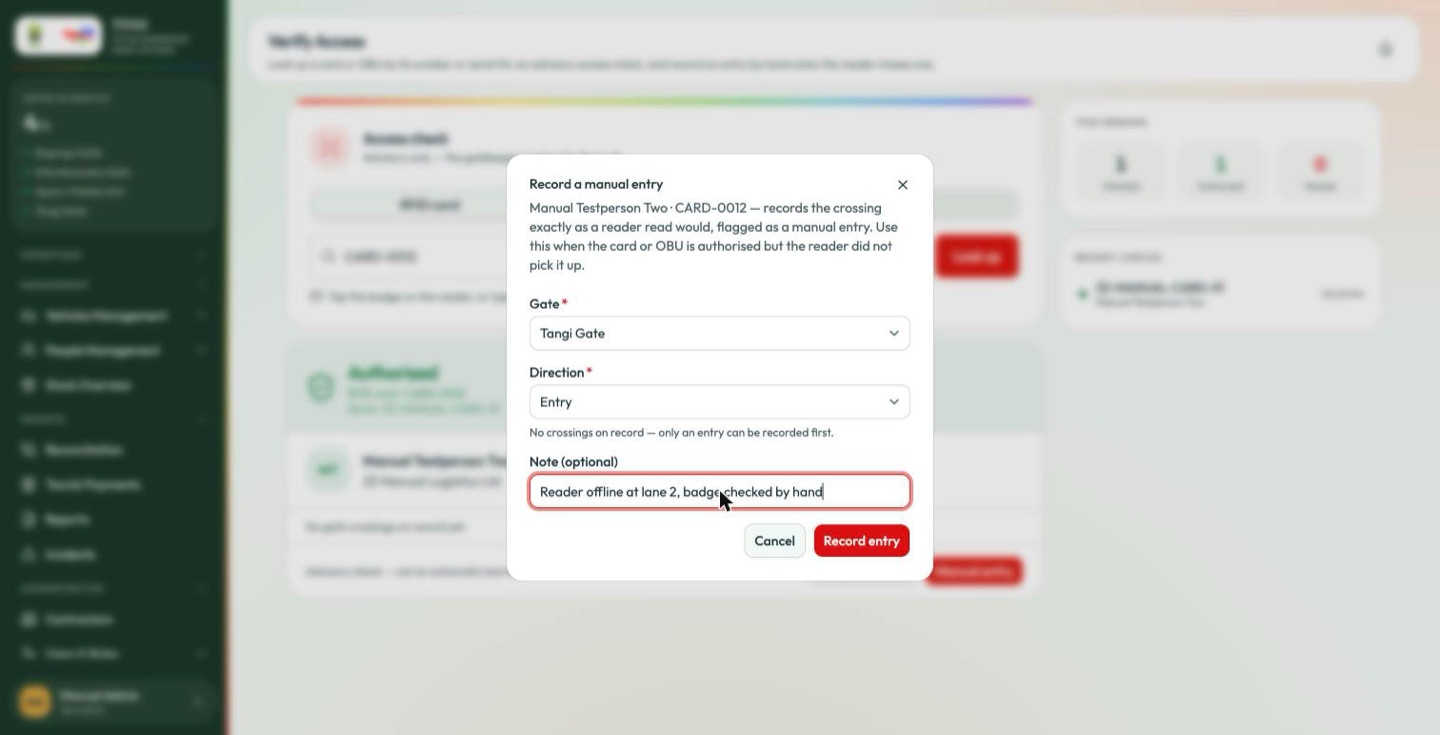
{holder} · {device} — records the crossing exactly as a reader read would, flagged as a manual entry. Use this when the card or OBU is authorised but the reader did not pick it up.
The Direction field explains its own choice underneath — "No crossings on record — only an entry can be recorded first."
Record entry writes exactly what a reader read would have written — the same crossing, at the current time — flagged as a manual entry. The Gate Screen shows it within seconds; Gate Activity picks it up on its next assembly pass. On the Vehicle access, Personnel access and Movement log reports the row carries a Manual marker in the Source column, and the reports can be filtered to just those rows.
The system checks the credential again when you submit. If it has stopped being eligible in the meantime, the entry is refused and the reasons are shown — nothing is written.
In and out, in order
Every card and OBU is kept in sequence: an entry can only follow an exit (or nothing at all), and an exit can only follow an entry. This applies to reader reads and manual entries alike.
- A reader read that breaks the order is kept for the audit trail but is not counted — no crossing is written. The Gate Screen shows it as CHECK with the reason (Already inside the park — entered at Tangi Gate on 16 Sep 2026 09:12. Record the exit first. / No entry on record …).
- A manual entry that breaks the order is refused with the same message, and nothing is written.
An open entry never expires on its own. If the exit reader missed someone, the next entry for that badge will be refused until the exit is recorded: verify the badge, select Manual entry, and record the Exit first (the dialog pre-selects it, and says why), then the entry.
| What it writes | When | |
|---|---|---|
| Manual entry (here) | A gate crossing, flagged manual | Authorised, but the reader missed it |
| Log manual entry (Logging a record by hand) | A UWA access record for reconciliation | Matching the paper record the UWA keeps |
| Incident (Incidents) | An access-failure incident | You let someone through against a Denied |
Note — what each denial reason means The reasons are written for the person at the window:
| You read | It means |
|---|---|
| This person's record is incomplete — no access status on file. Refer them to the pass office. | The person record has no access status set — see Adding a person directly. Not "this person is barred". |
| Card is not registered. | The id is not in TPAS at all. |
| No active access record for this subject. | Nothing current authorises them. |
| This card has expired. | Past its validity date. |
| No OBU fitted to this vehicle. | No transponder on the vehicle. |
| The access device on this vehicle has expired. | The OBU's validity has lapsed. |
| Access refused — the reason could not be read. Contact the control room. | The server sent something that still reads like internal shorthand. |
That last line is the safety net: anything that reads like internal shorthand is held behind it rather than shown to you. Treat it as "the system cannot tell", not "this person is barred" — check the badge and the paperwork by hand, and log an incident if you let them through.