People
Personnel & badges
personnel:read, plus personnel:create to add people
and access-device:assign to issue badges.
Management → People Management → Personnel & Badges.
Three tabs: People, Badges, Visitors.
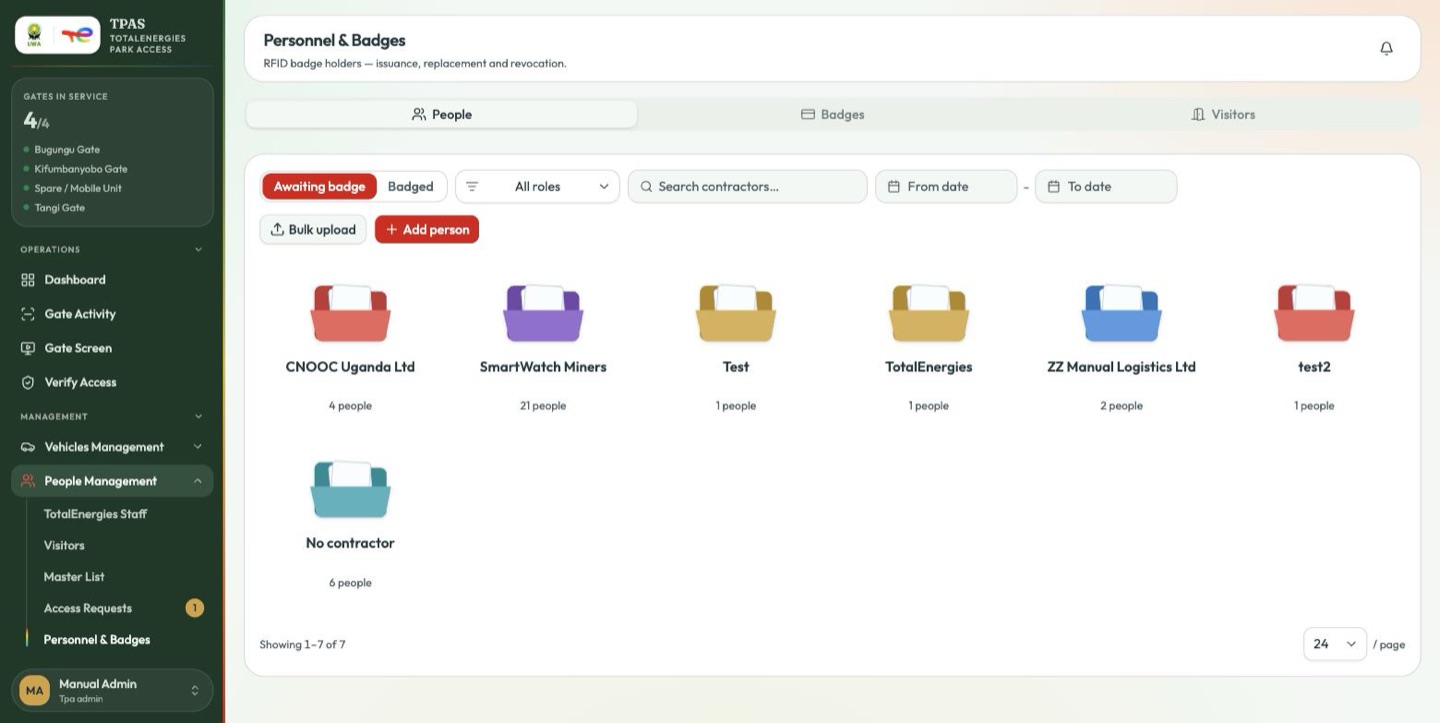
The People tab opens on the filter that matters most day to day:
- Awaiting badge — approved, but nothing in their hand yet. This is your work queue.
- Badged — carrying a card.
Beside them: an All roles filter, a contractor search, and a date range. Bulk upload and Add person sit underneath.
Open a contractor's folder and each person is headed by the person artwork: green once they hold a badge, grey while they are waiting (or are suspended or inactive, in which case no badge is owed to them), and red once they have gone 14 days without one. A red person also carries a No badge · nd flag and a red row tint.
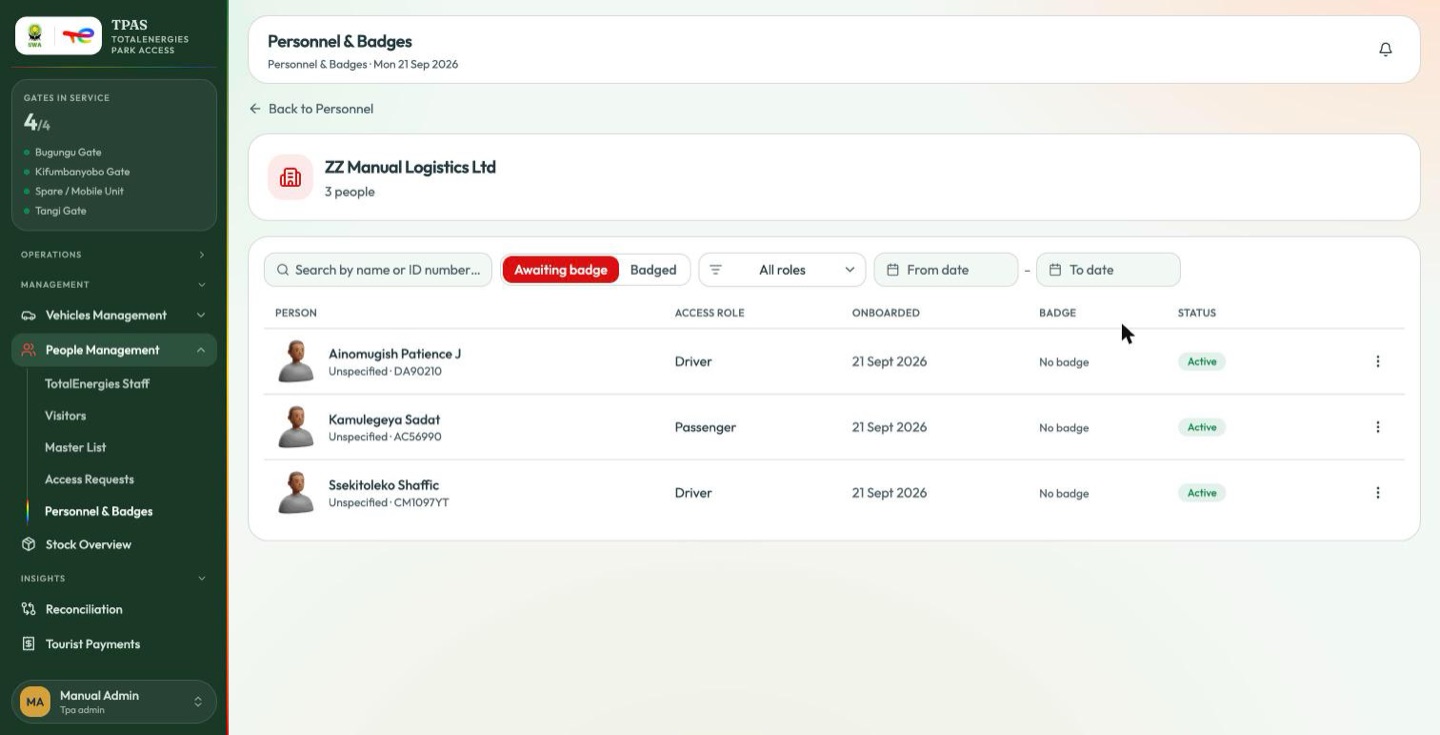
The two filters are the same list seen twice:
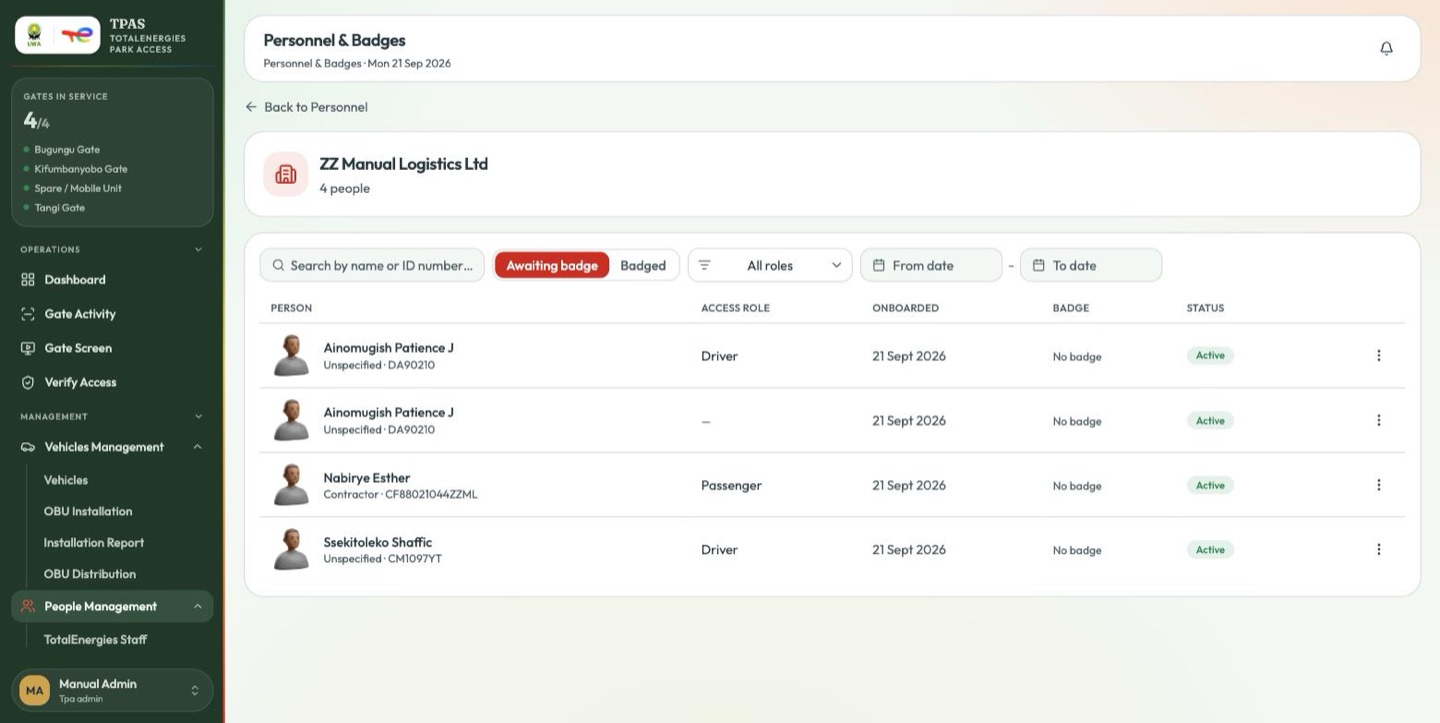
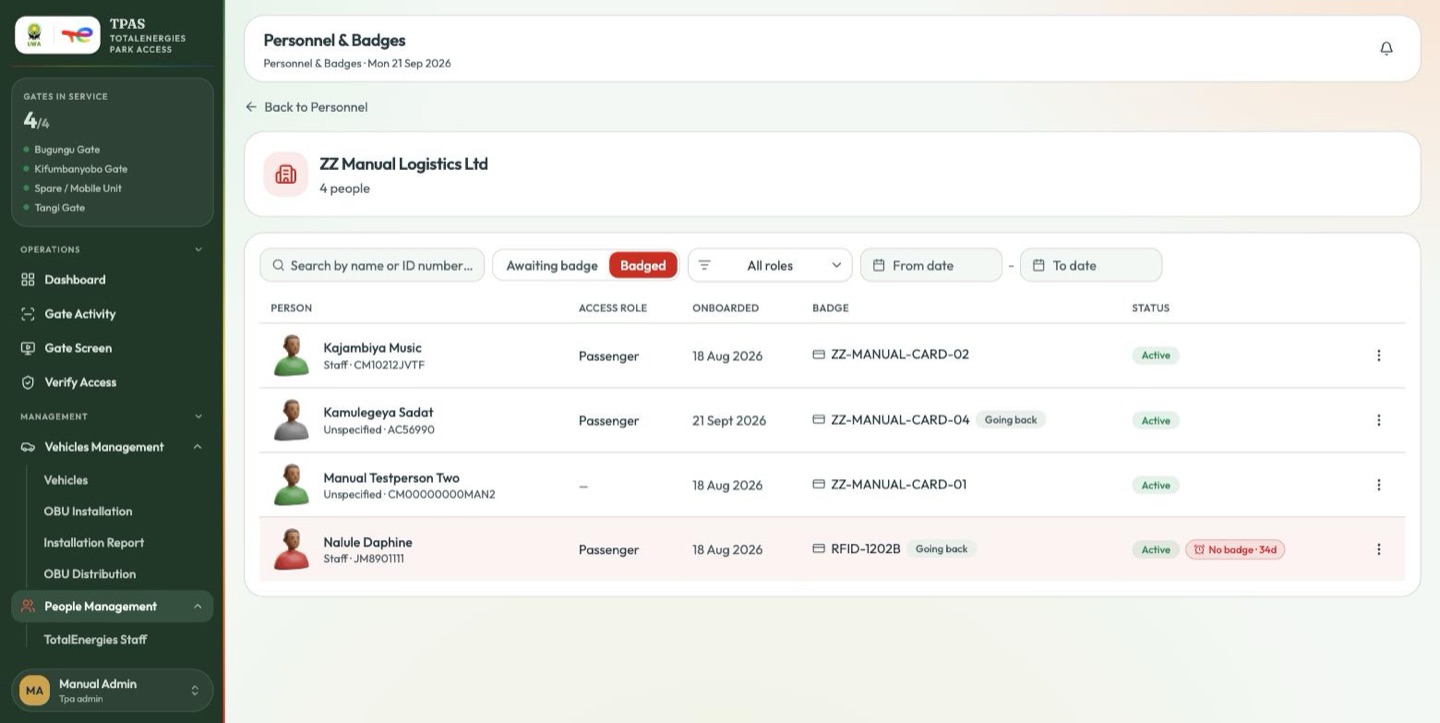
The first is the work queue — sixteen people, every one of them past the limit. The second is the same contractor's badged staff, each row green and carrying its RFID reference.
A person whose badge has been issued but not yet confirmed by the contractor (Confirming receipt) drops out of Awaiting badge without appearing in Badged. If a contractor's folder reads "0 people" in both while you know cards are on their way, that is why — they come back on receipt. Use the Badges tab, which shows them as Awaiting activation, to see where they are.
Adding a person directly
An approved access request creates a person automatically. Add person is for the cases that never went through a request — a correction, or somebody being brought in directly.
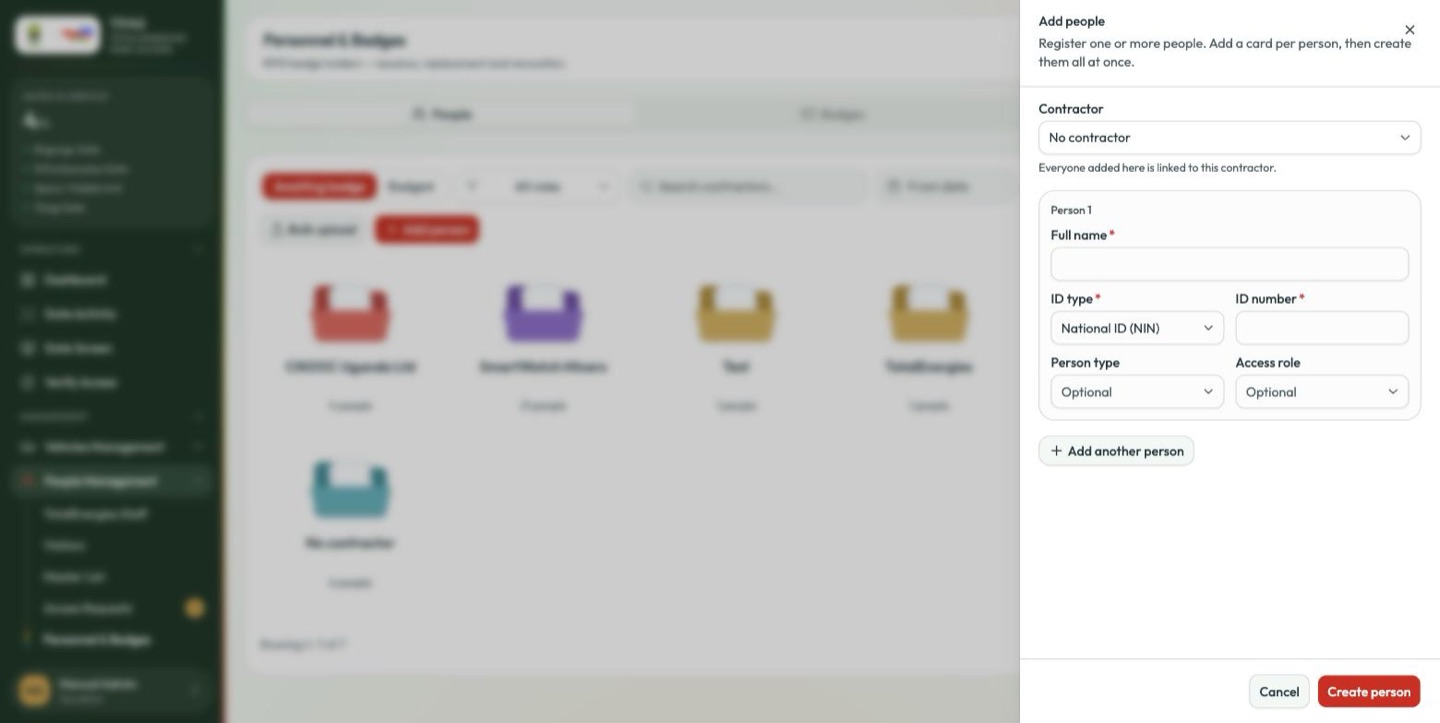
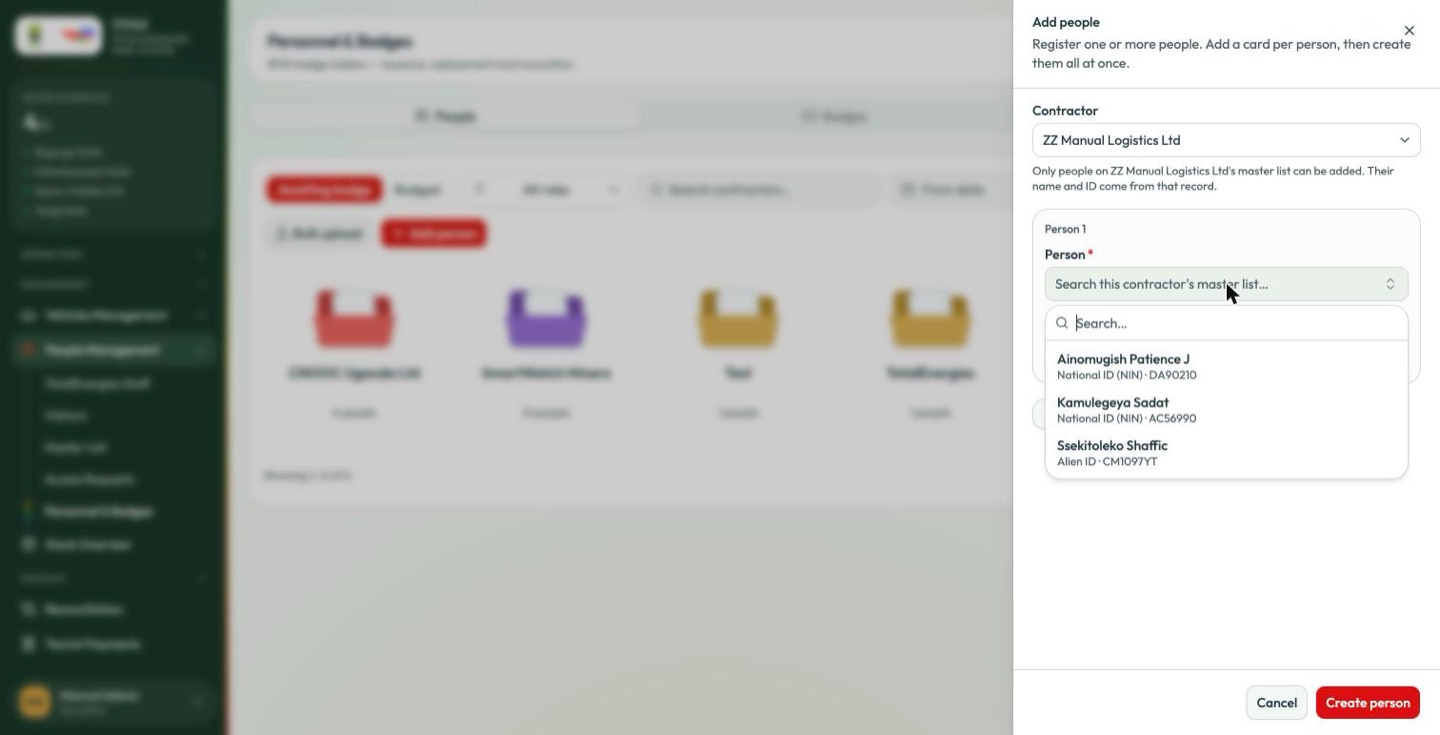
Choose the contractor at the top; everyone added in this drawer is linked to it. The person themselves is chosen from that contractor's master list, the same way an access request does it.
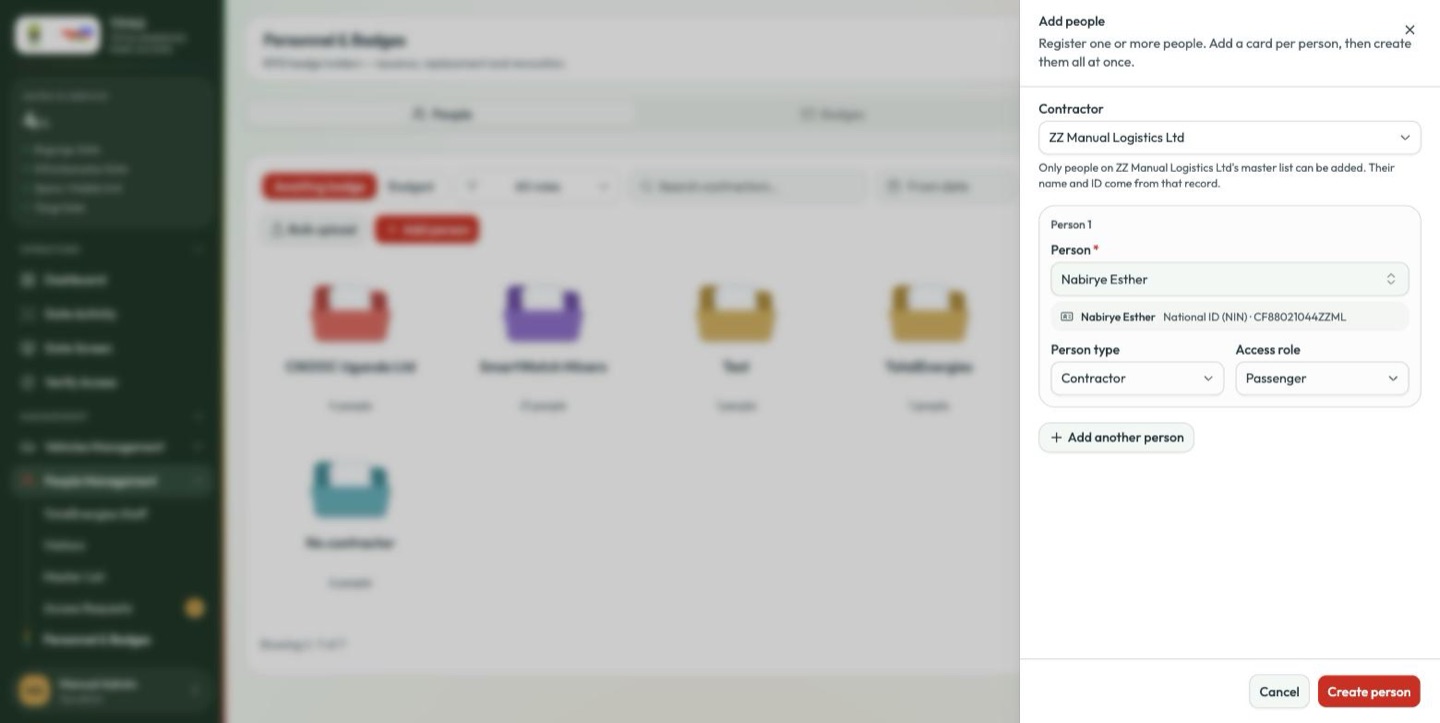
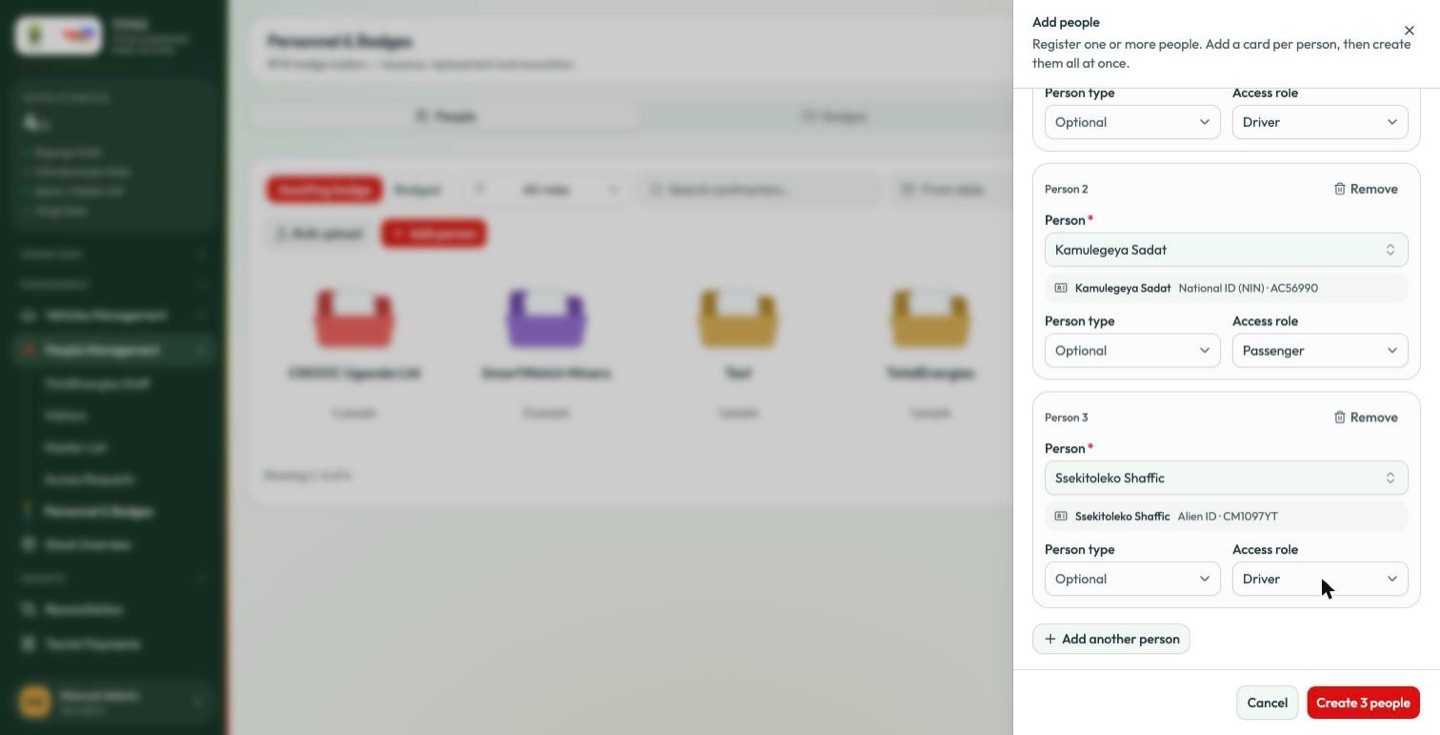
Add another person repeats the block, so a crew can be added in one pass.
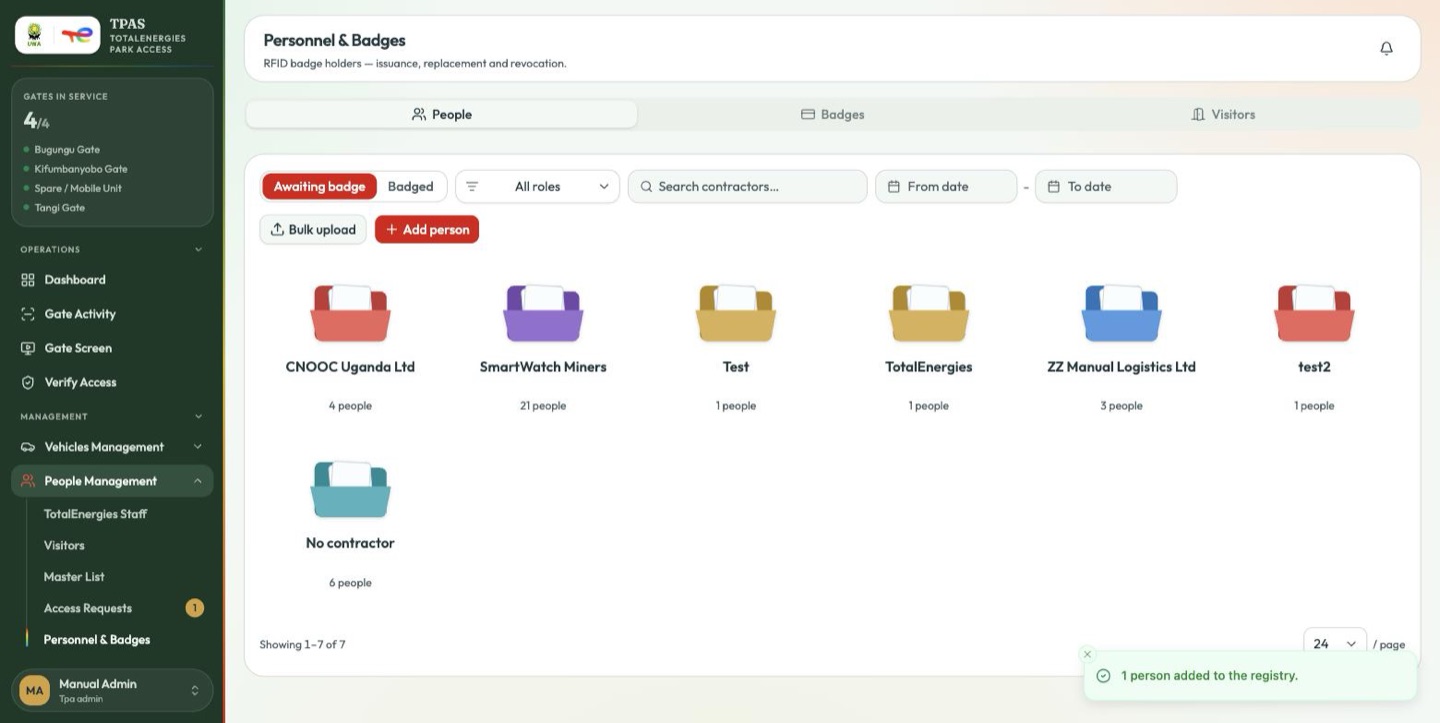
Bulk upload takes a spreadsheet of people for an initial load.
The master-list picker on this drawer currently lists declined entries alongside approved ones. Check the status on Master List before adding somebody you do not recognise; adding a declined person here bypasses the approval the master list exists to enforce.
Important — a person record with no access status is refused at the gate A few older person records carry no access status at all. The gate turns those people away even though their badge is valid, and they do not appear in the incident card-holder picker.
If somebody with a good badge is refused and you can see nothing wrong with their record, this is the likely cause. It has to be corrected in the stored record — ask your system administrator — not at the gate.