Master list
master-list:read to see it, master-list:create and
master-list:delete (the contractor's own) to maintain it.
Management → People Management → Master List, or Registry → Master
List.
The master list is the contractor's own roster: the people that company says work for it. Everything about park access for people now starts here — a person who is not on an approved master-list entry cannot even be named on an access request (Access requests).
It is a two-sided list. The contractor adds and edits; TotalEnergies approves.
The contractor's side
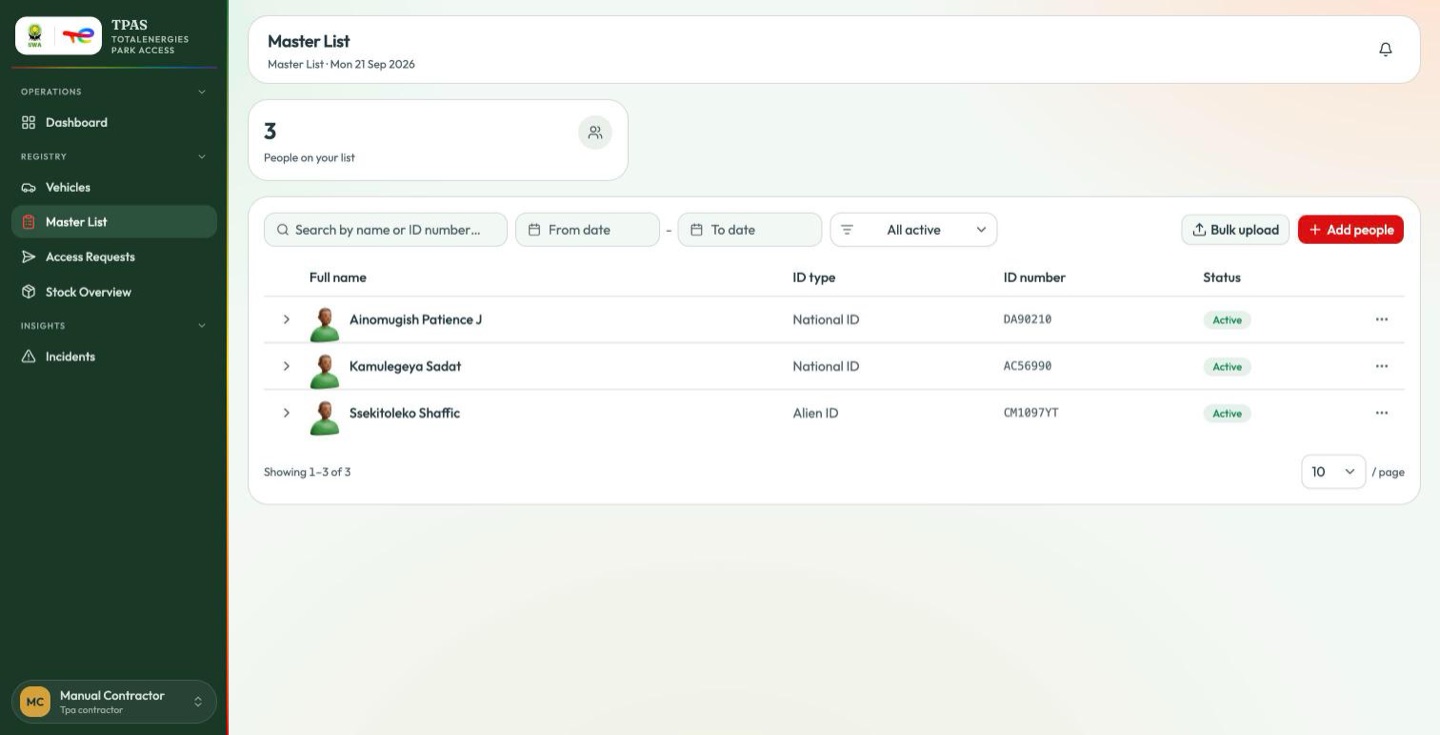
One count — People on your list — then the roster: full name, ID type, ID number and a status pill, with a chevron to expand a row and a ⋮ menu at the end. Search by name or ID number, narrow by date, or filter by status.
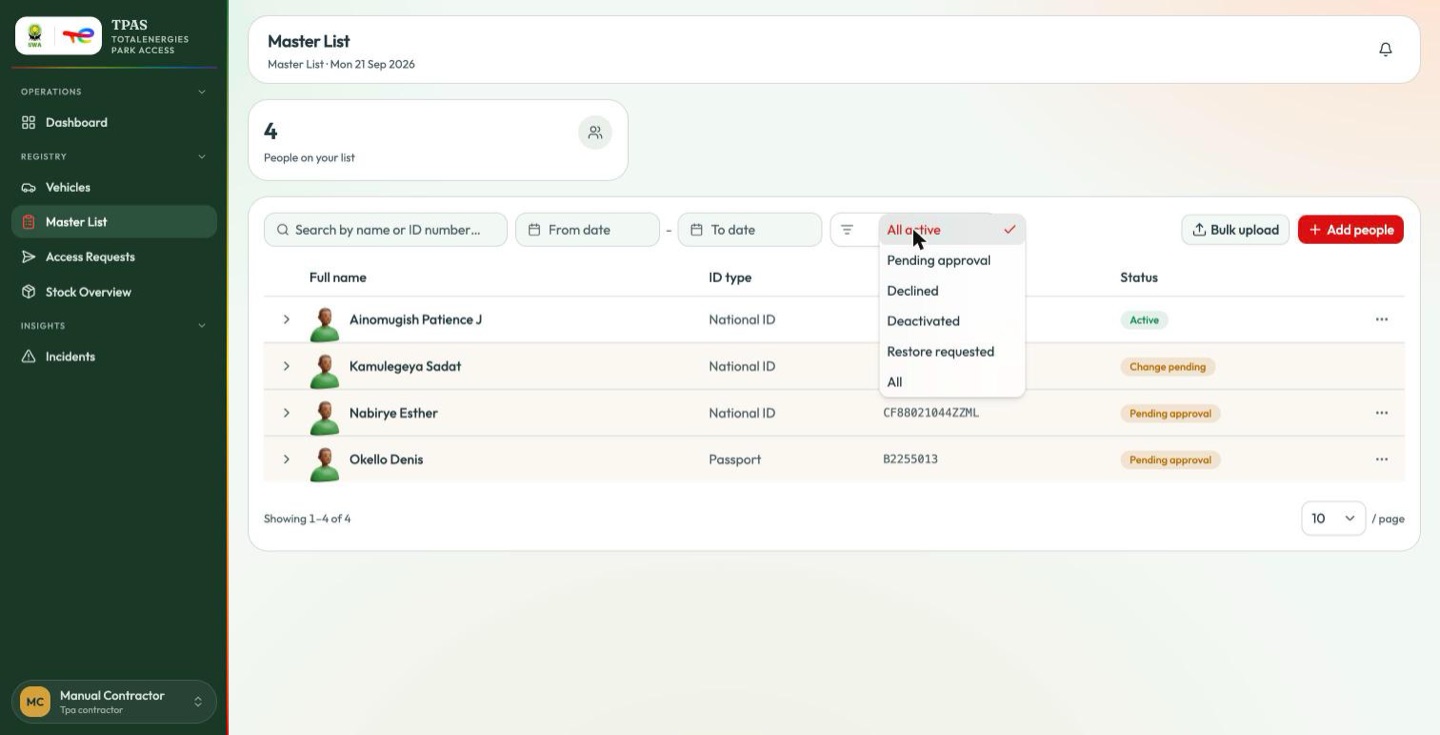
| Status | Meaning |
|---|---|
| Active | Approved. This person can be named on an access request. |
| Pending approval | Newly added, waiting for TotalEnergies. |
| Change pending | Approved, but an edit you made is waiting for approval. |
| Declined | TotalEnergies refused the entry. |
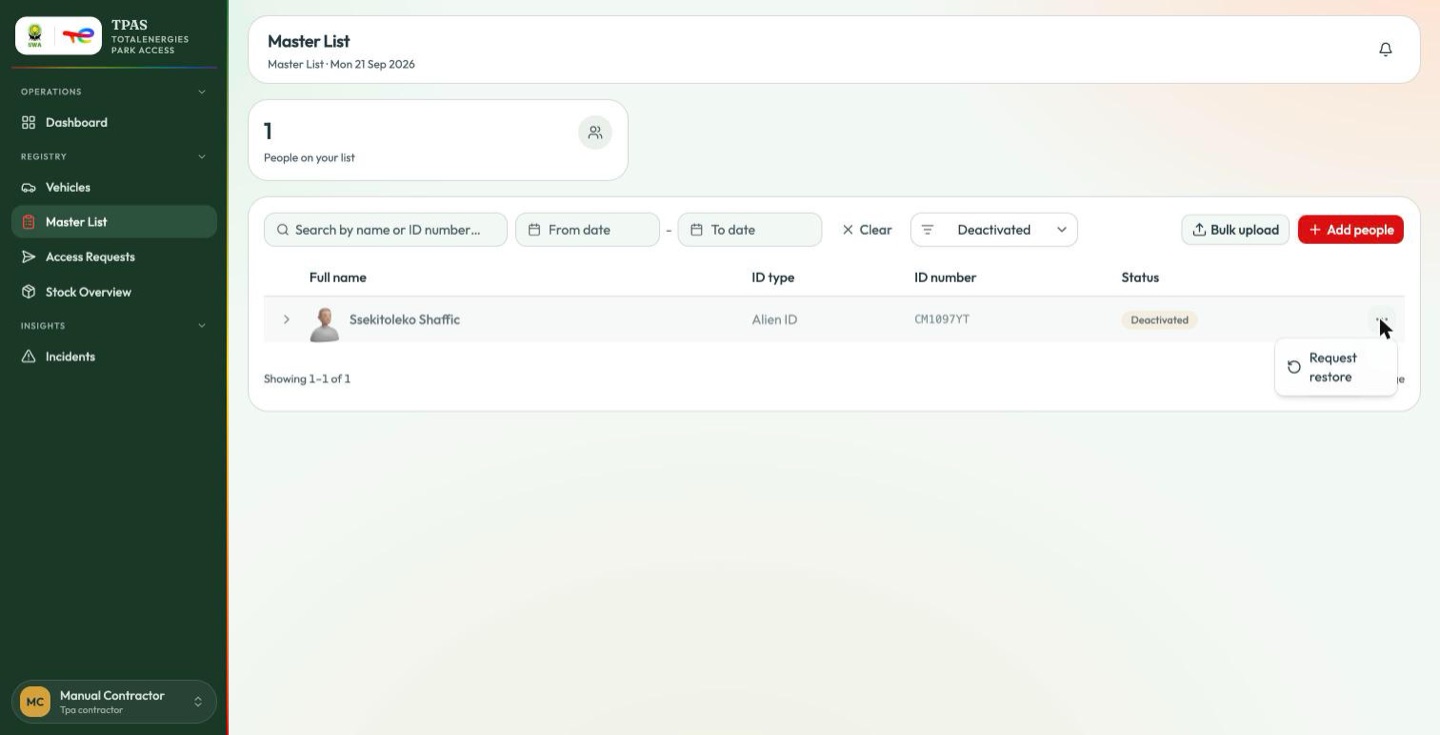
| Deactivated | Taken down — by you, or after a request to remove them. |
Adding people
Add people takes a full name, an ID type and an ID number — all three required — with Add another person to repeat the block.
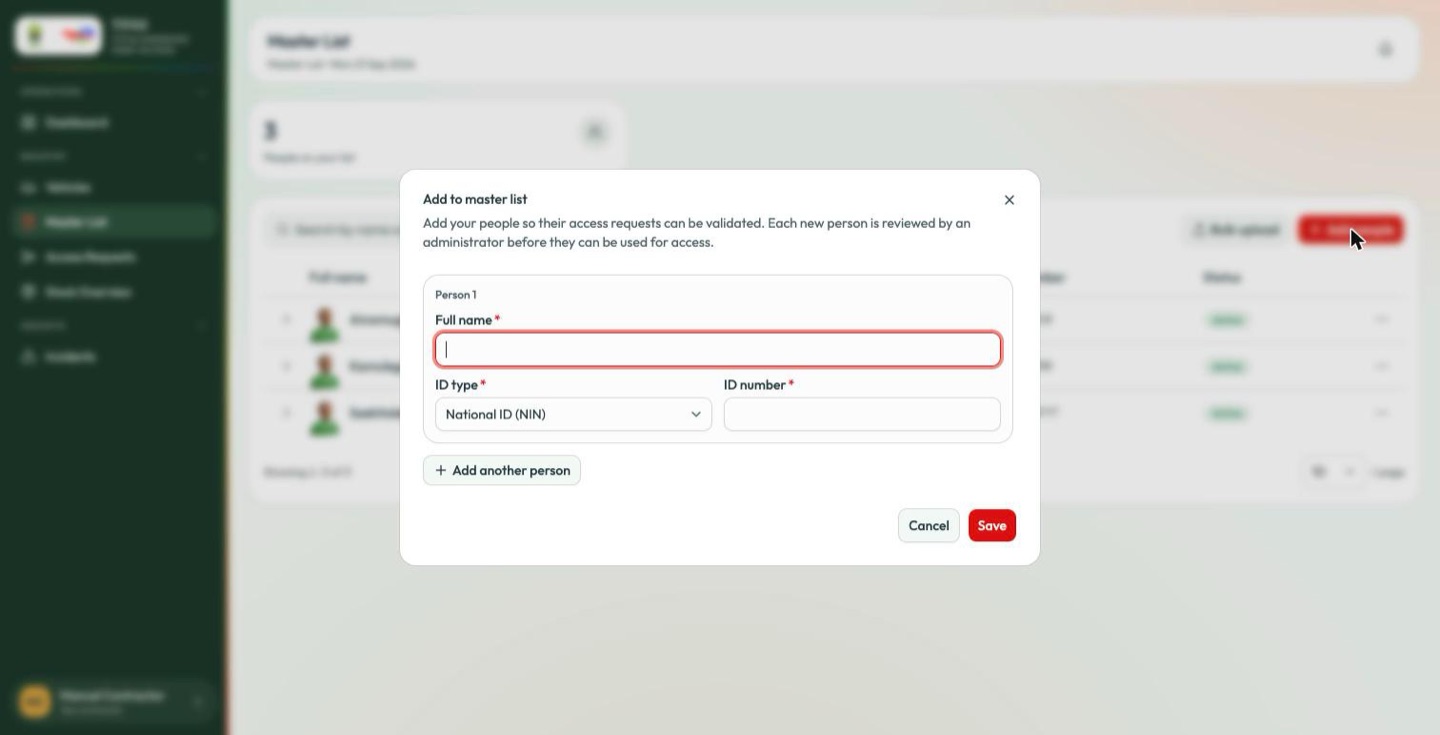
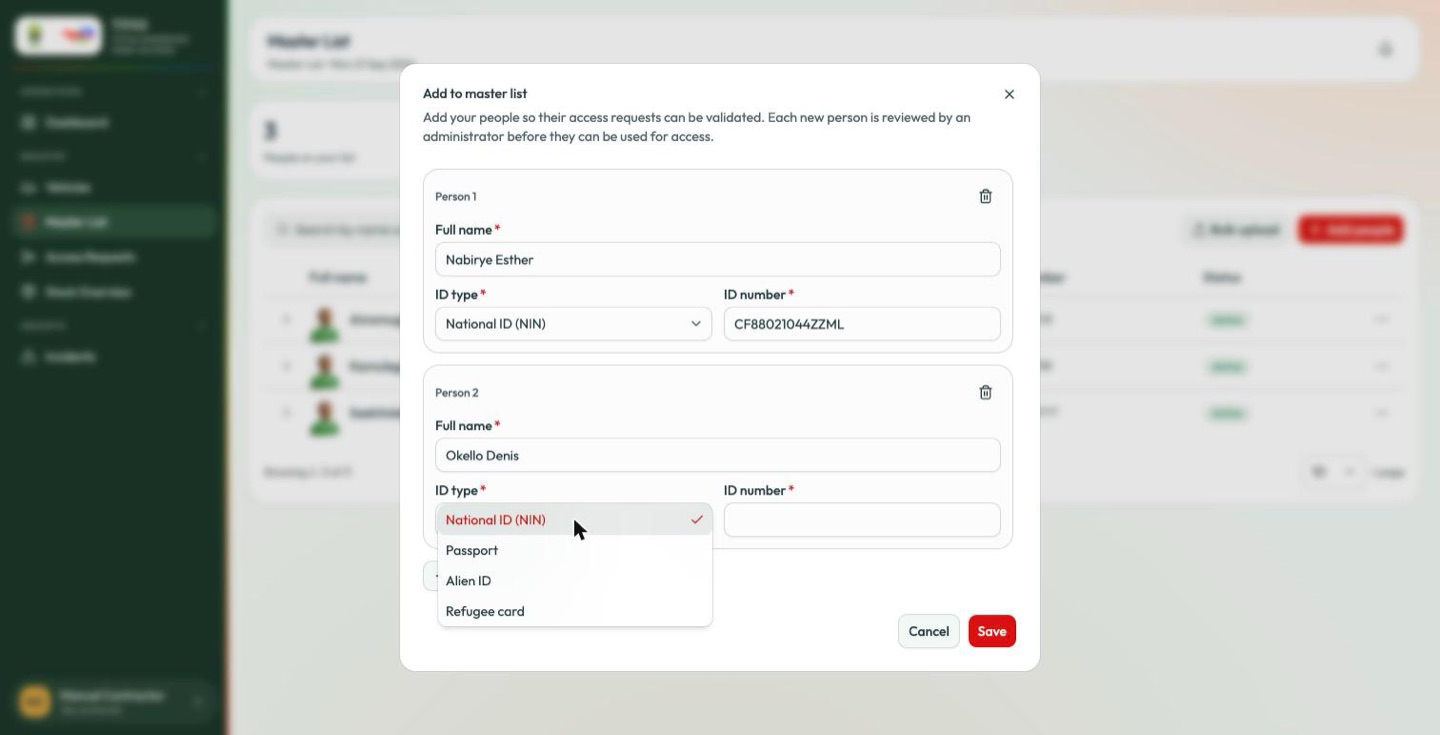
New entries arrive as Pending approval and stay there until TotalEnergies decides.
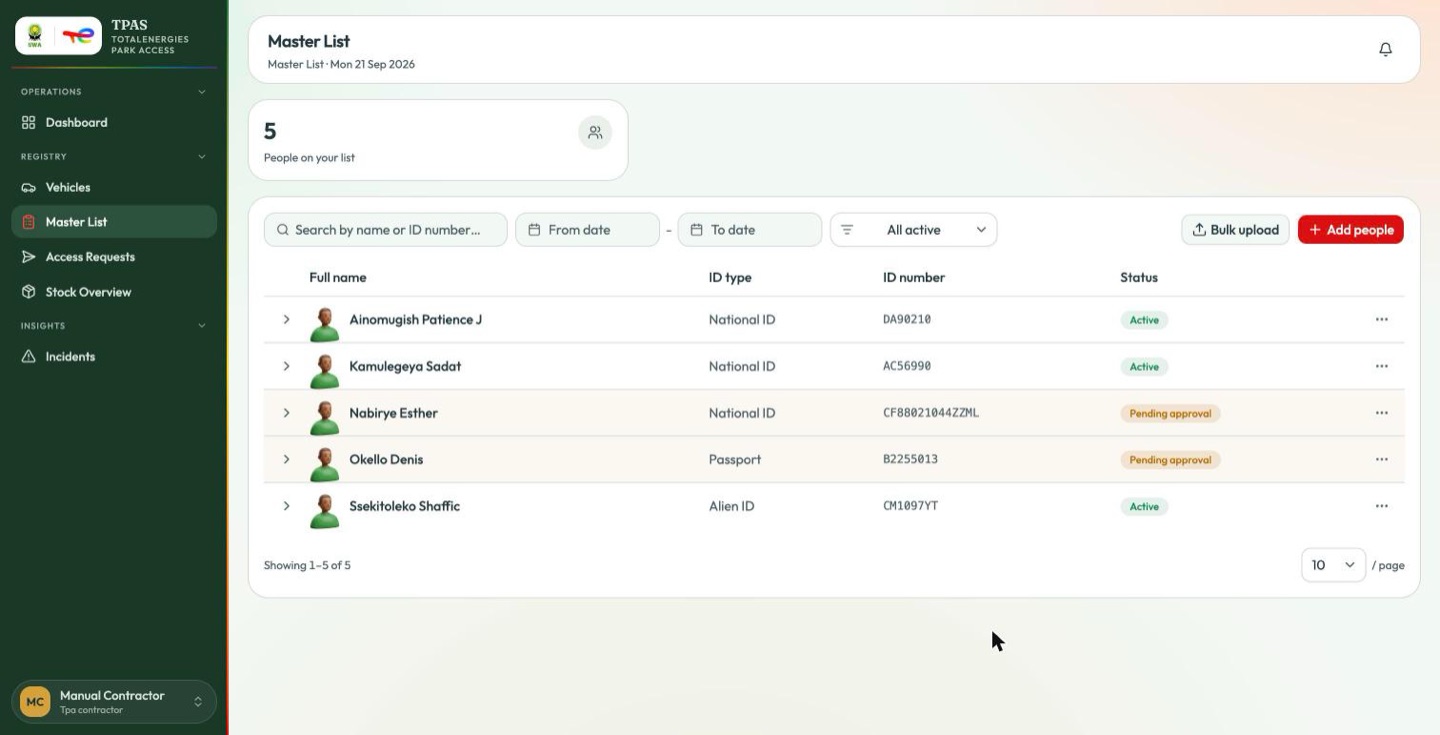
Bulk upload beside it takes a spreadsheet for an initial load; rows are matched by ID, so re-uploading a corrected file updates rather than duplicates.
Editing, deactivating and restoring
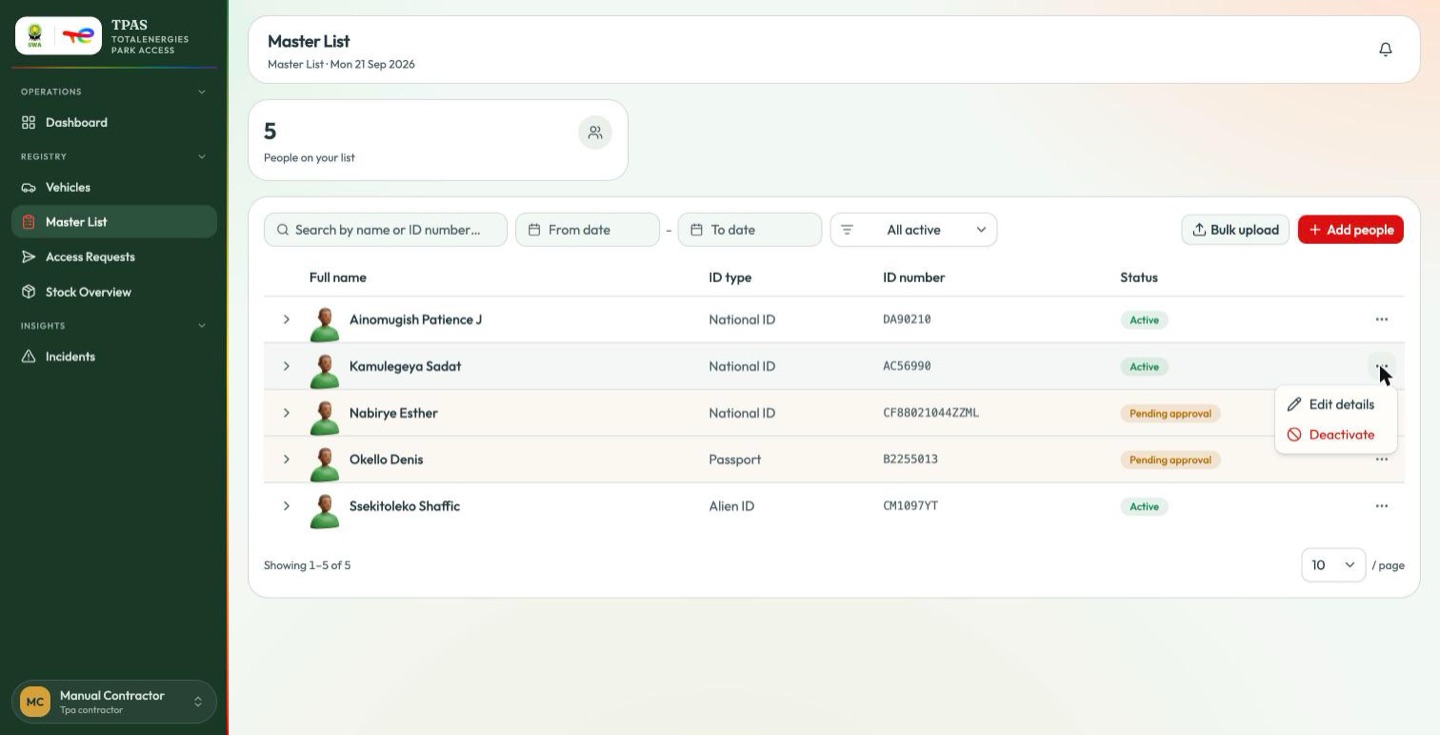
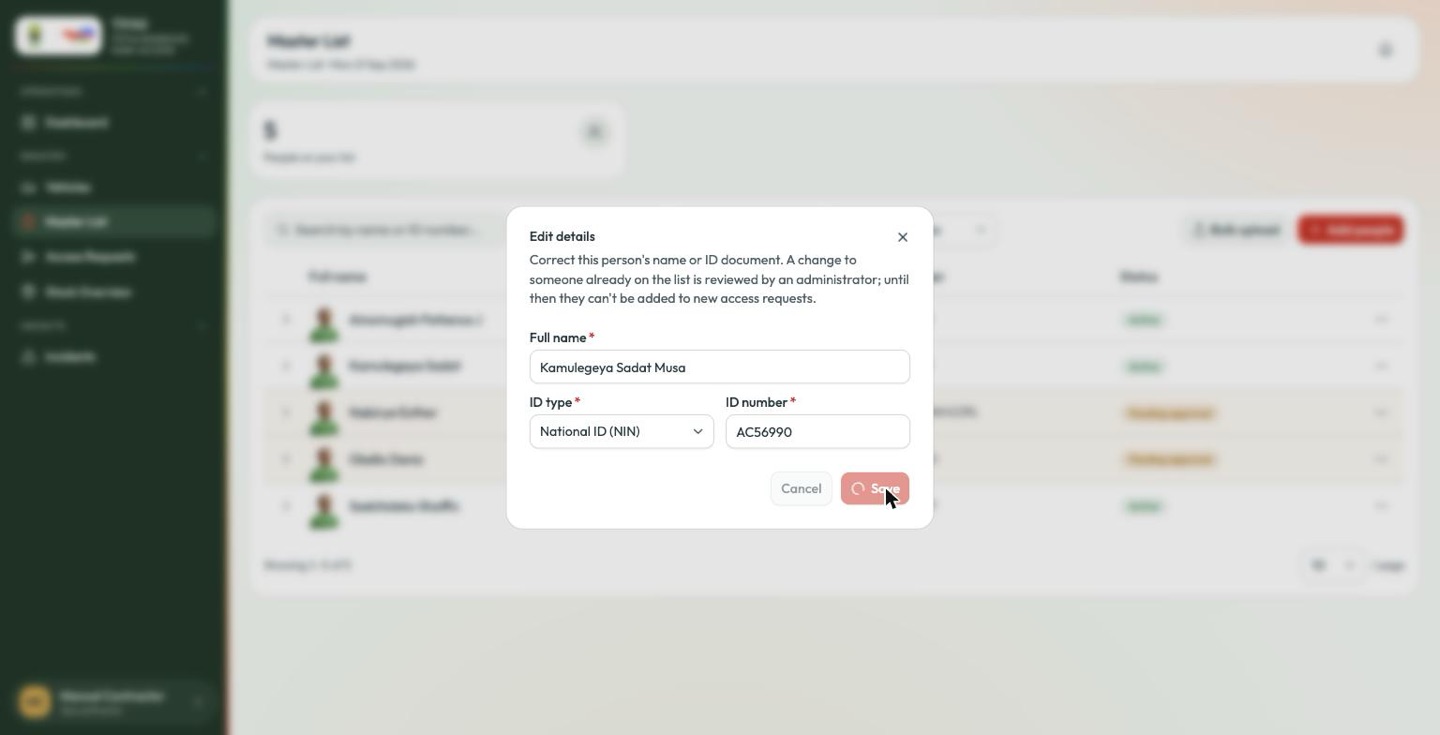
Edit details changes a name or an ID number — and, because the entry is already approved, the change itself needs approving.
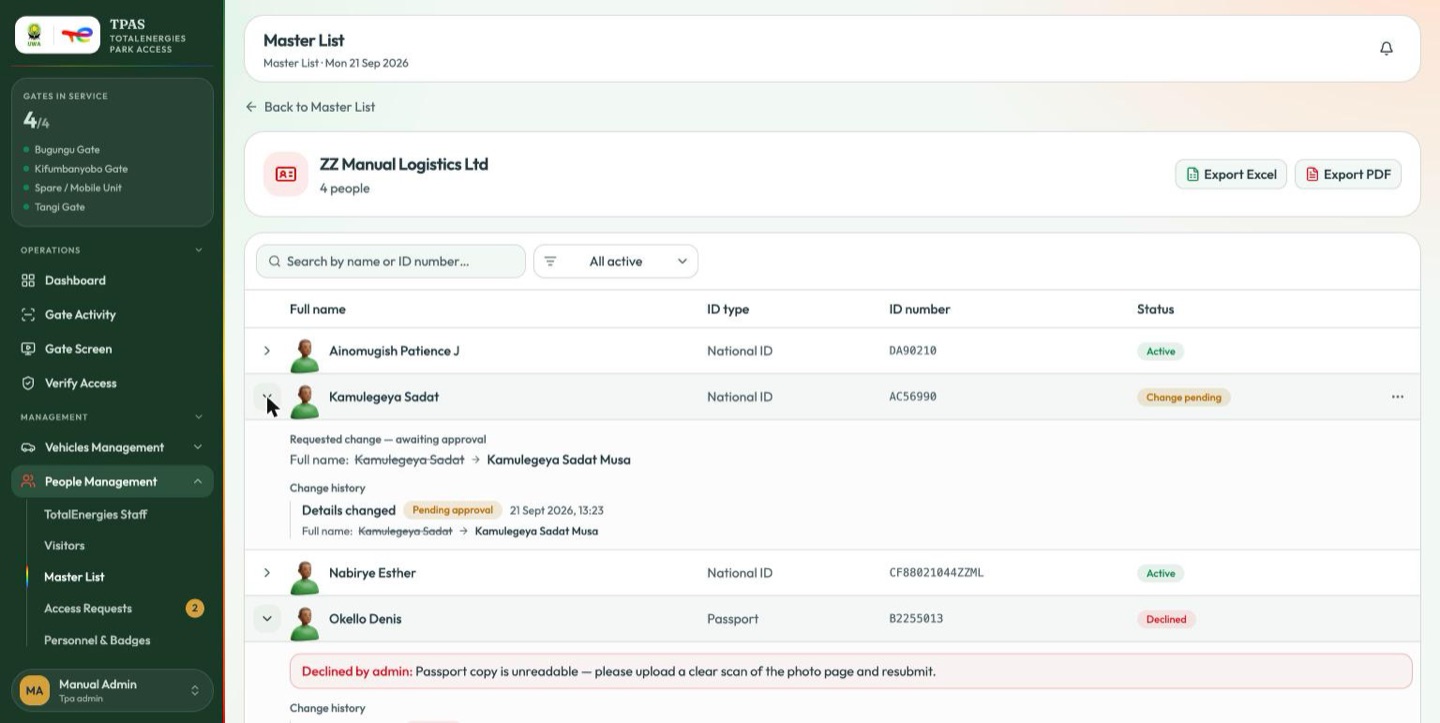
The row becomes Change pending, and expanding it shows exactly what was asked for, old value struck through:
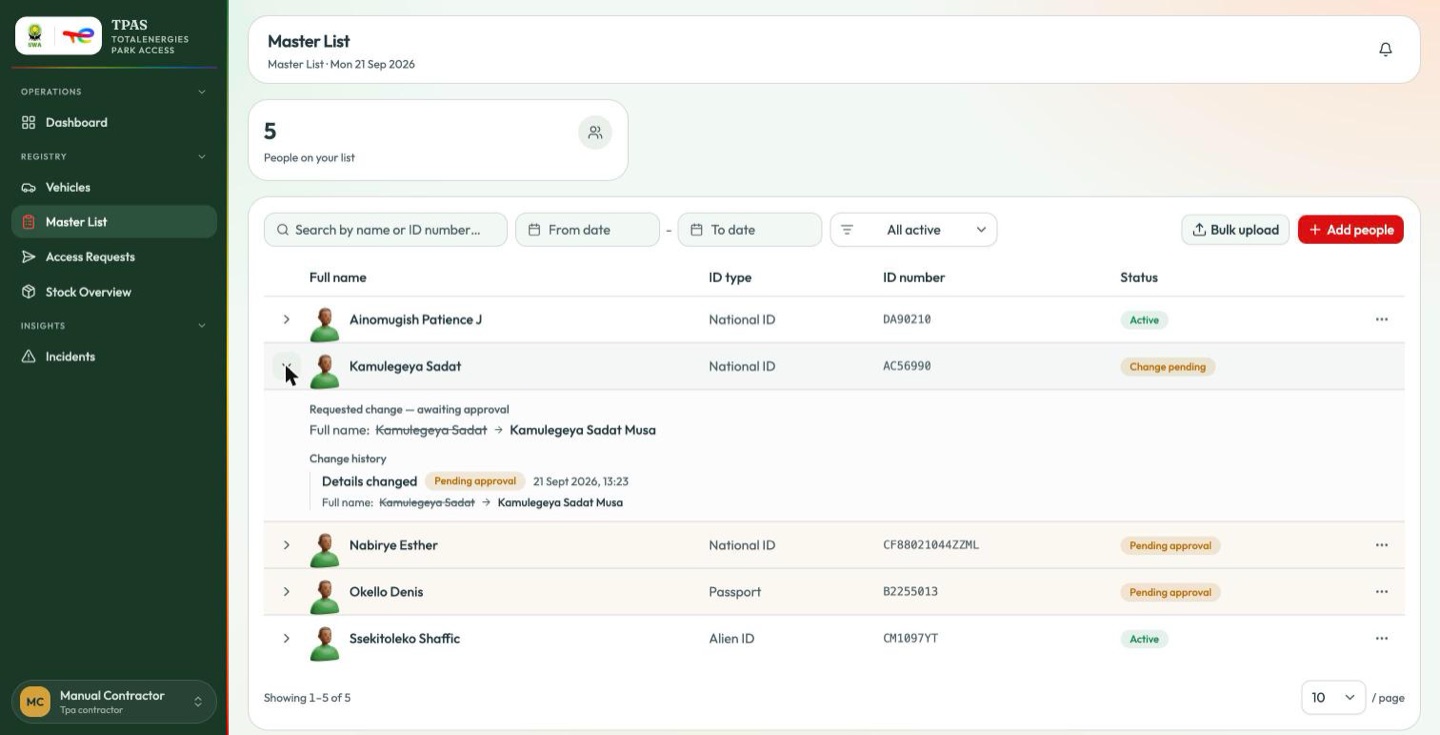
Full name: Kamulegeya Sadat → Kamulegeya Sadat Musa
Beneath it, Change history keeps every such event with its outcome and timestamp, so the roster carries its own audit trail.
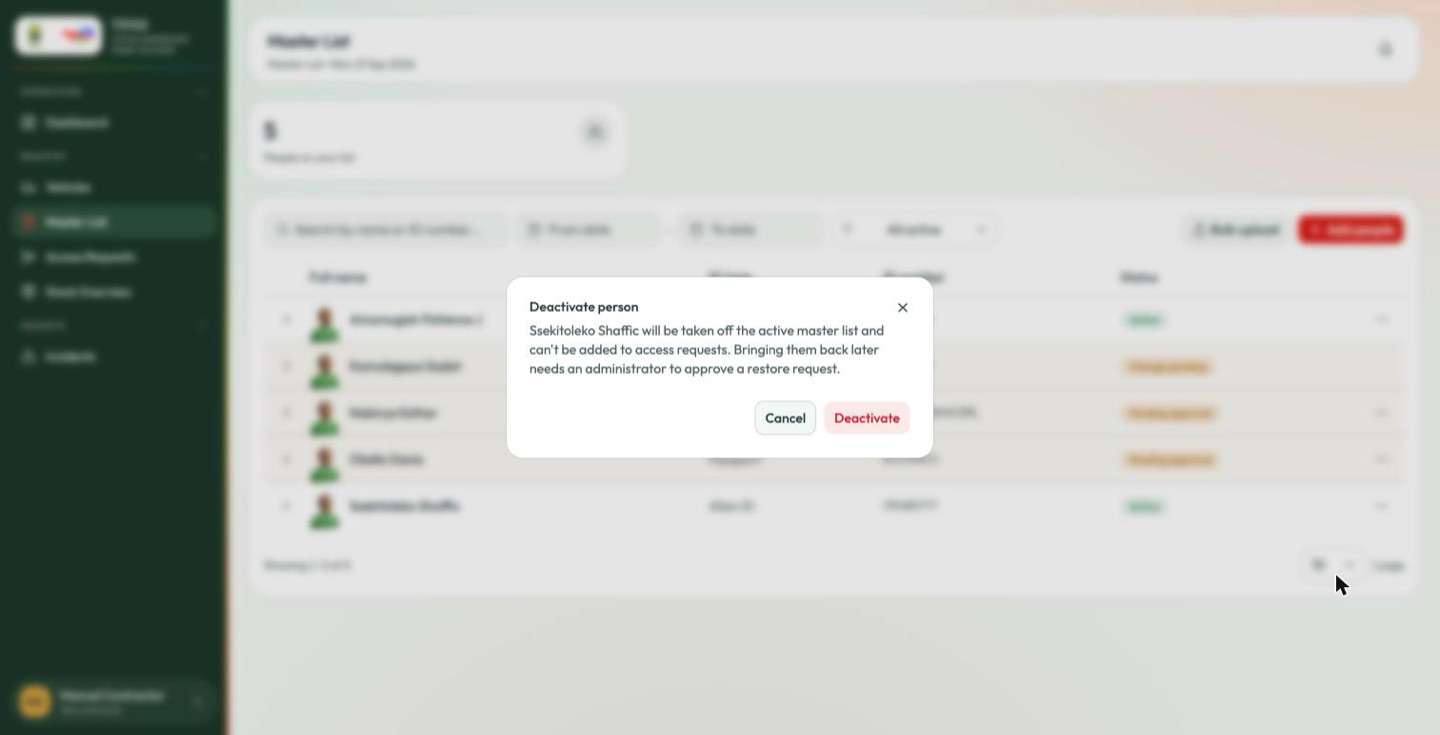
Deactivate takes somebody off the roster; it asks first.
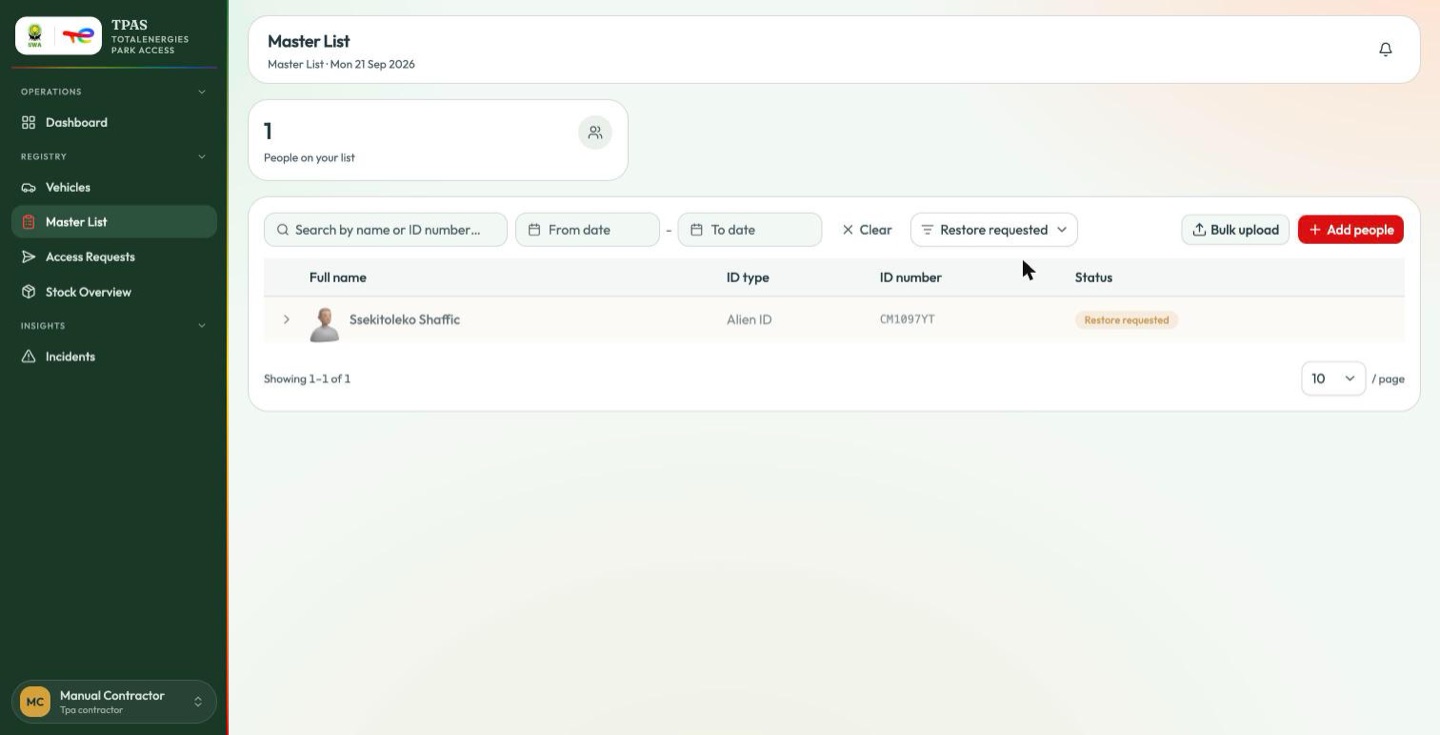
A deactivated entry can be put back with Request restore, which — like everything else here — goes to TotalEnergies rather than taking effect at once.
The TotalEnergies side
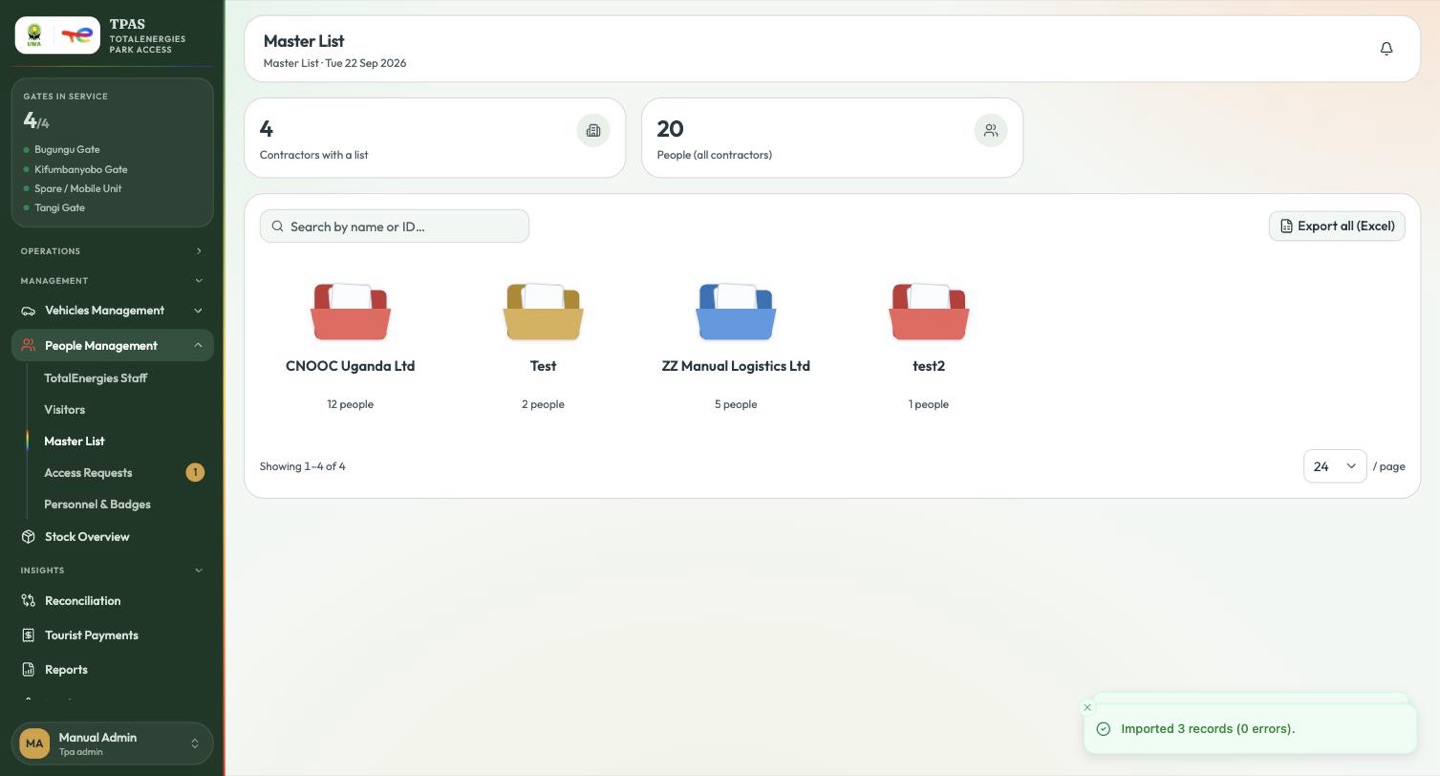
The page opens on one folder per contractor. Open a folder for that company's people; Export Excel and Export PDF take the open roster as you have filtered it.
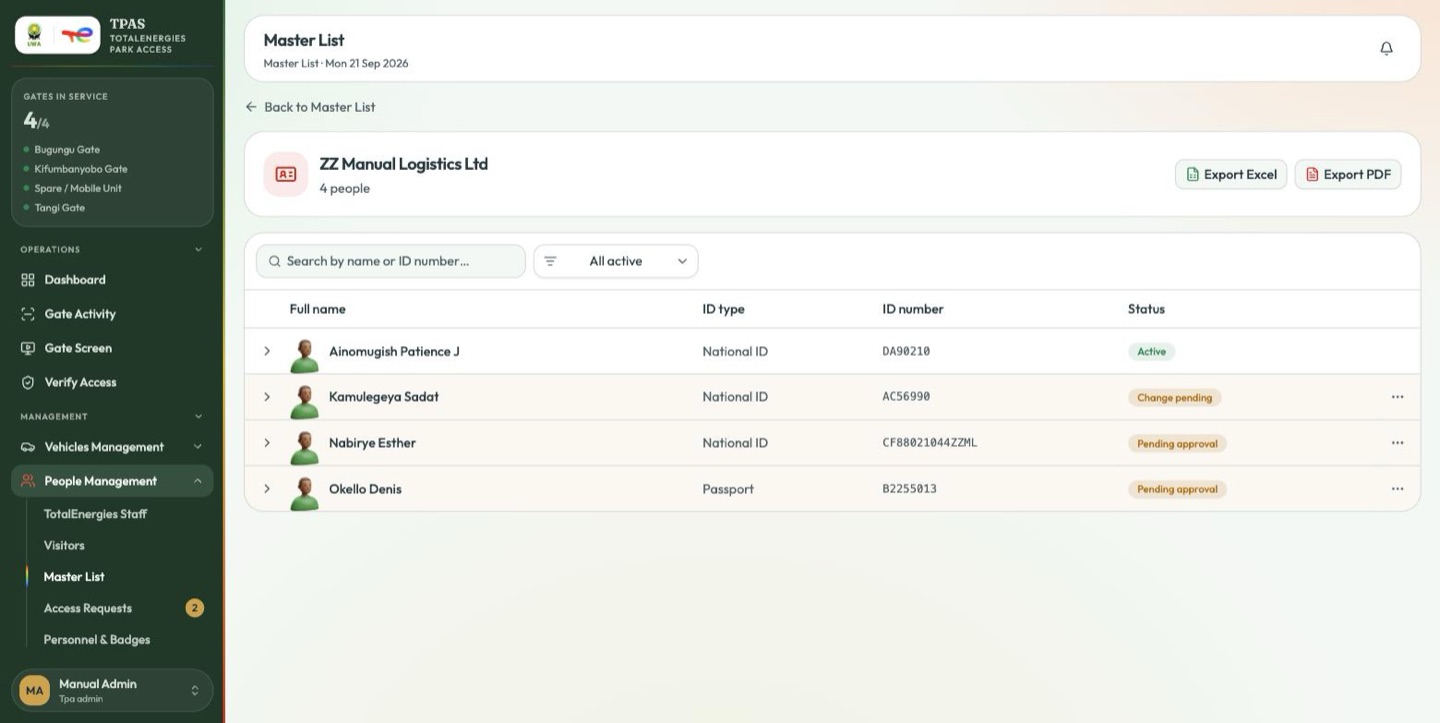
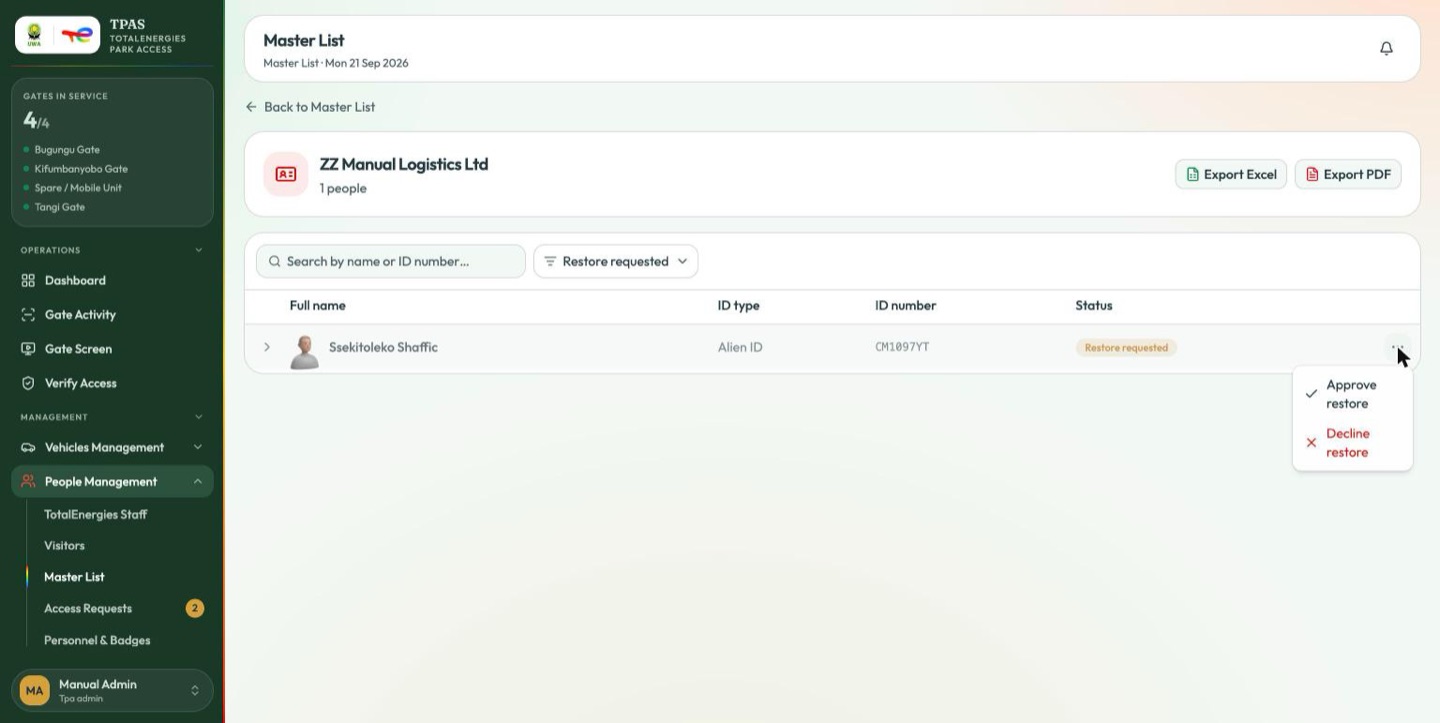
Anything a contractor has asked for waits here with a Pending approval or Change pending pill and an ⋮ menu offering the decision.
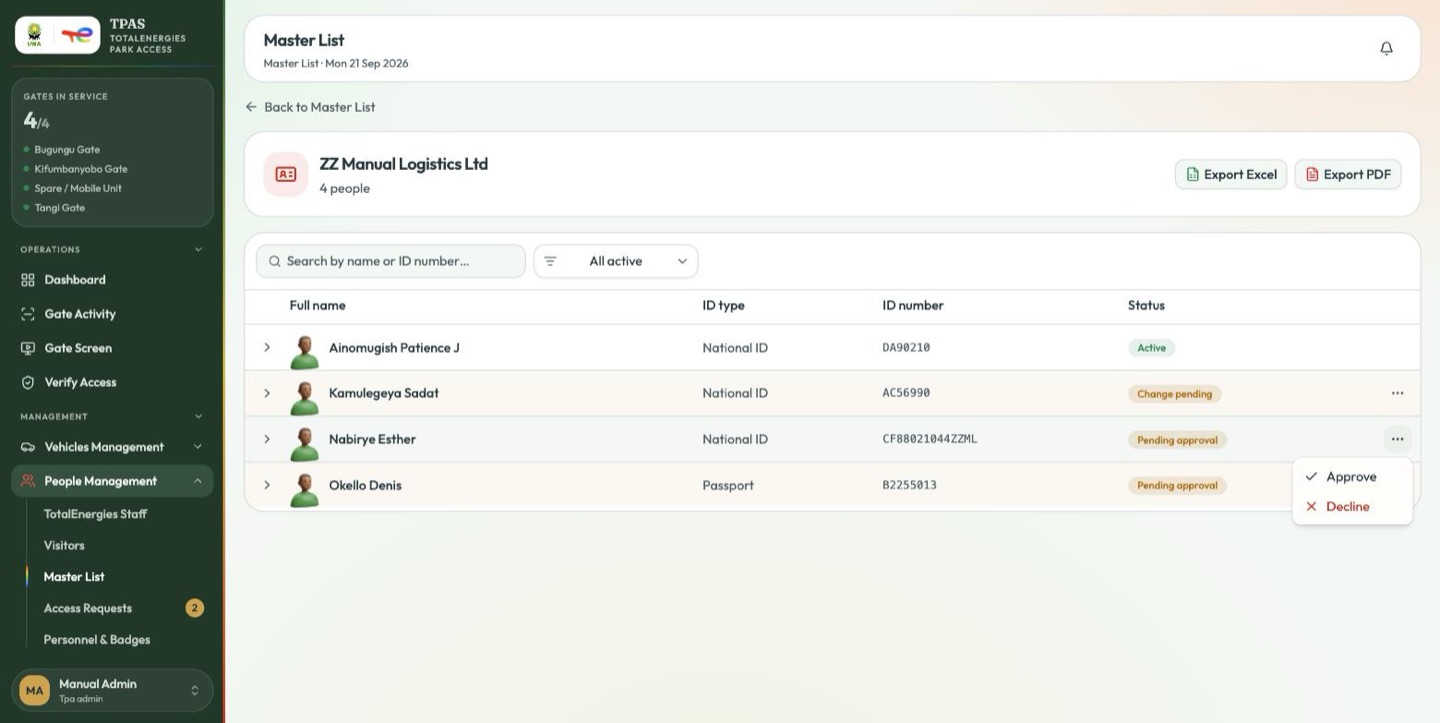
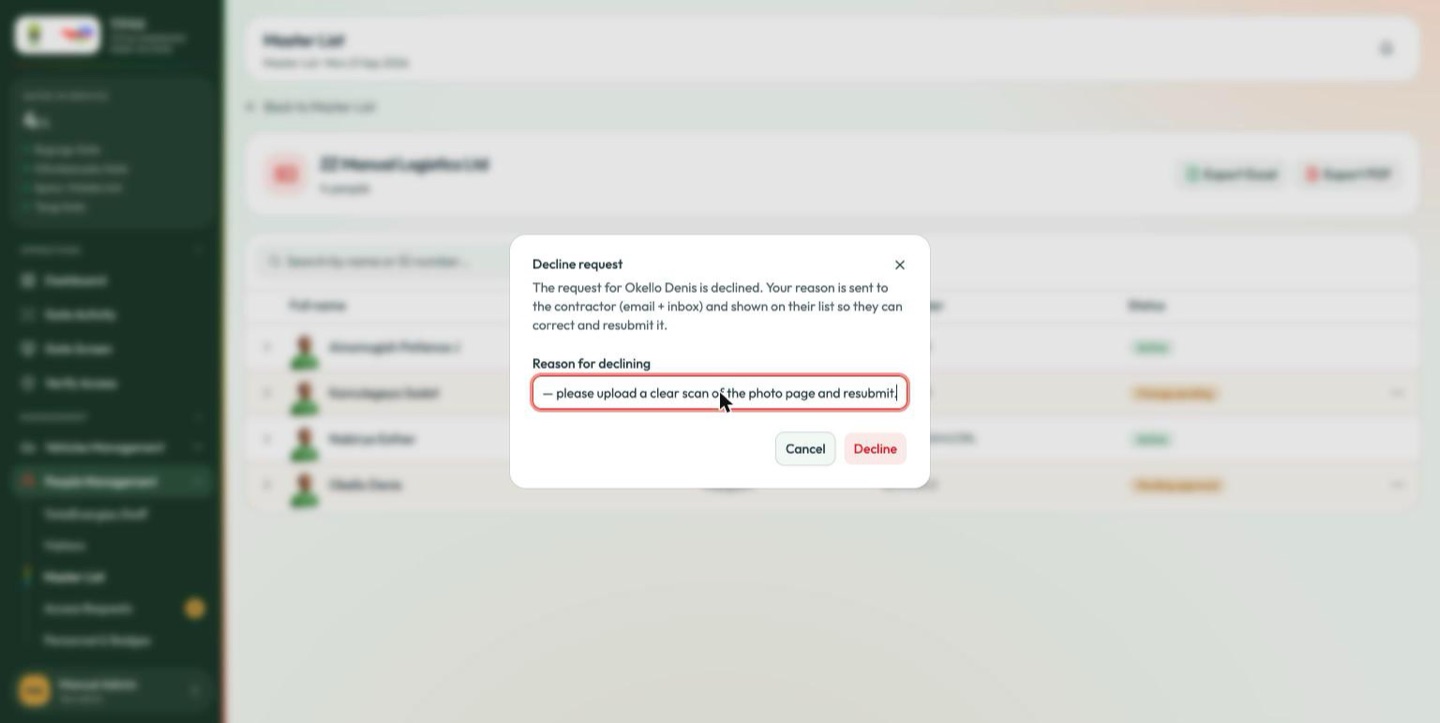
Approve puts the entry (or the edit) into force. Decline asks for a reason first — it is the only explanation the contractor gets.
Expand any row to read the request and the full change history behind it.
A restore request appears the same way, with its own menu.
A contractor cannot name a person on an access request until that person's master-list entry is Active. A queue of Pending approval rows here is a queue of access requests that cannot be submitted, and the contractor may not realise that is what is blocking them.
Note — a master-list entry is never red, whatever its age. Nothing is owed to it; it is a claim, not a promise.