Logging an incident
incident:read. A gate operator logs them
(incident:create), a contractor sees their own organisation's, an
administrator sees all. Insights → Incidents.
Logging a card incident
-
Select Log incident with the Card Failures tab open.
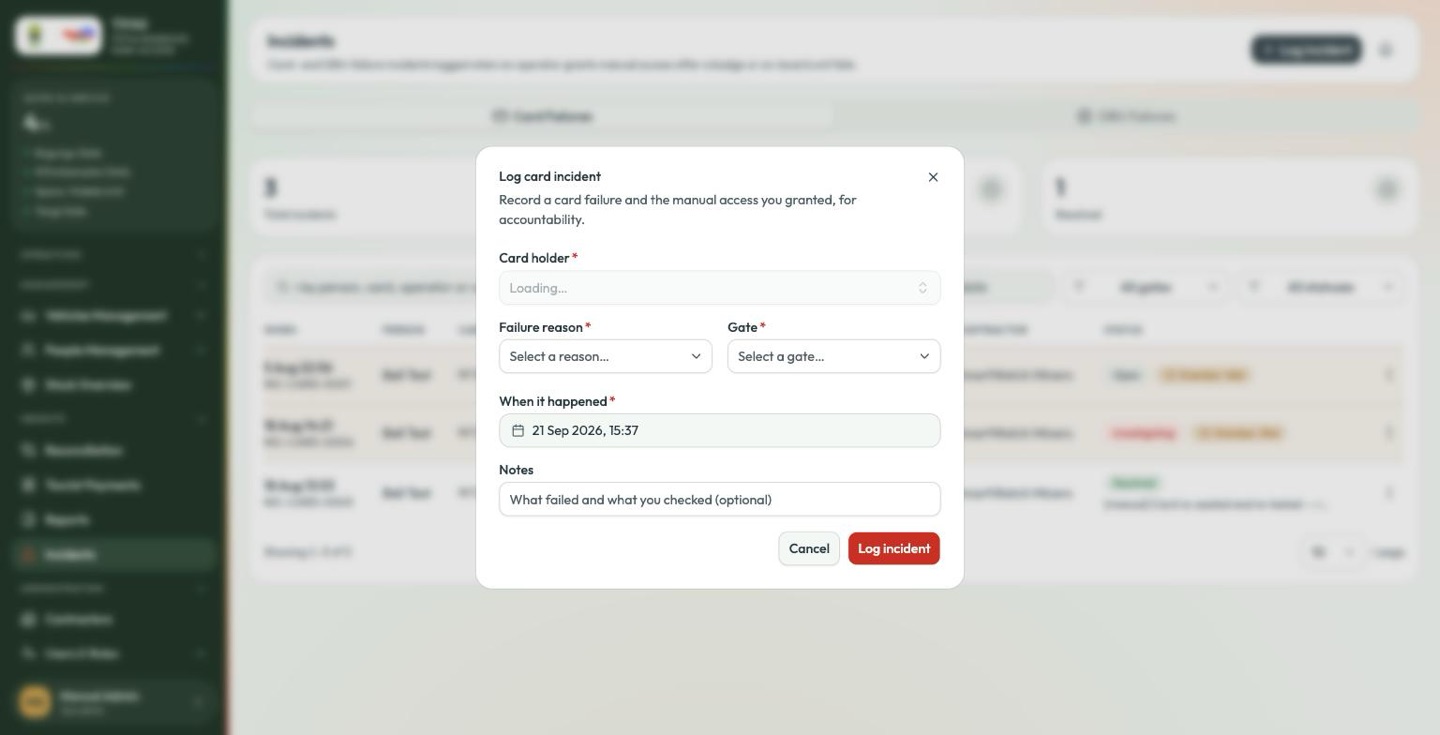
-
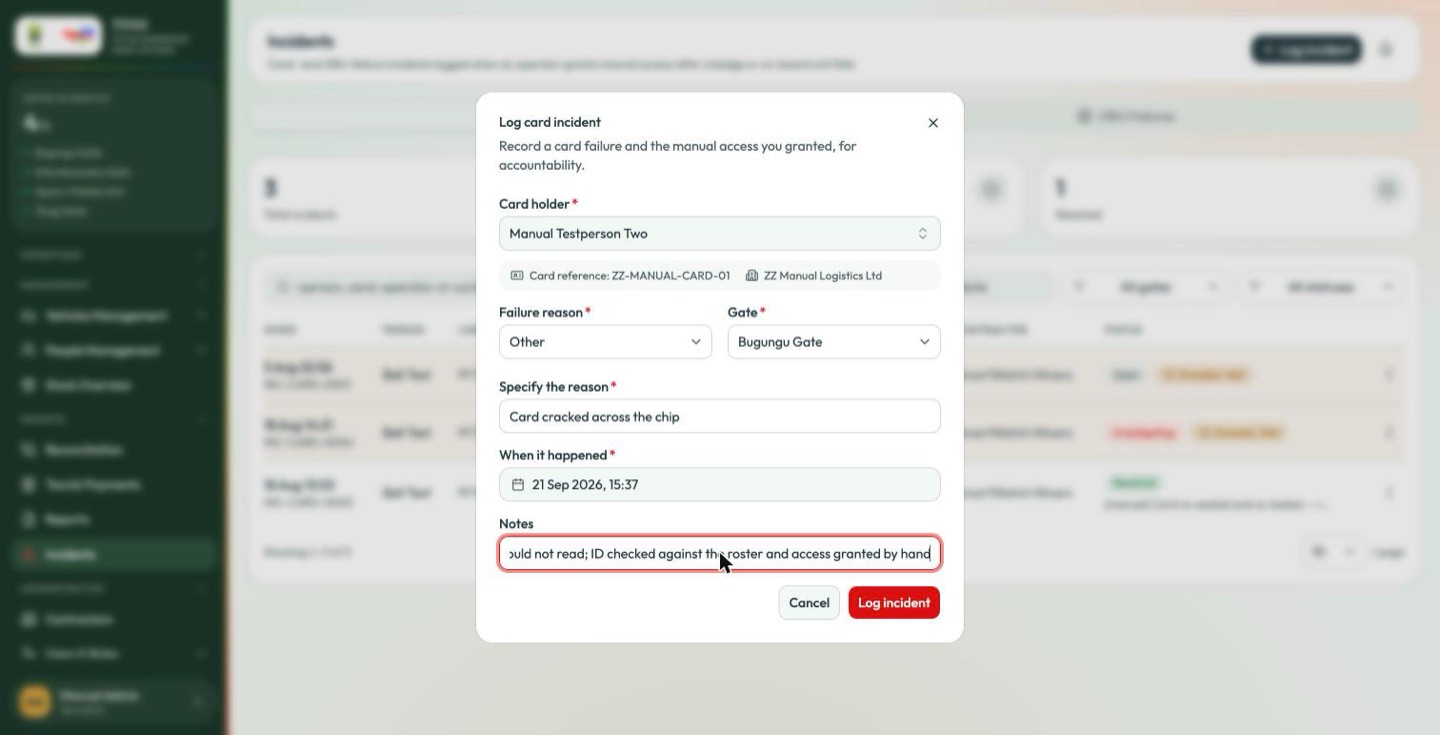
Find the card holder. Search by name; the picker lists badge holders.
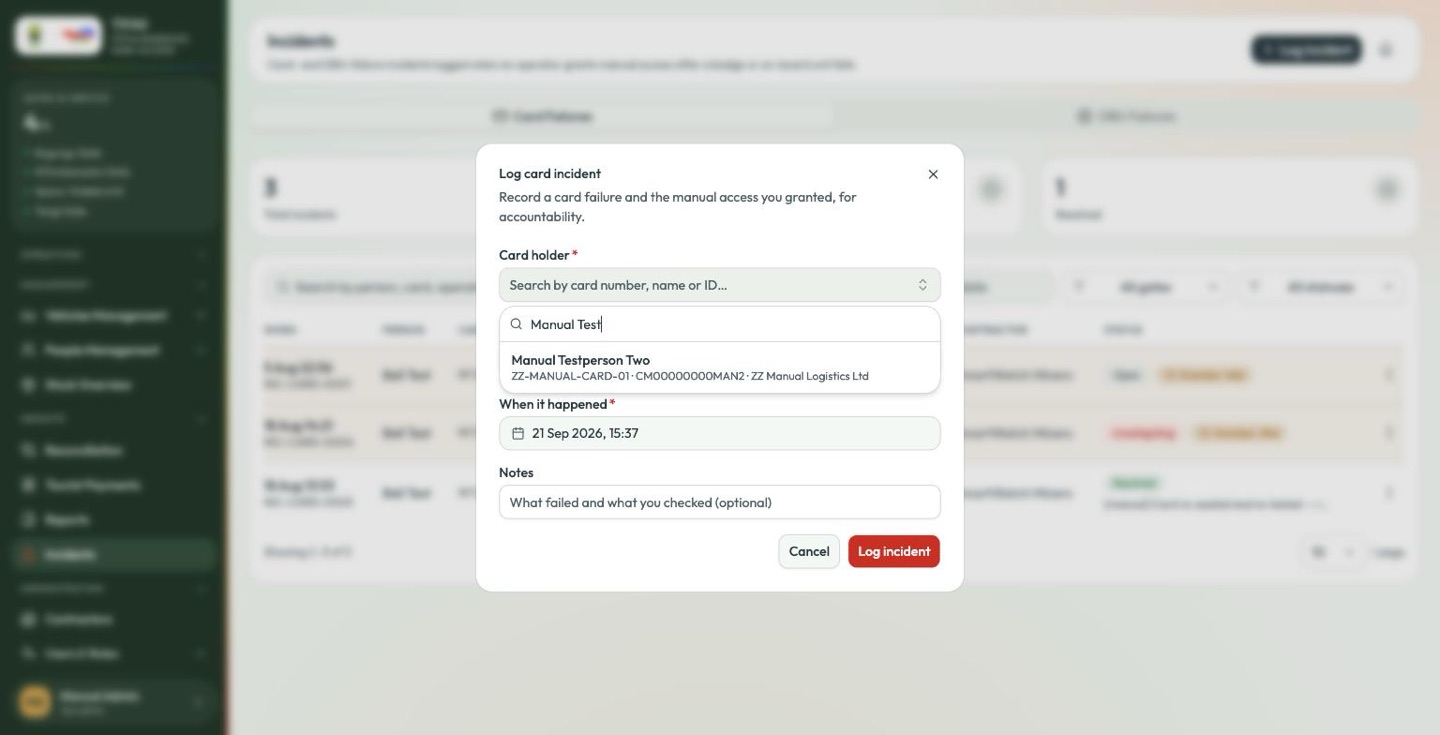
Choosing one fills in their card reference and contractor automatically — confirm those match the card in your hand.
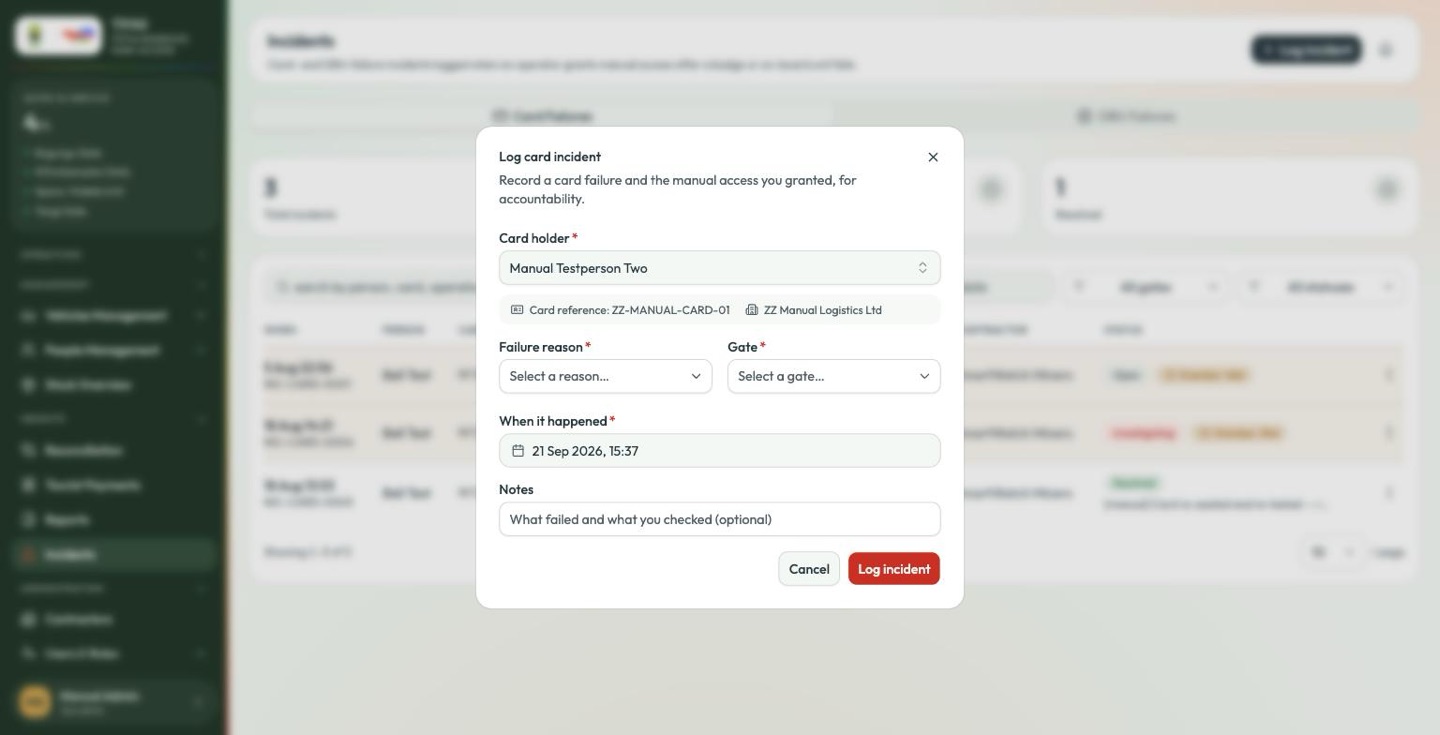
-
Choose the failure reason.
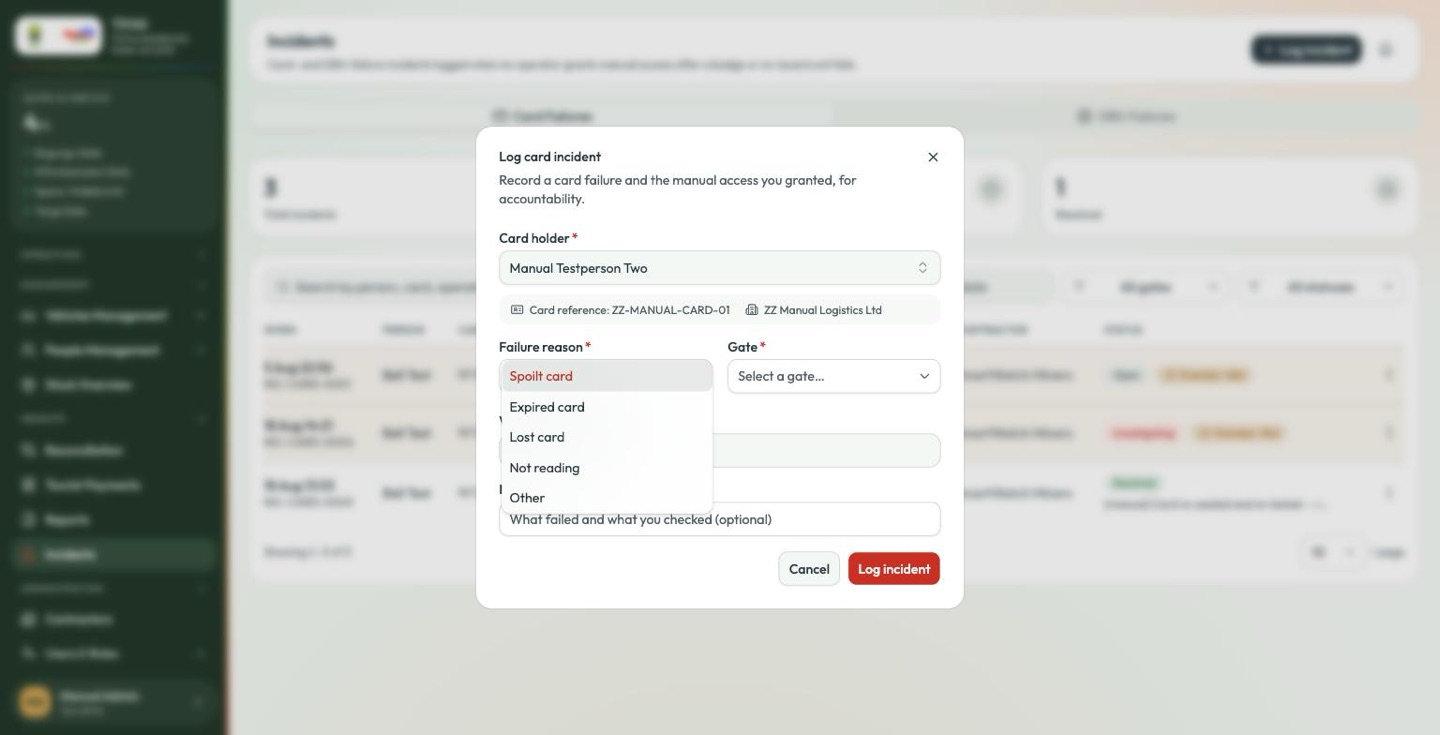
Reason Use it when Spoilt card Physically damaged — cracked, delaminated, chewed. Expired card Past its validity date. Lost card The holder does not have it. Also report it lost in Personnel & Badges so it stops working. Not reading The card looks fine and the reader is working, but nothing happens. Other None of the above. Other reveals Specify the reason, which is then required. Write what actually happened — "reader powered down, card not tested" is useful; "card problem" is not.
-
Choose the gate where it happened. Required.
-
Check when it happened. It defaults to now, which is right if you are logging it at the time. Correct it if you are not.
-
Add notes — optional, and the most valuable field on the form. Record what you checked and what you did: "Tried three times on lane 1 reader, then on lane 2. Verified photo ID against the badge, admitted on foot."
-
Log incident.
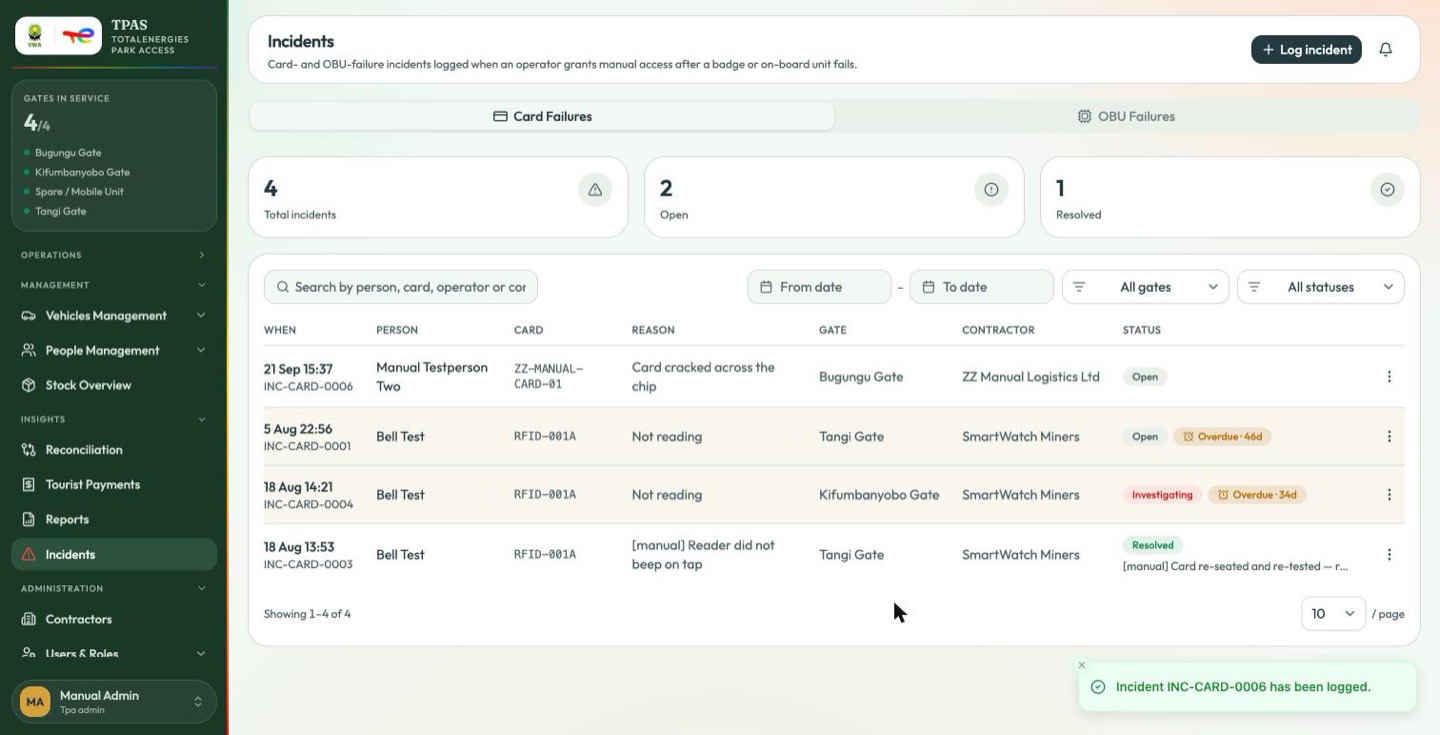
The incident is created Open, with a reference you can quote.
The card-holder picker lists only people whose record carries an access status. A person whose record has none will not appear here — and those are the very people most likely to be turned away at the gate (Adding a person directly).
If you cannot find somebody, log the incident against the closest correct record you can, describe the person in the notes, and tell your system administrator that their record needs correcting.
Logging an OBU incident
The OBU Failures tab works the same way, against a vehicle and its on-board unit instead of a person and a card: pick the vehicle, give the failure reason, the gate, the time and your notes.
Use it when a vehicle arrives and the P30 reader sees nothing — the Unregistered vehicle · No OBU detected state on the gate kiosk.