Gate activity
Gate activity
access-record:read. Operations → Gate Activity.
Every vehicle and passenger movement captured at the three gates, newest first.
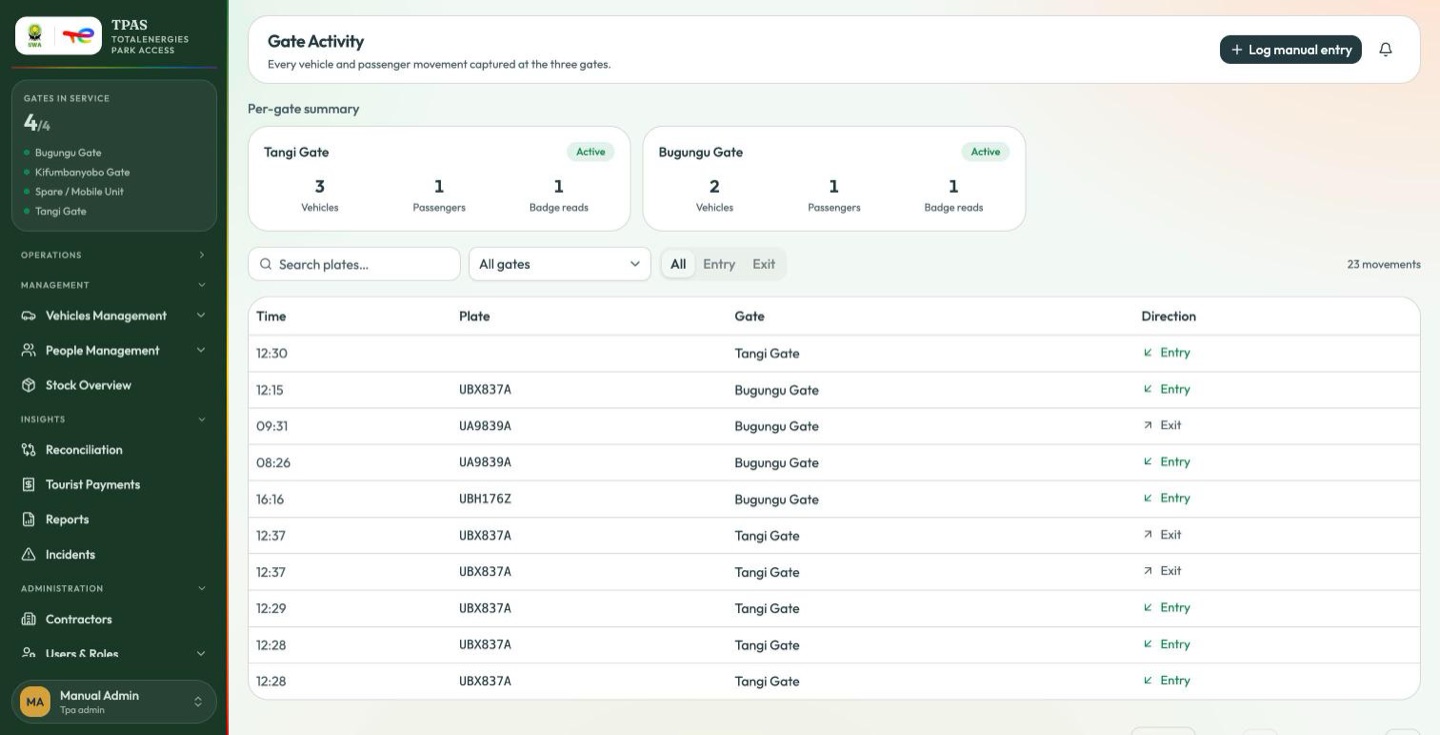
The page opens on a per-gate summary — one card per gate carrying its status pill and three figures:
| Figure | What it is |
|---|---|
| Vehicles | Vehicle crossings captured at that gate. |
| Passengers | People carried on those crossings. |
| Badge reads | RFID personnel badges read at that gate. |
Vehicles and passengers are deliberately counted separately, and badge reads are a third figure again — a badge read is never attributed to a vehicle, because nothing in the capture pipeline links the two.
Beneath it, the movement list:
| Column | What it is |
|---|---|
| Time | When the crossing was captured. The time only — no date. |
| Plate | The vehicle's number plate. Blank where no plate was read. |
| Gate | Which of the three. |
| Direction | Entry or Exit. |
It is assembled from figures some accounts are not served; where they do not load, the page opens straight on the list. A missing summary is not a missing permission, and the list beneath it is the same either way.
Narrow the list with the plate search, the gate selector, and the All / Entry / Exit switch. The count on the right is what your filters currently match, and the list is paginated like every other list in the portal. With nothing to show it says which case you are in — "No vehicle or passenger movements have been captured yet" against an empty system, or "No movements match these filters" when your filters are the reason.
Passengers, badge reads and status are reported as per-gate totals in the summary above, not against individual crossings, because they are not captured per crossing.
So this screen tells you what crossed, when and which way. It cannot tell you who was aboard a particular crossing or whether that crossing was authorised. For per-person figures use the reports.
Important — the Time column carries no date Rows from different days sit next to each other with nothing to tell them apart, so a list that reads 12:30, 12:15, 09:31, 16:16 is not out of order — it is several days interleaved. Use the date range on the Movement log report when the day matters.
Logging a record by hand
access-record:create.
Gate Activity → Log manual entry.
When the readers miss a crossing — a failed badge, a vehicle with no OBU, a reader that is down — write it down here. The record joins the imported UWA records and takes part in reconciliation, so a crossing you log by hand is still a crossing that gets matched and billed.
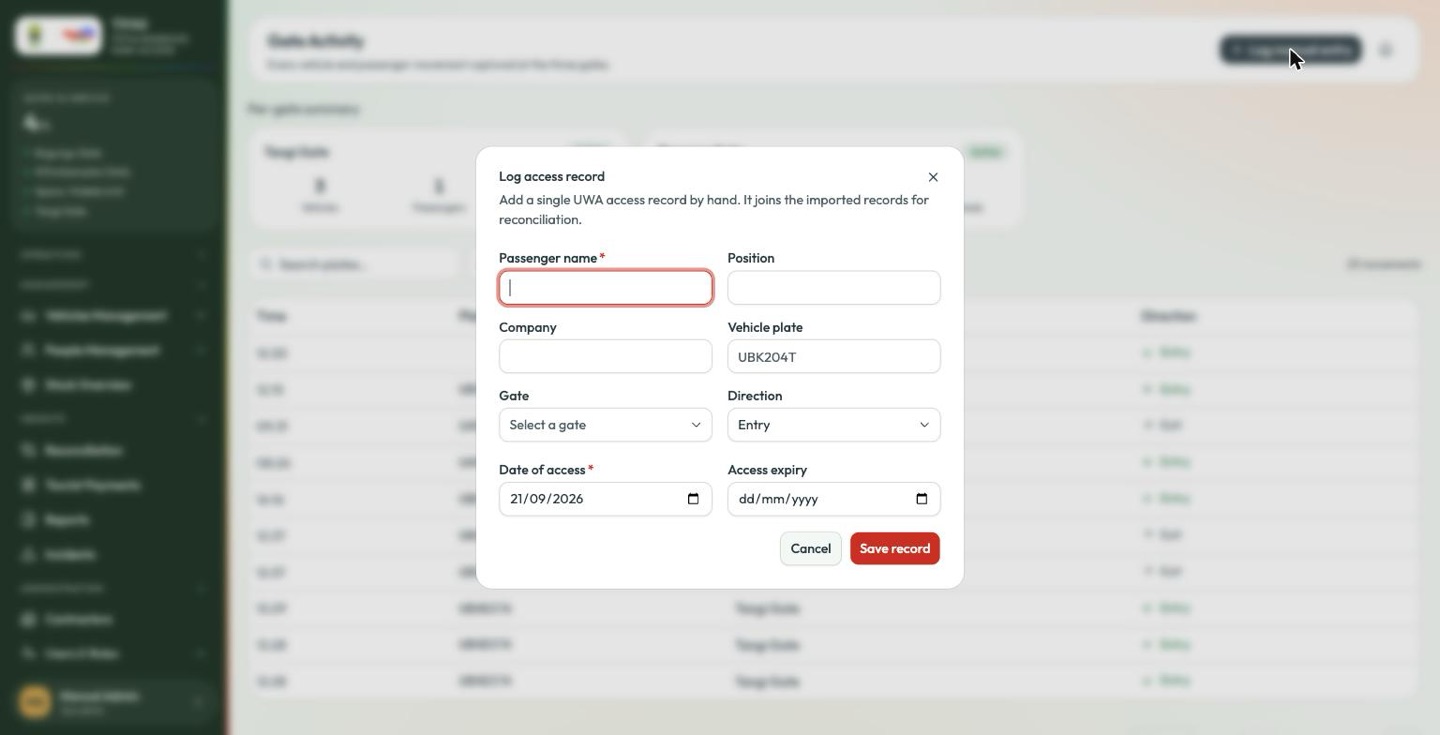
| Field | Notes |
|---|---|
| Passenger name * | Required, and the only required field besides the date. |
| Position | Their role — driver, engineer, ranger. |
| Company | The contractor they are with. |
| Vehicle plate | The vehicle they crossed in. |
| Gate | Which gate. Select it — do not leave it unset if you know. |
| Direction | Entry or Exit. Defaults to Entry. |
| Date of access * | Defaults to today. |
| Access expiry | When their authorisation runs out, if you know it. |
Save record commits it.
Fill in the plate, gate and company even though they are optional. A record with only a name matches nothing at reconciliation and becomes an exception somebody has to chase weeks later.
The field names here are deliberately the same as the columns in the UWA import file — see Importing UWA records.