Importing UWA records
reconciliation:read to see it,
reconciliation:import to load UWA records, reconciliation:run to compare,
reconciliation:resolve to close an exception.
Insights → Reconciliation.
Select Import UWA records.
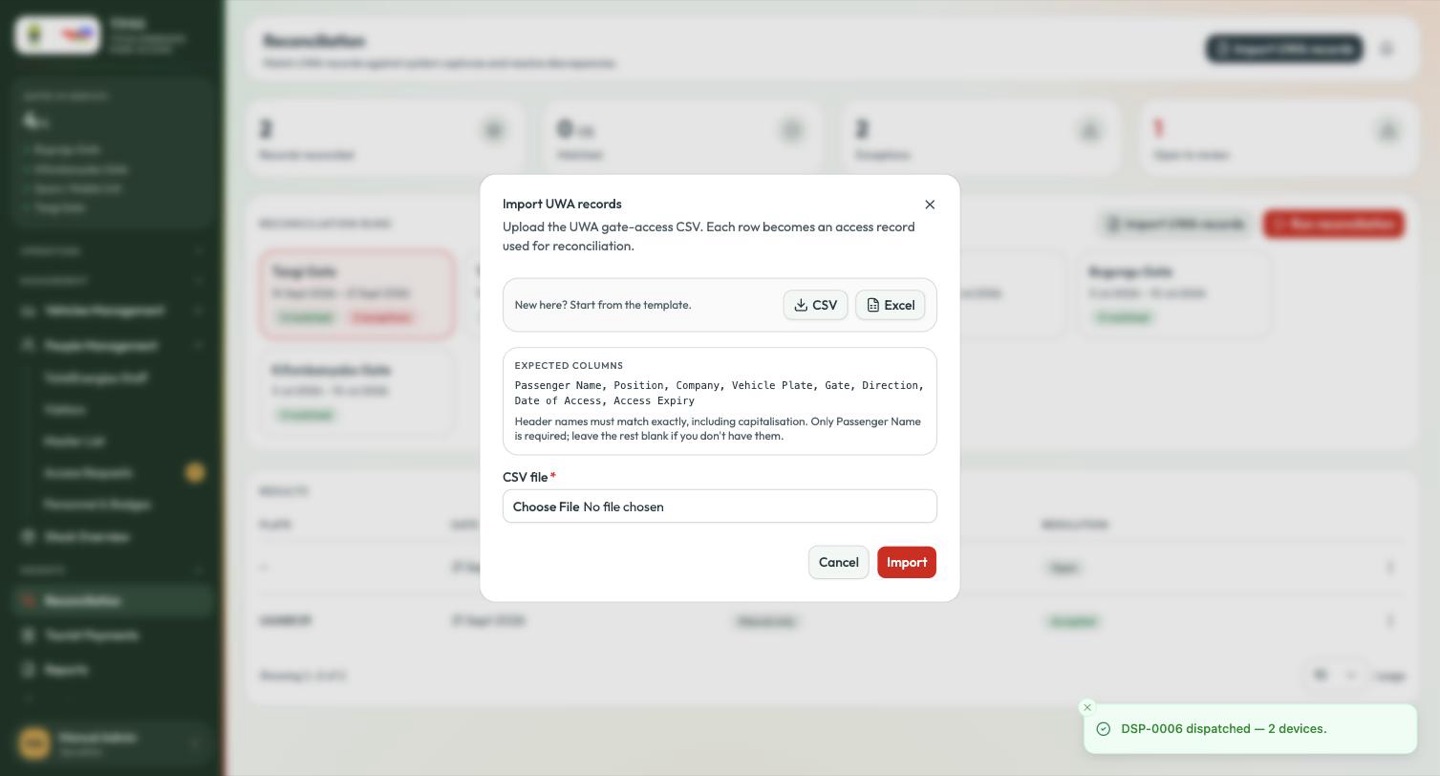
Upload the UWA gate-access CSV. Each row becomes an access record used for reconciliation.
Start from the template
The dialog offers the file for you: New here? Start from the template — CSV or Excel. Take one and fill it in rather than composing a file from scratch. Beneath it, Expected columns lists the header names in full:
Passenger Name, Position, Company, Vehicle Plate, Gate, Direction,
Date of Access, Access Expiry
Header names must match exactly, including capitalisation. Only Passenger Name is required; leave the rest blank if you don't have them.
| Column | Required | Notes |
|---|---|---|
| Passenger Name | Yes | The only mandatory column. |
| Position | No | Their role. |
| Company | No | The contractor. |
| Vehicle Plate | No | Needed for a plate match — supply it. |
| Gate | No | Must be a real gate name, checked against the gate registry. |
| Direction | No | IN or OUT. |
| Date of Access | No | The crossing date. |
| Access Expiry | No | When authorisation lapses. |
IN / OUT, not Entry / ExitThe portal shows crossings as Entry and Exit, but the import file does not
take those words. A row reading Entry is rejected with
Line 5: direction "Entry" must be IN or OUT. This is the single most common
reason a file will not load.
Anything else imports zero rows: snake_case, UPPER_SNAKE, or a file with
no header row at all.
The pre-flight check
The dialog reads your file before you upload it, and tells you what is wrong while you can still fix it.
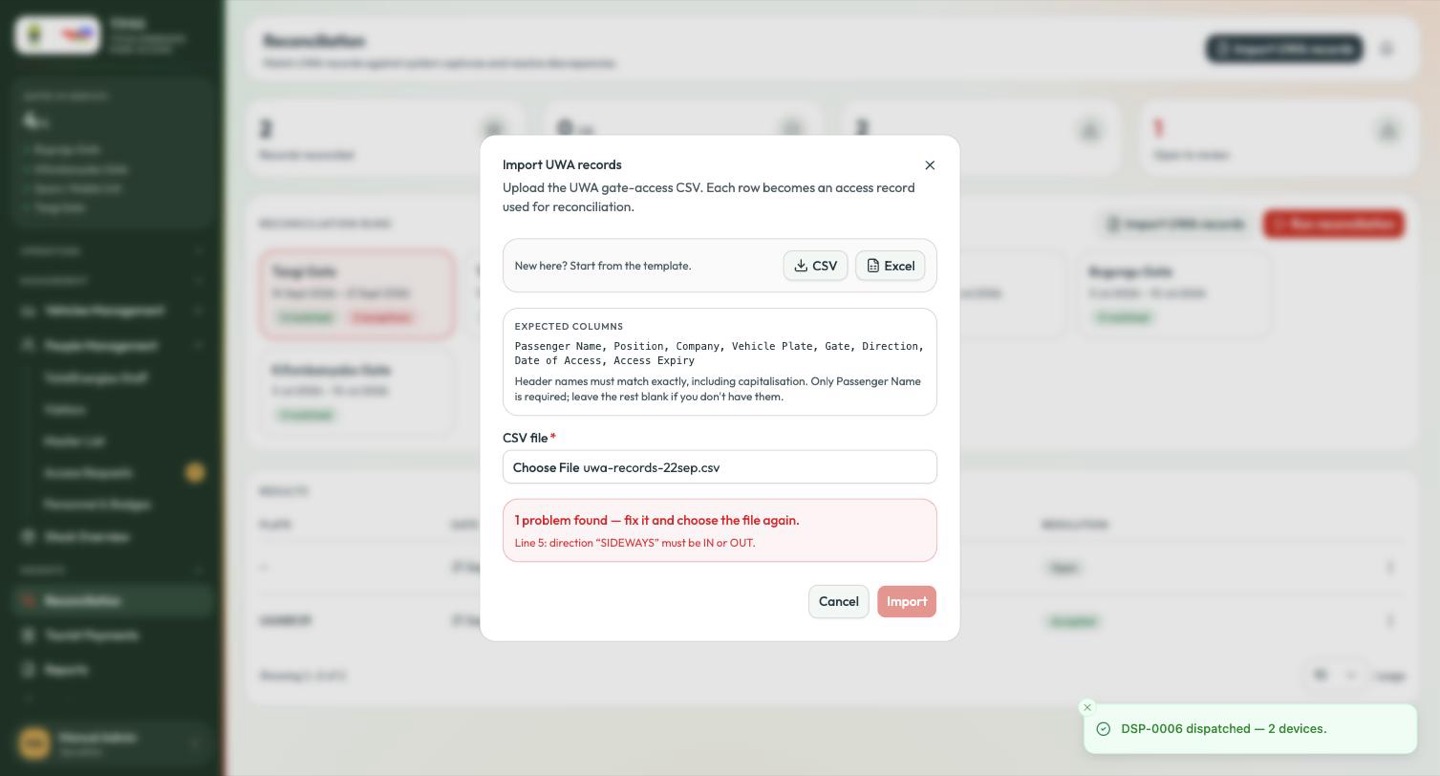
Line 5: direction "SIDEWAYS" must be IN or OUT.
Import stays disabled until the file is clean. Problems are listed line by line, with "…and 12 more" where there are many:
| What it says | What happened |
|---|---|
| This file has no recognisable header row. The first line must be the column names. | You supplied data with no header. |
| The column names don't match exactly. Capitalisation and spacing matter — snake_case files import nothing. | Right columns, wrong spelling. |
| There is no "Passenger Name" column, so no row can be imported. | The one required column is missing. |
| Line 42: "Nowhere Gate" is not one of the park's gates. | A gate name that does not exist. |
| Line 5: direction "SIDEWAYS" must be IN or OUT. | An impossible direction. |
| Line 91: Passenger Name is blank but required. | An empty required cell. |
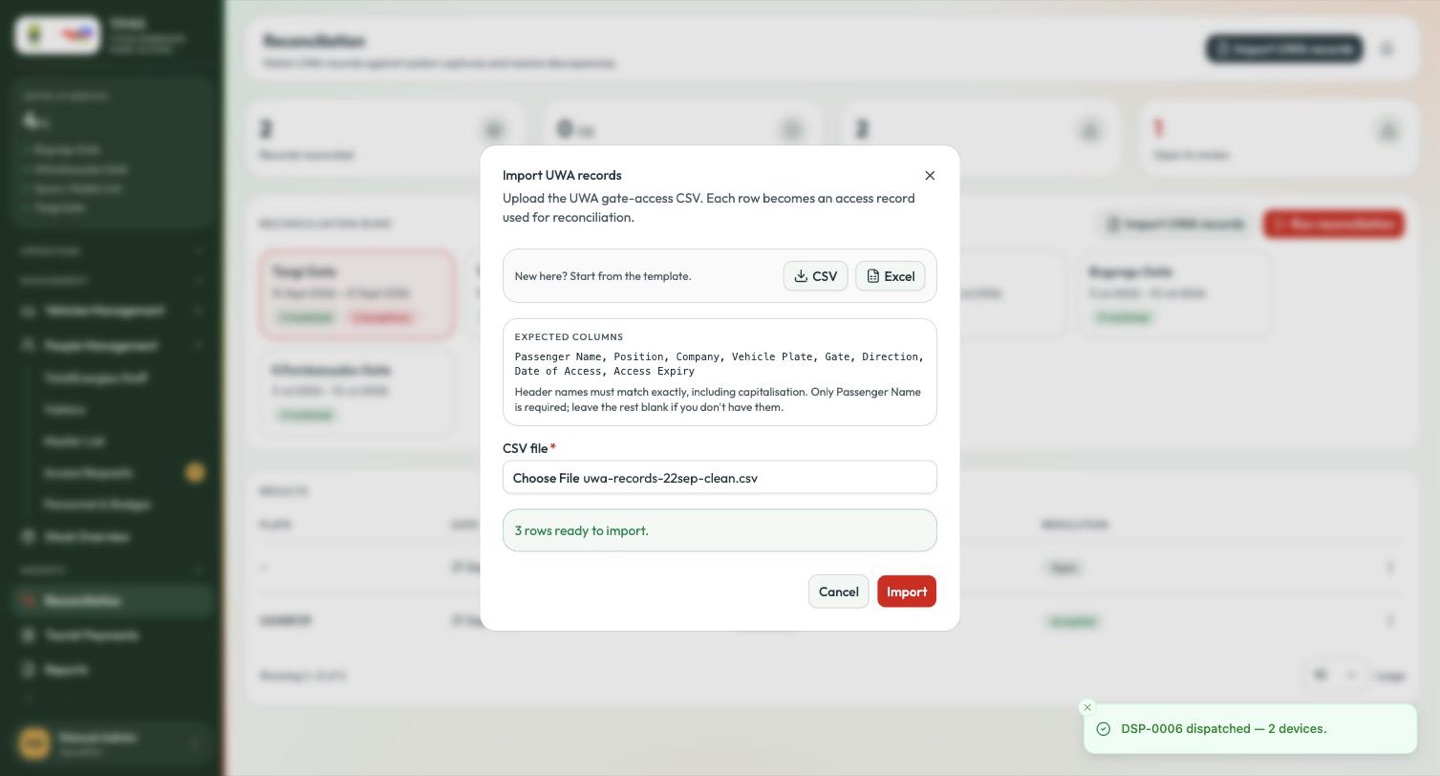
A file that would import cleanly is confirmed instead, and Import becomes available:
Reading the result
A successful import reports what it actually did — the number of records loaded and the number of rows that failed:
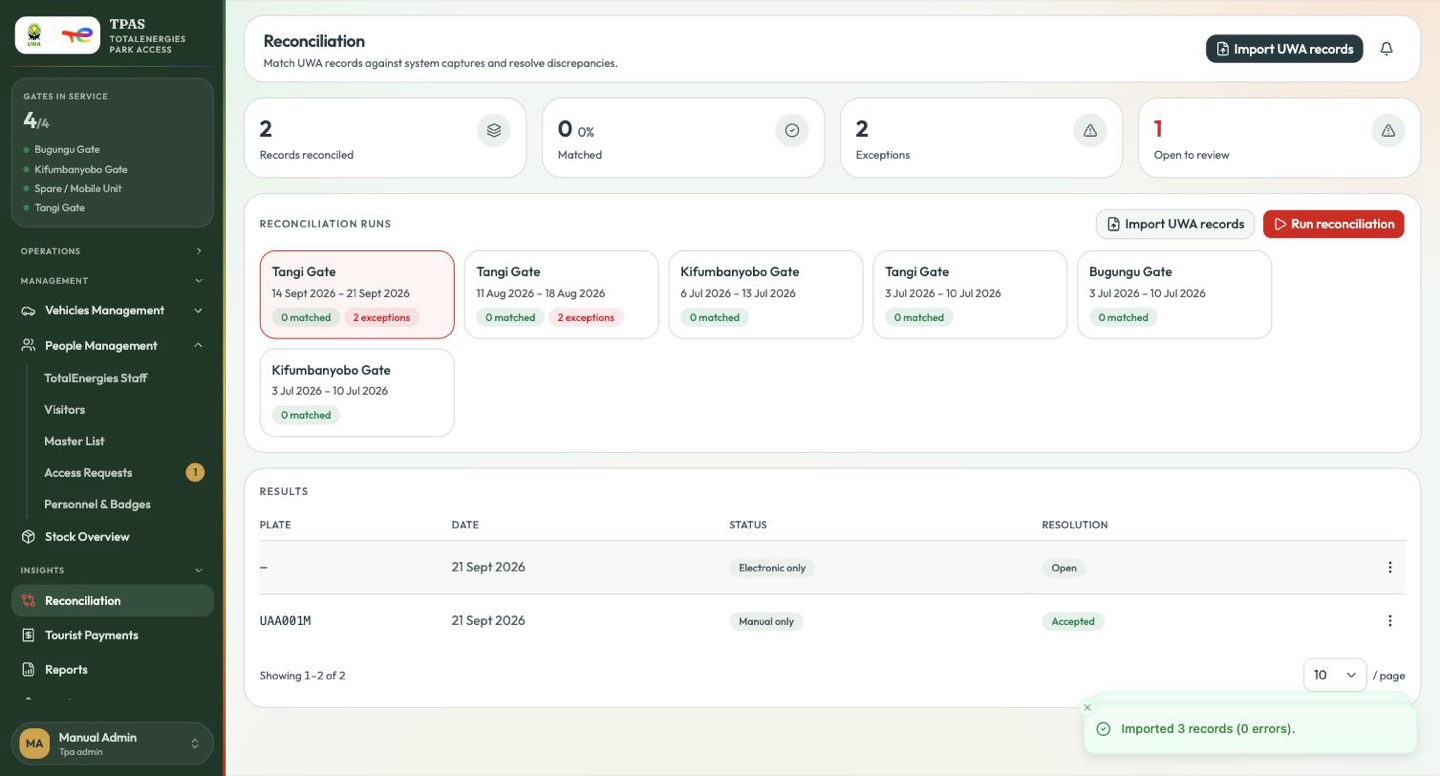
Important — read the numbers, not the colour
The message is green whatever the counts say. Imported 0 records is a
failure however green the box is, and a non-zero error count means rows were
dropped — go back to the file, correct those lines and import again. Records
that failed are not queued for later; they simply are not there.