Running a reconciliation
reconciliation:read to see it,
reconciliation:import to load UWA records, reconciliation:run to compare,
reconciliation:resolve to close an exception.
Insights → Reconciliation.
Select Run reconciliation.
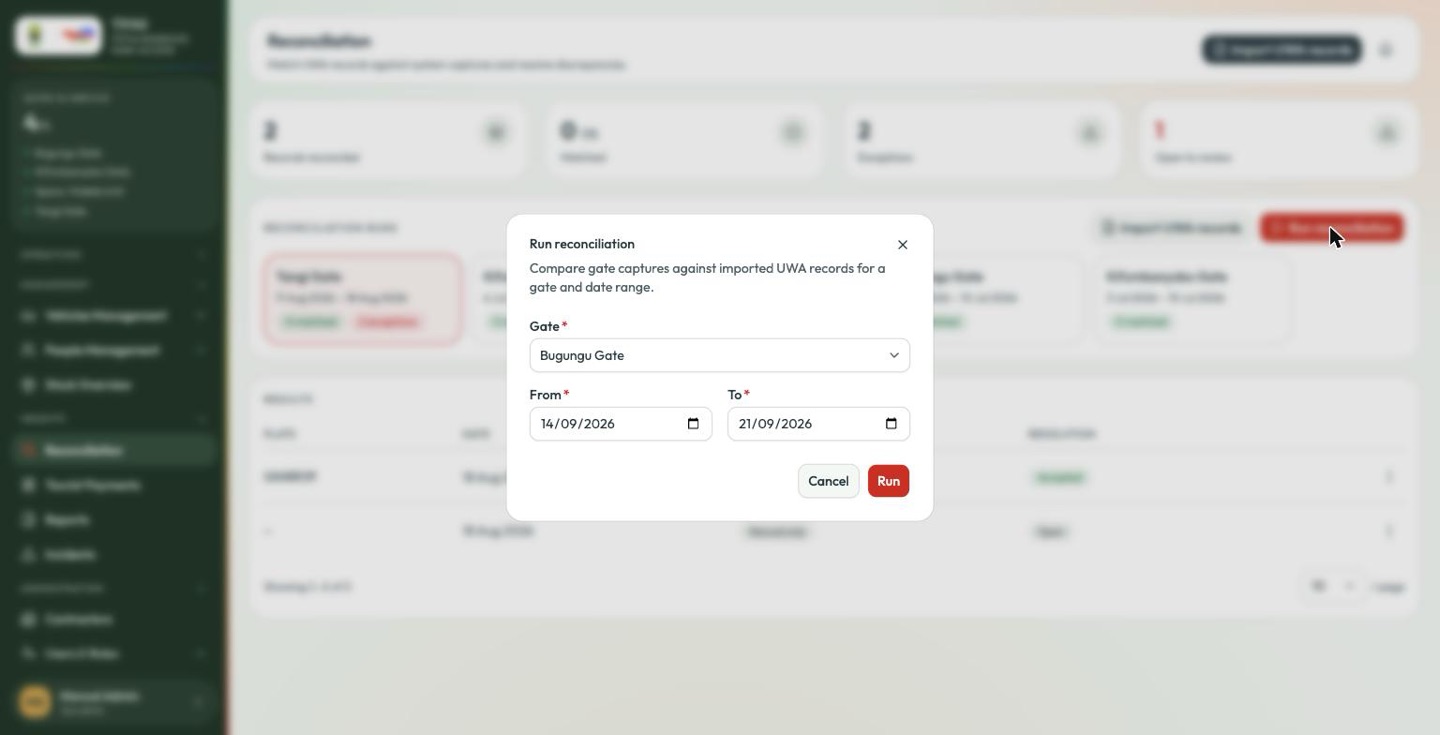
Choose one gate and a date range — from and to, both required. A run covers one gate at a time; three gates for the same week means three runs.
Run compares the imported UWA records with TPAS's own captures for that gate and window, and adds a card to the runs history.
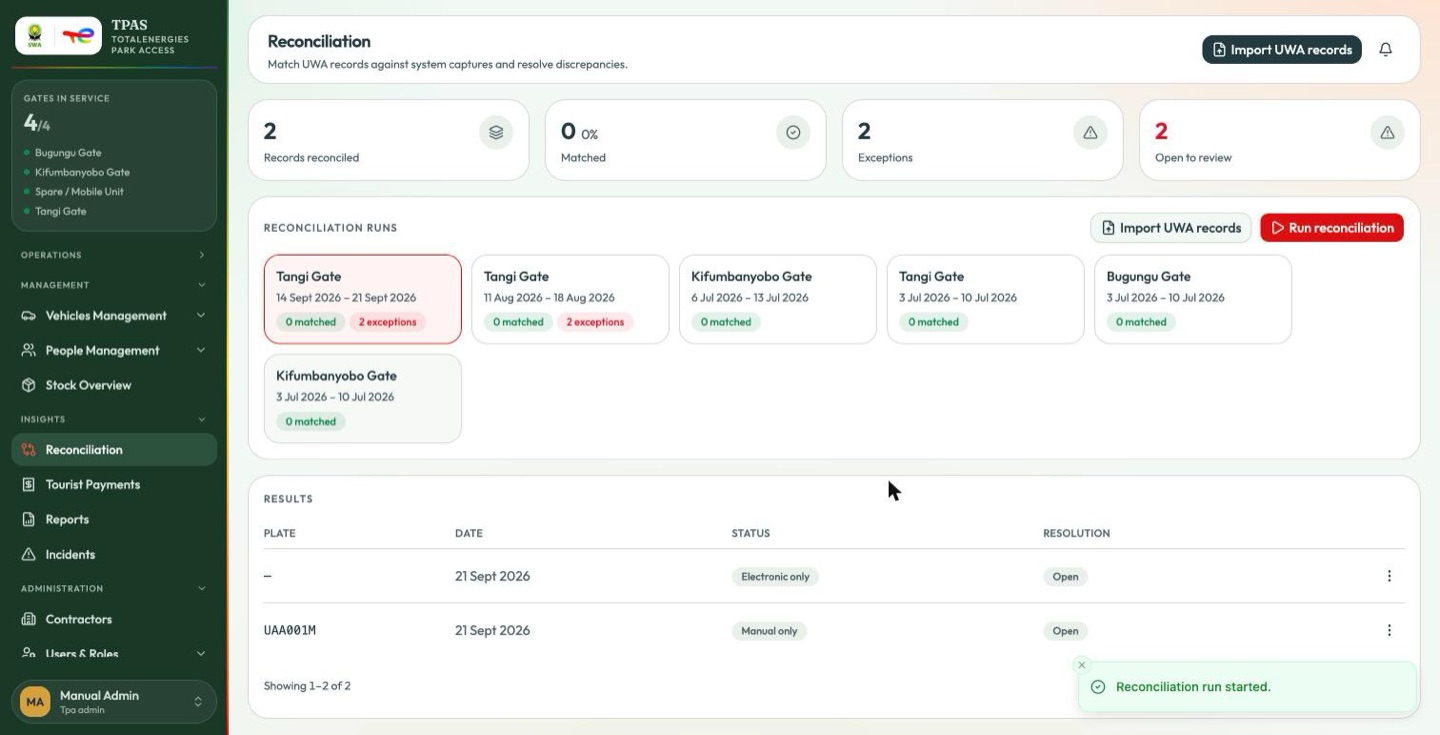
Reading the results
| Column | What it is |
|---|---|
| Plate | The vehicle. — where the record has no plate. |
| Date | The crossing date. |
| Status | How the two sides compare. |
| Resolution | Open, or the outcome you recorded. |
Manual only means UWA has a record that TPAS's gate capture does not — a crossing written down by hand, or one the readers missed. It is the most common exception, and it is exactly what the manual access record and incident flows produce.
Note the row with — for a plate: a record with no plate can match nothing. That is what happens when a manual record is logged with only a name — see the tip in Logging a record by hand.
The ⋮ menu opens the row's actions.
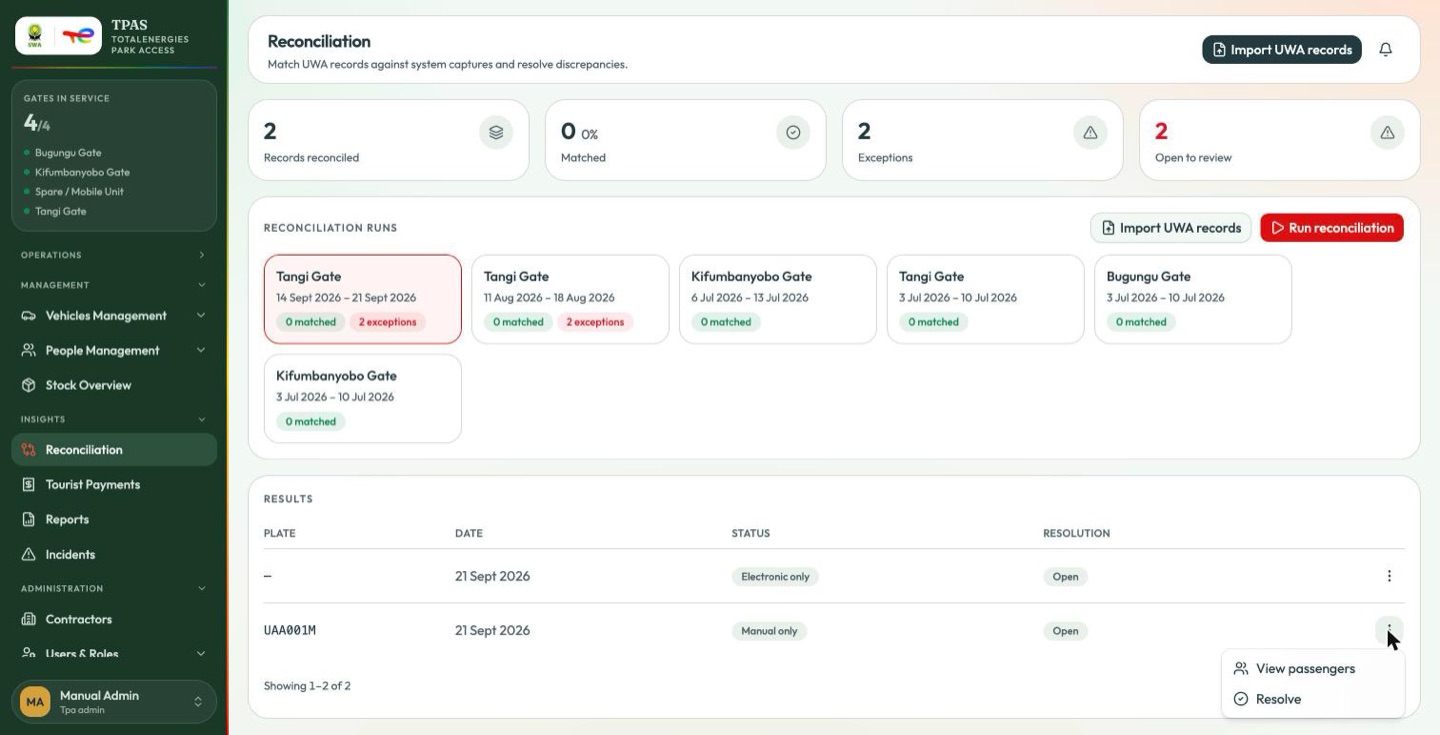
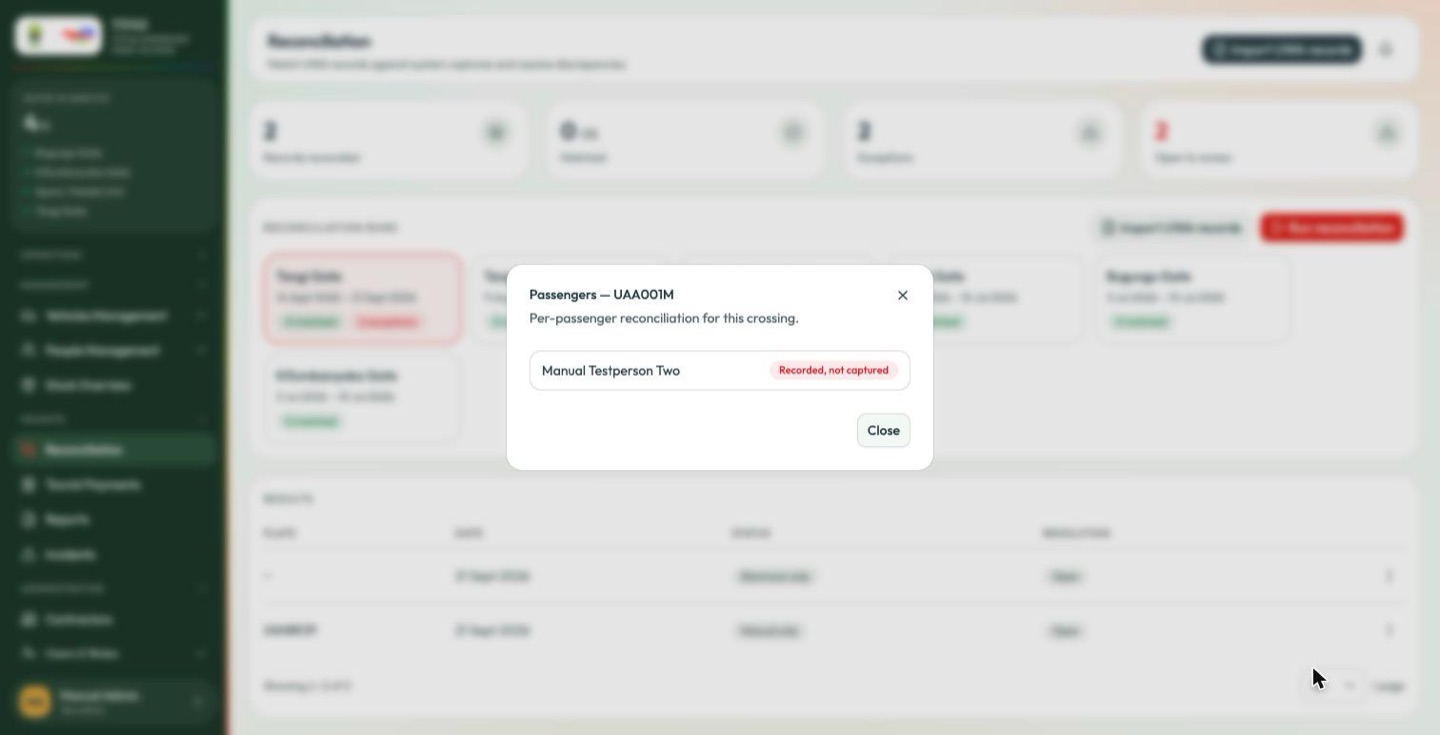
Passengers shows who was on that crossing.