TotalEnergies staff and work cards
personnel:read / personnel:create.
Management → People Management → TotalEnergies Staff.
TotalEnergies' own people are registered here rather than through the master list and access-request workflow that contractors use. The difference is the whole point of the page:
Everyone added here is registered as TotalEnergies staff. They do not need to be on a master list.
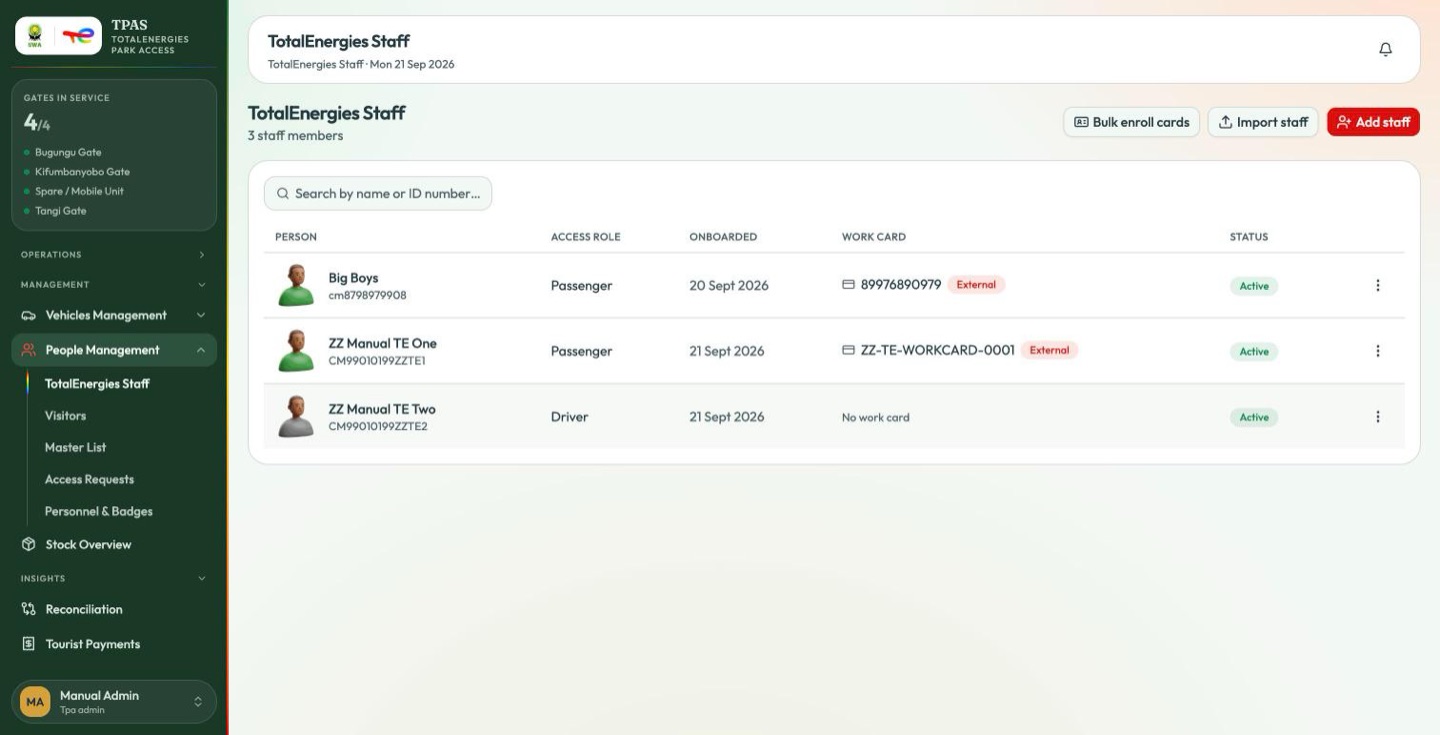
Each row carries the person, their company ID number, their access role (Driver, Passenger), when they were onboarded, their work card and their status. A work card is shown with the number printed on it and, where the card was not issued from the TPAS pool, an External chip.
Three actions sit in the top bar: Add staff, Import staff and Bulk enroll cards.
Adding staff
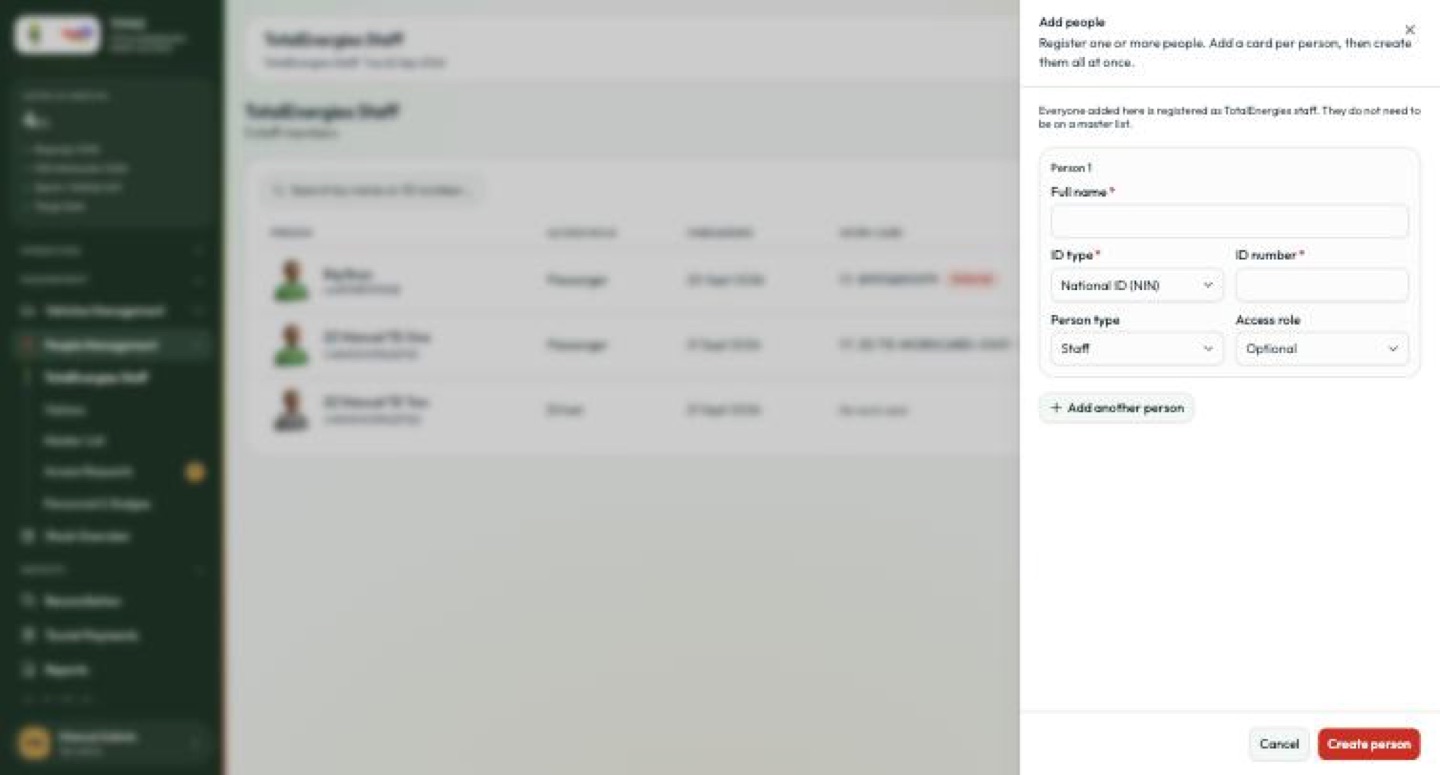
The drawer registers one or more people at once — Add another person adds a second block, and Create person commits them together.
| Field | Notes |
|---|---|
| Full name * | |
| ID type * | National ID (NIN) or passport |
| ID number * | |
| Person type | Defaults to Staff on this page, which is what puts them on this roster |
| Access role | Driver or Passenger; optional |
The roster lists people of type Staff only. Leave the field on something else and the person is created but never appears here. On this drawer it is pre-set for you; if you create the person from elsewhere in the portal, set it yourself.
Work cards
A work card is a TotalEnergies staff member's own RFID card — often one the company already issued for a building or a site, not a badge from the TPAS pool. Enrolling it binds that card to the person so it works at a park gate.
Use Enroll work card from the row menu.
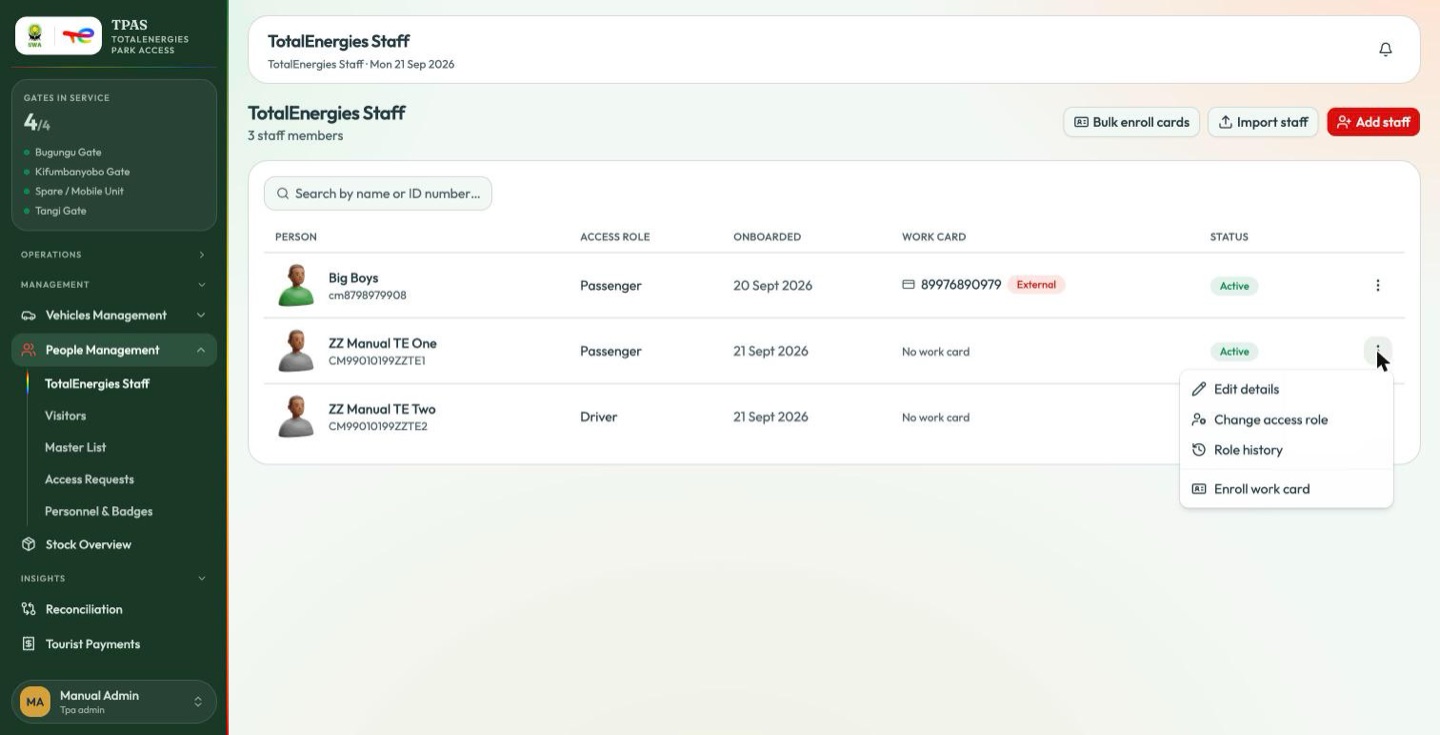
| Row action | Effect |
|---|---|
| Edit details | Name, ID and contact details |
| Change access role | Driver ⇄ Passenger |
| Role history | Every access-role change, with who made it |
| Enroll work card | Bind an RFID card to this person |
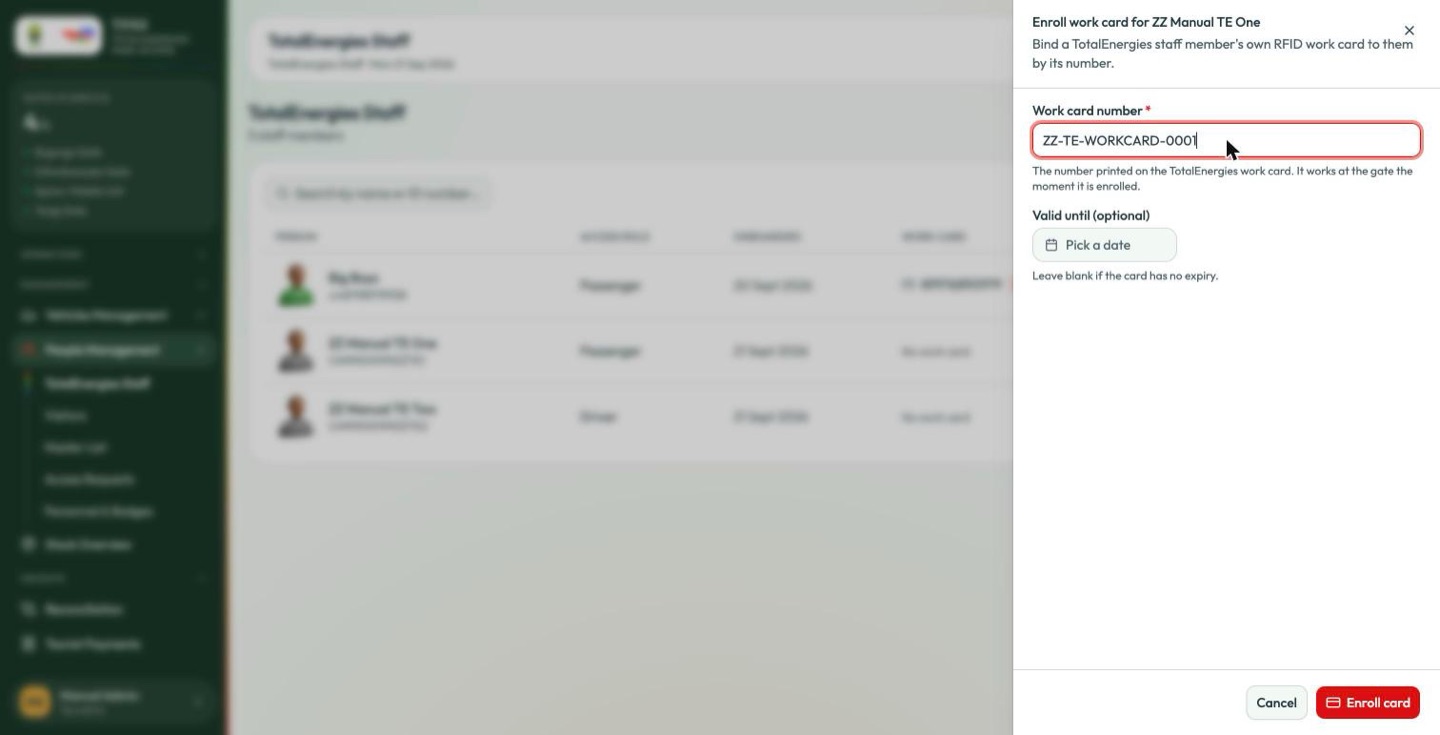
Bind a TotalEnergies staff member's own RFID work card to them by its number.
| Field | Notes |
|---|---|
| Work card number * | The number printed on the card. "It works at the gate the moment it is enrolled." |
| Valid until | Optional. Leave blank if the card has no expiry. |
It works at the gate the moment it is enrolled — there is no dispatch, no receipt and no confirmation, because the card is already in the person's pocket. That is the difference between a work card and a badge from the pool (Device stock).
Enrolling many at once
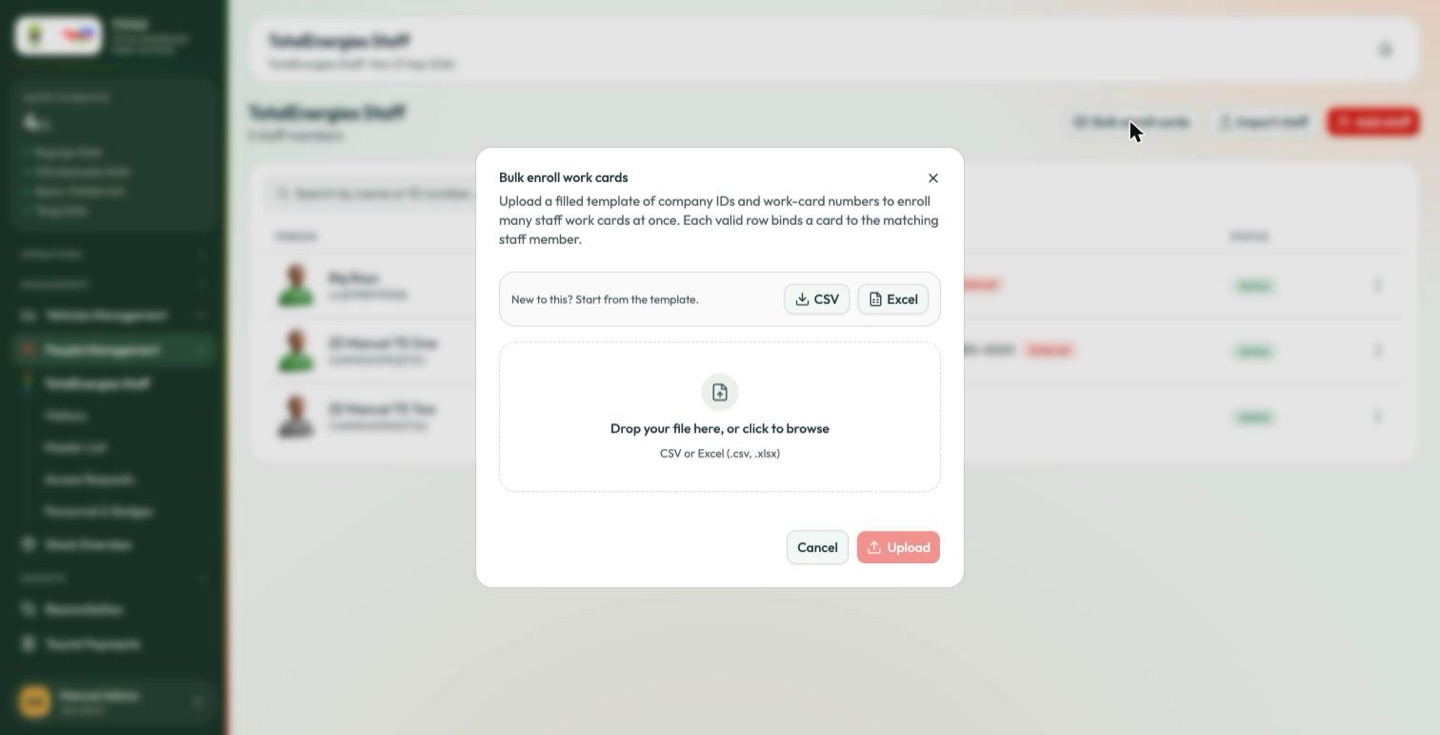
Upload a filled template of company IDs and work-card numbers to enroll many staff work cards at once. Each valid row binds a card to the matching staff member.
Templates are offered as CSV and Excel; the file is matched on the company ID, so the person must already exist on this roster before their card can be enrolled.