Exporting
report:read to open the catalogue and read a report,
report:export to download one. Two reports need a permission of their own:
the device-stock group needs device-stock:read, and anything scoped by
company needs organisation:read.
Insights → Reports.
Excel and PDF both export what you are currently looking at — the active filters, not the whole dataset.
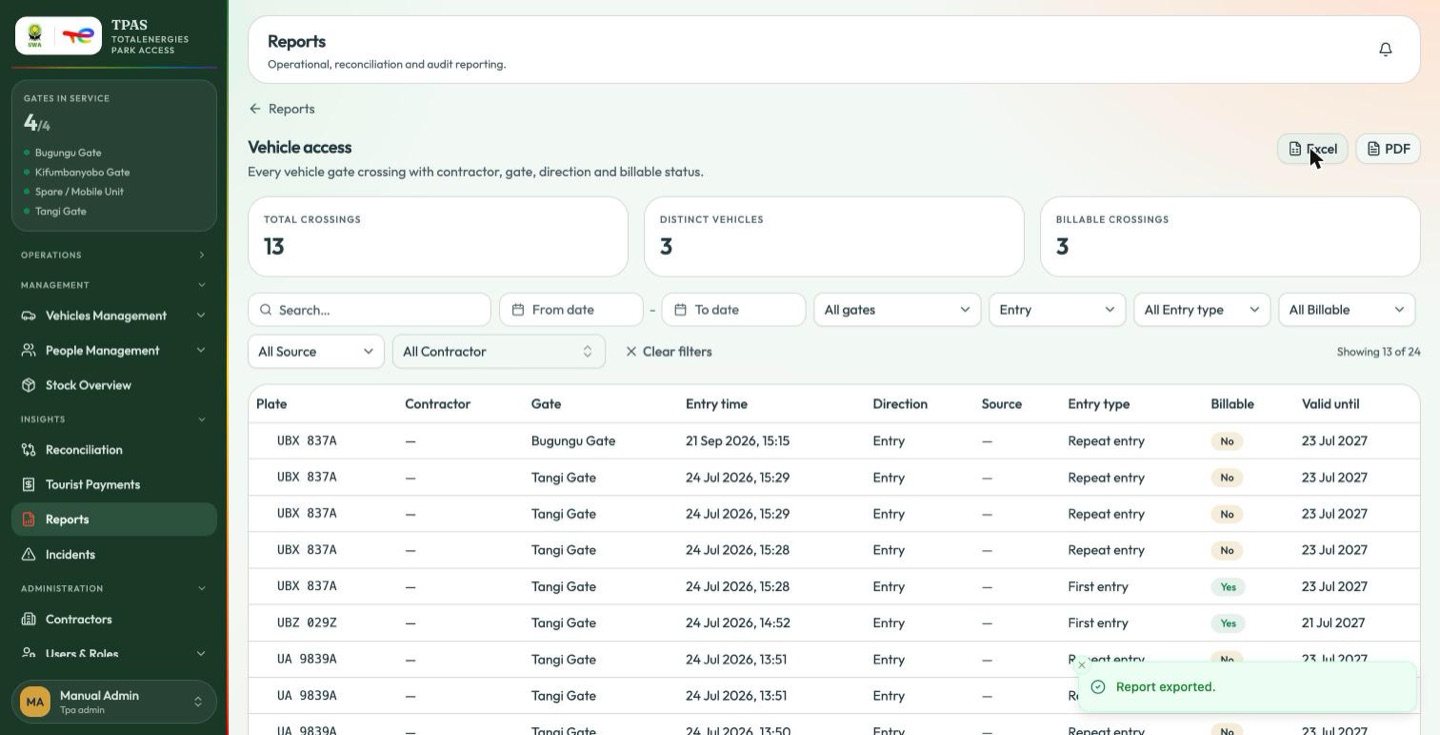
| Format | Use it for |
|---|---|
| Excel | Further analysis — pivot it, chart it, join it to your own data. |
| Circulation and filing. Branded, ready to send. |
Exporting with filters that match nothing tells you so rather than producing an empty file.
Every export in the portal is branded the same way and goes through one pipeline — the reports, the master list, the device-custody tables and Tourist Payments alike.
report:exportAn account holding only report:read can open every report and download
none. If the Excel and PDF buttons are missing, that is the reason
(8 · Tpa viewer (tpa-viewer) — 17 permissions).
Note — a PDF generated in your browser PDFs are rendered by the server. If the server cannot render one, your browser generates it instead and tells you so —
The server could not render the PDF, so it was generated in your browser instead. It may look slightly different from other TPAS reports.
If you see that message the file is still correct; it is the styling that may not match the rest of your pack.
Tip — if you cannot find an exported file A download that fails raises an error rather than reporting success, so an export that says it worked did work. Check your browser's download folder and its permission to save files from the portal.