Roles in practice
1 · Tpa admin (tpa-admin) — 102 permissions
TotalEnergies' own administrator, and the most capable role in the system.
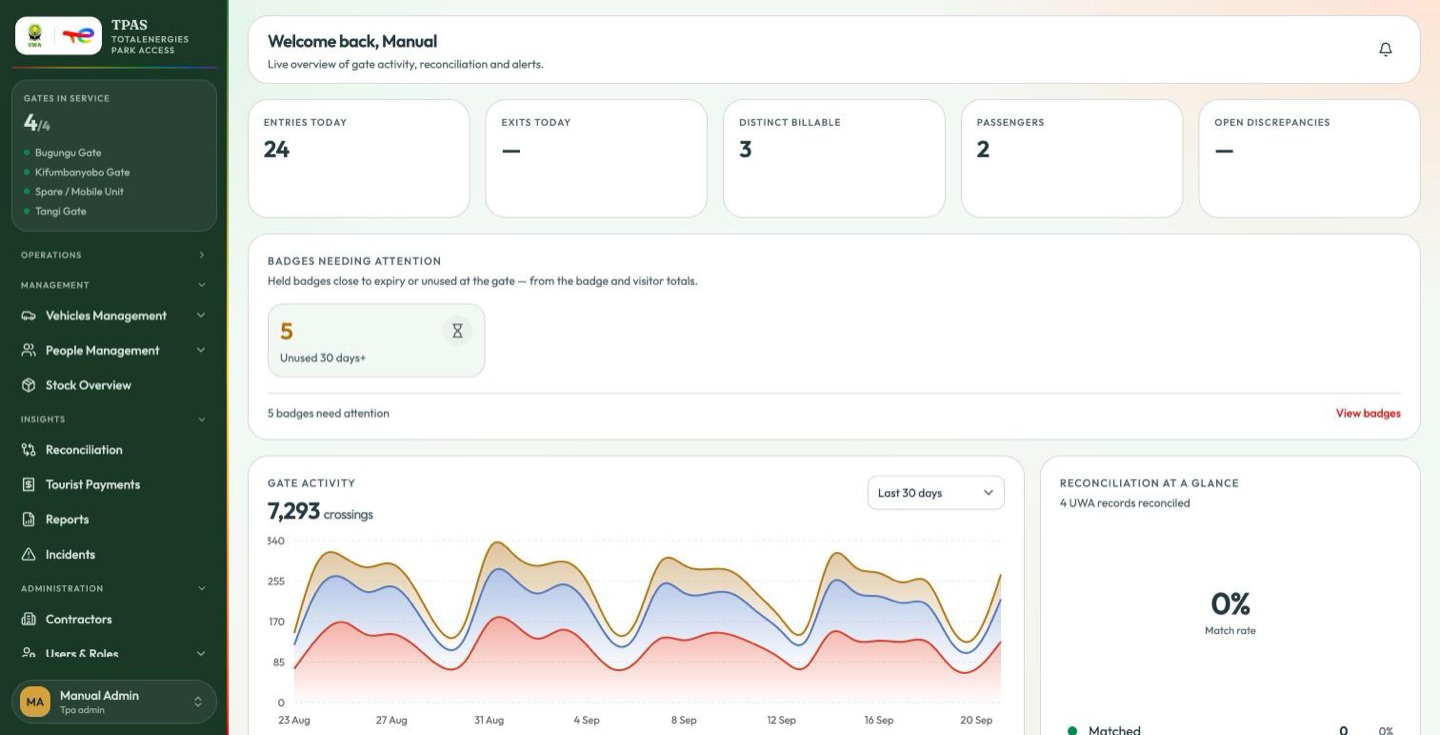
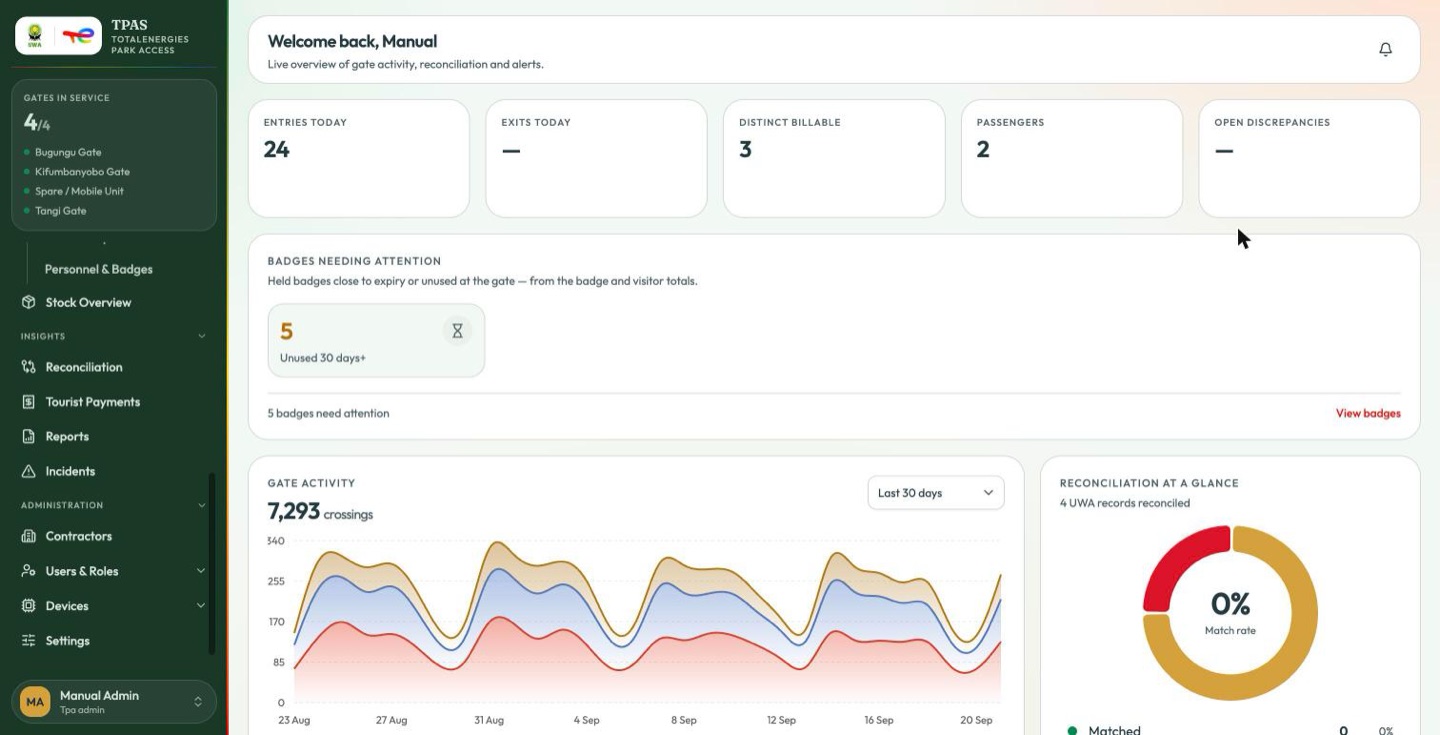
Lands on: Dashboard. Sees: effectively the whole portal — Operations, Management, Insights and Administration, including Settings.
Refused:
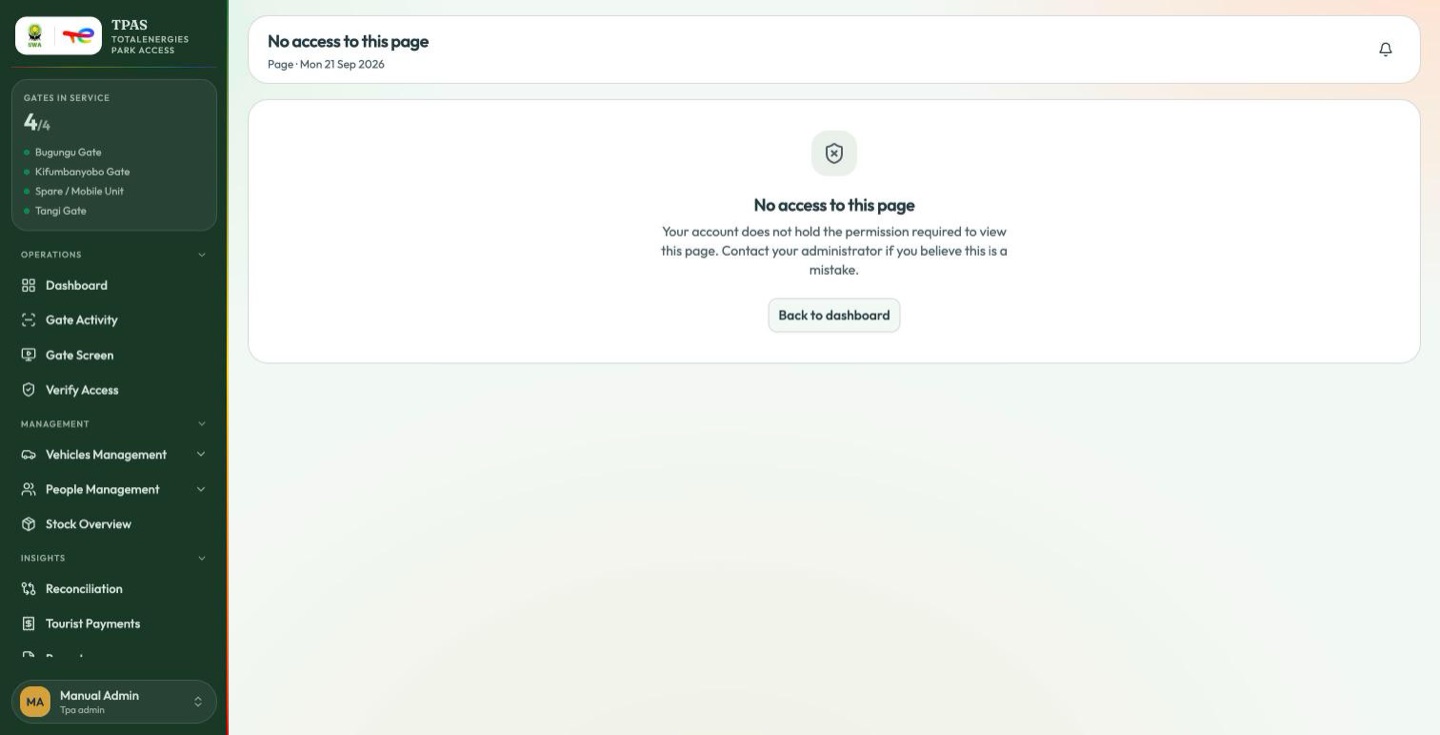
Even at 102 of 107 permissions this role does not hold everything. What it lacks is precise and deliberate:
| Missing | Why |
|---|---|
dashboard:read-uwa | The UWA dashboard belongs to the wildlife authority. |
device-stock:receive, device-stock:return | Confirming a dispatch and starting a return are the contractor's side of the handover. An administrator who could do both ends could sign for devices on a contractor's behalf. |
master-list:create, master-list:delete | A contractor owns its own master list; TotalEnergies approves and declines, it does not author. |
That is the shape of the whole permission model in one row: nobody in TPAS sees every page, and the gaps are where a second party is supposed to act.
2 · System admin (system-admin) — 43 permissions
The platform administrator: accounts, roles, the security model and the device estate rather than park operations.
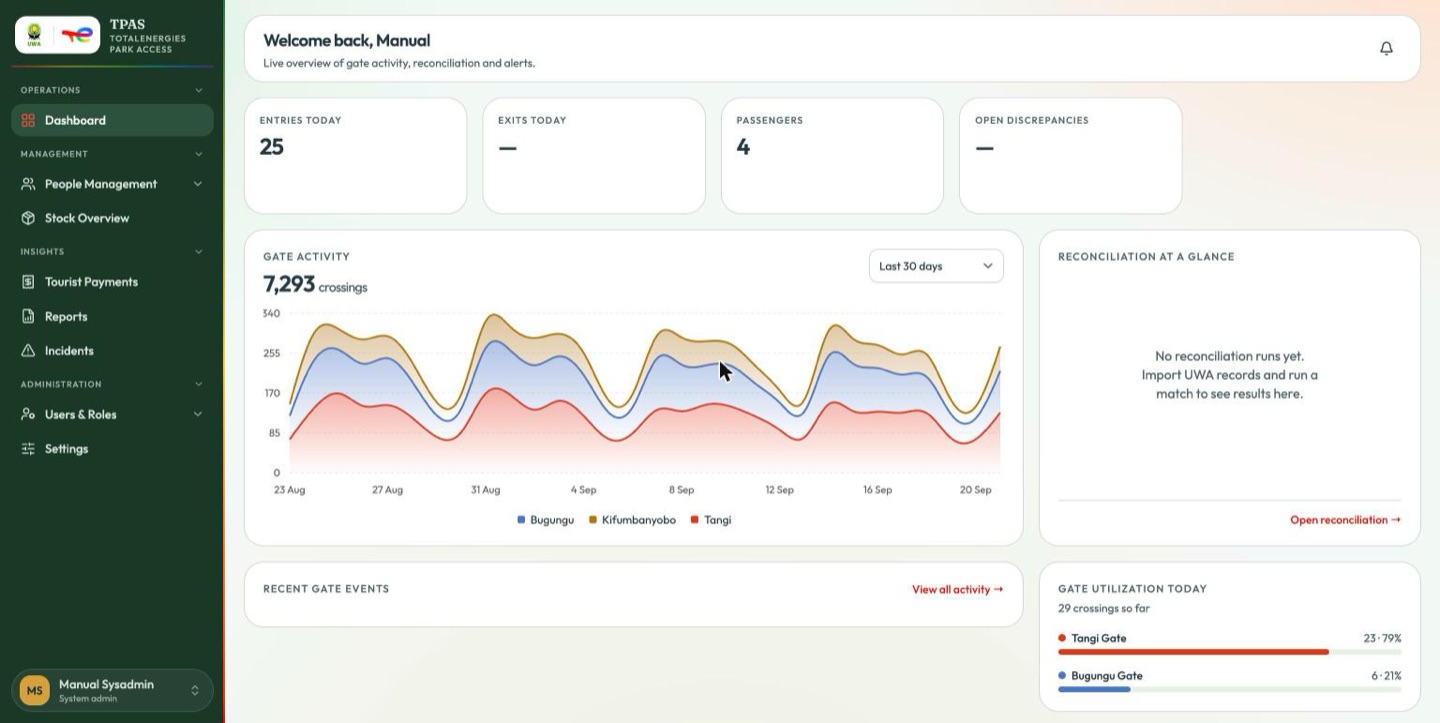
Lands on: Dashboard. Sees: Dashboard · Management → Master List, Stock Overview · Tourist Payments, Reports, Incidents · Users & Roles · Settings. Does not see: Gate Activity, Verify Access, Vehicles, Personnel & Badges, Visitors, Access Requests, Reconciliation, Contractors, Gate Devices, Device Registry.
Can, correctly: the whole of Administration's user and role administration, the four stock thresholds, and every stock action except the two that belong to a contractor.
Refused:
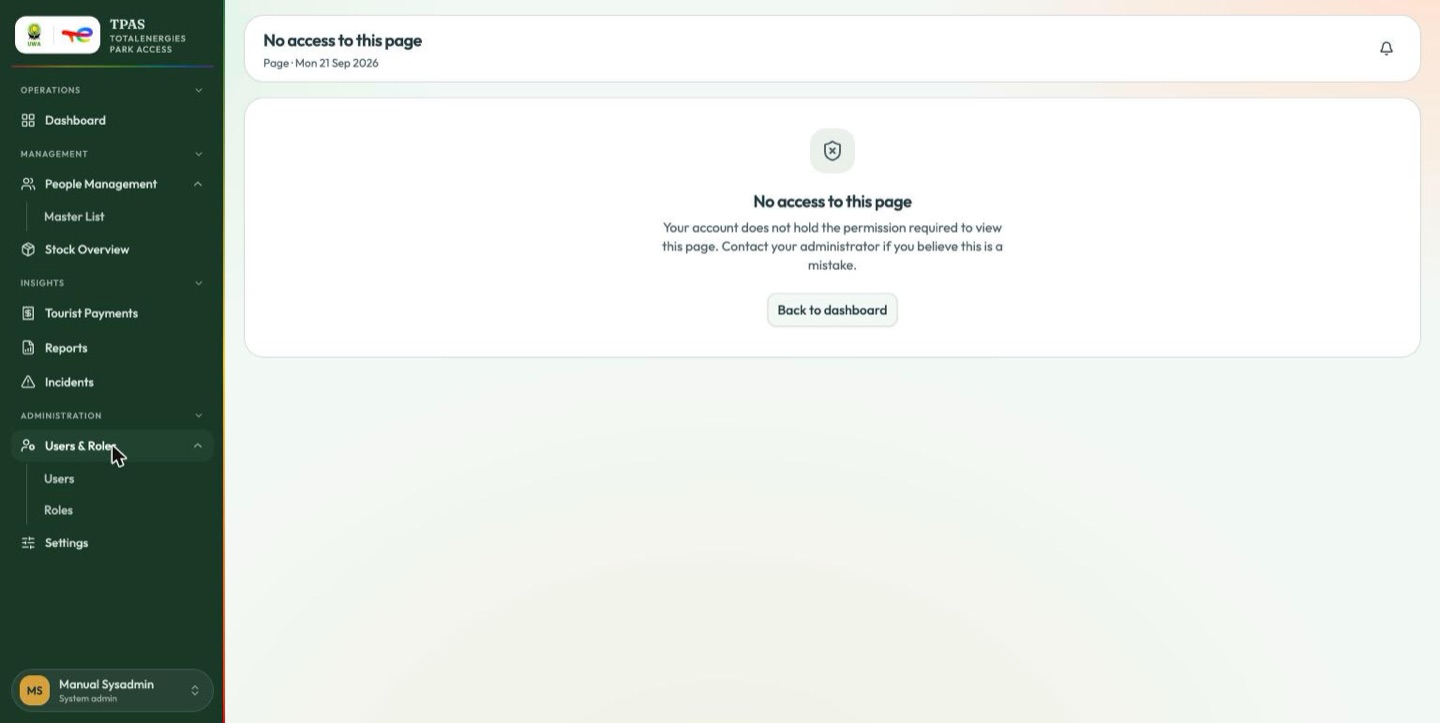
Every KPI tile on this role's dashboard reads —, and there is no Gates in service panel. The role can open the page; it is not served the figures behind it.
A dash means no figure available, never zero. For numbers, use an account holding an operational role, or the reports.
3 · Tpa contractor (tpa-contractor) — 13 permissions
A contractor's own login: its people, its vehicles, its requests and the devices it has been given.
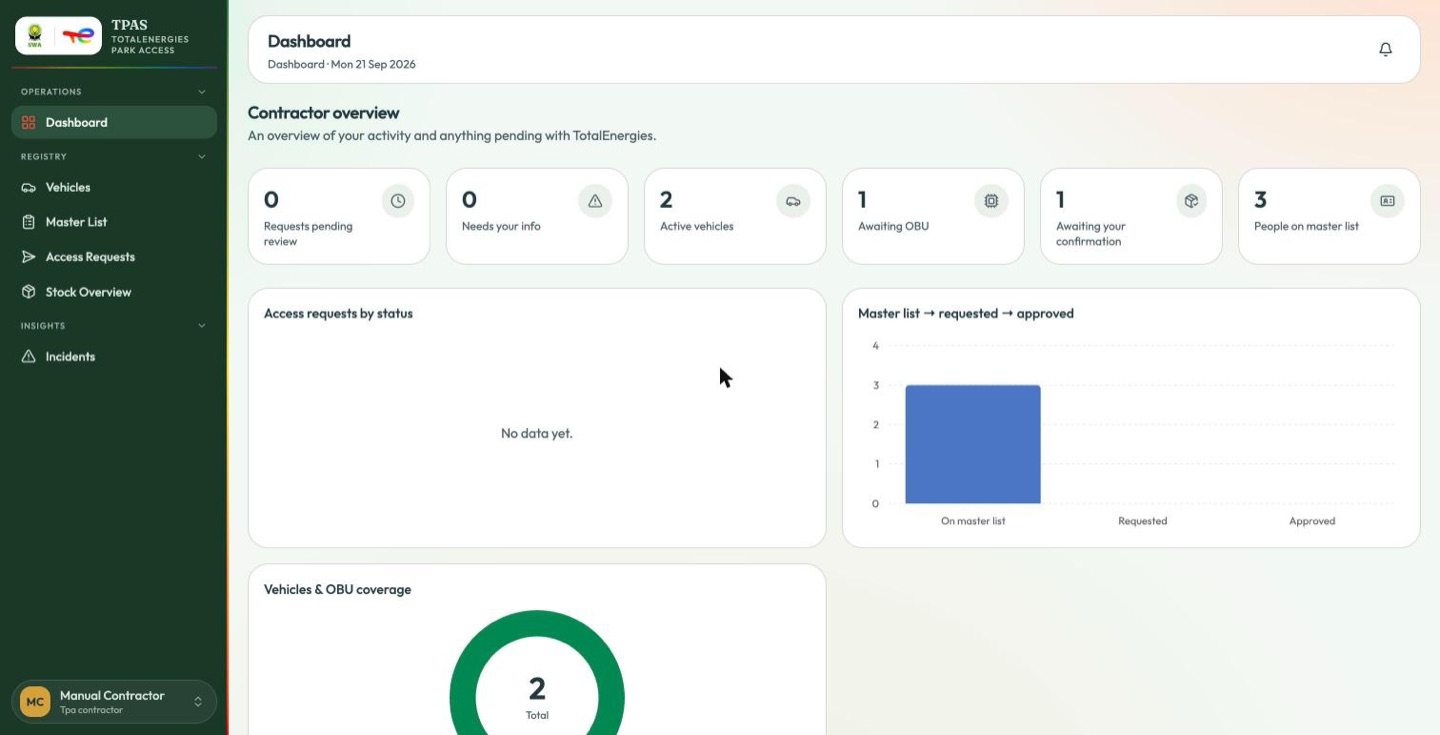
Lands on: the contractor dashboard at / — a different page from the
staff dashboard, headed Contractor overview: requests pending review, requests
needing your info, active vehicles, vehicles awaiting an OBU, people on the
master list, plus request-status and OBU-coverage breakdowns.
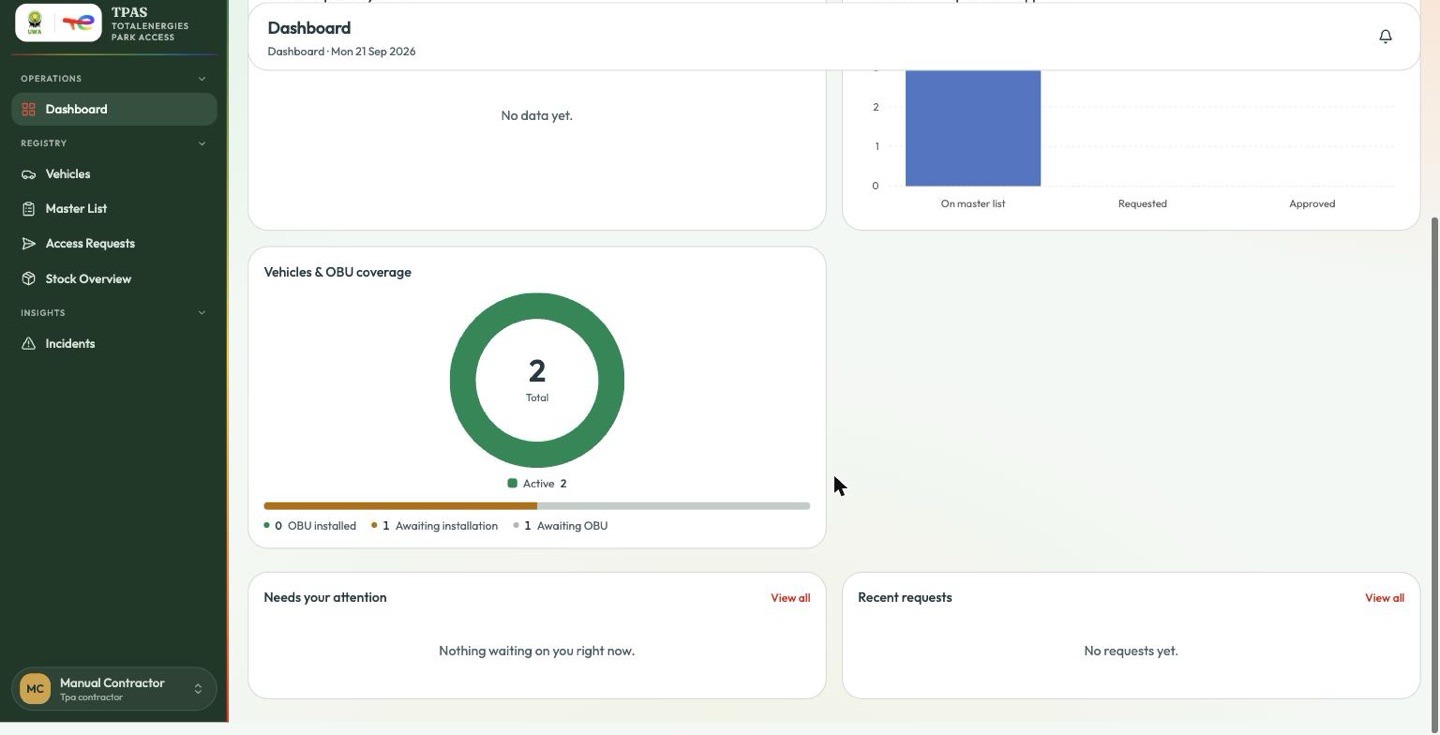
Sees: Dashboard · Registry → Vehicles, Master List, Access Requests, Stock
Overview · Insights → Incidents.
Does not see: Personnel & Badges (it holds no personnel:read or
card:read), Gate Activity, Verify Access, Reconciliation, Reports, Tourist
Payments and all of Administration.
Can, correctly: build and maintain its master list
(master-list:create|delete), submit access requests, register vehicles, raise
incidents — and, in device stock, the two actions nobody else holds:
Confirm receipt and Start return
(Confirming receipt).
Refused:
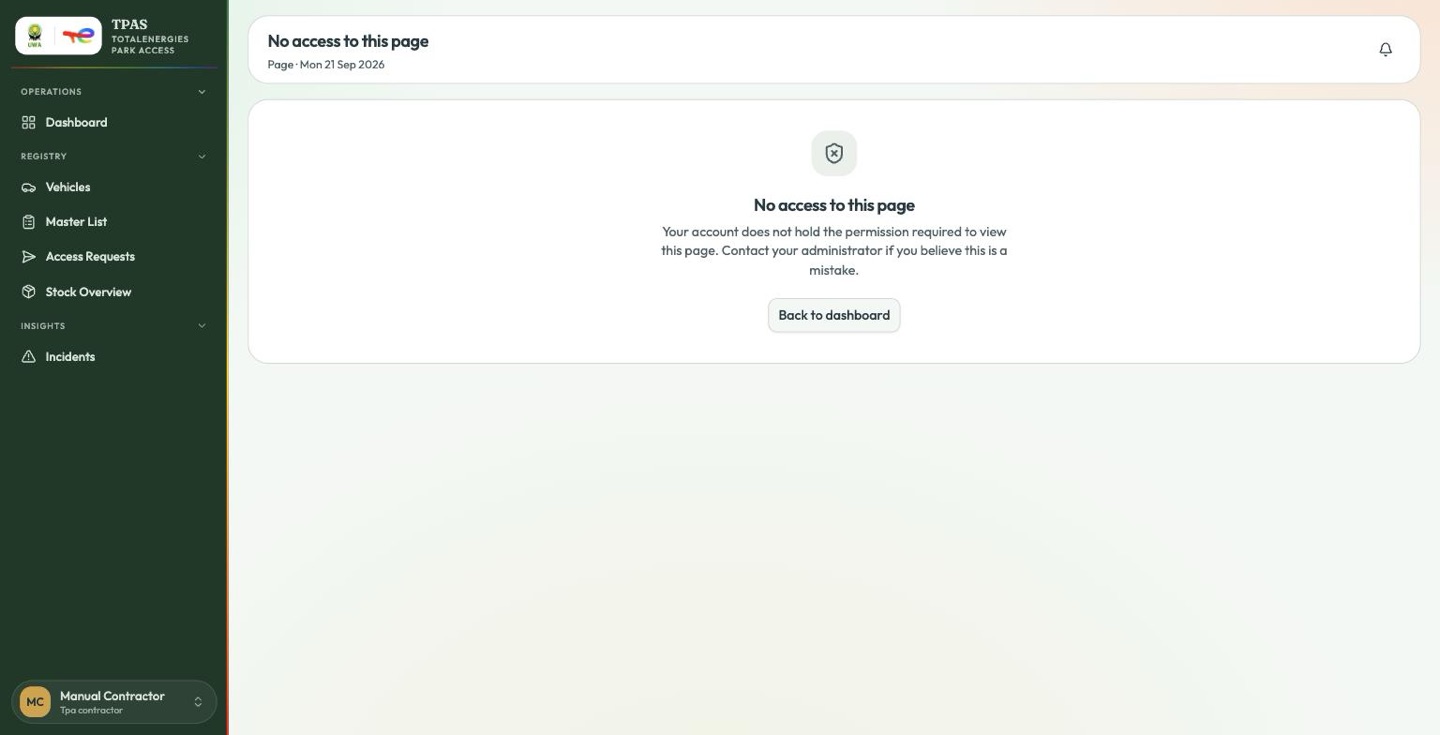
Reports, tourist payments, reconciliation and everything administrative.
Stock Overview shows this role three tabs, not four. Triage and repair are TotalEnergies' decisions about a device that has already come back.
4 · Tpa gatekeeper (tpa-gatekeeper) — 12 permissions
The person at the barrier.
At the barrier a gatekeeper records vehicles and their people with the gate reader app (Mobile gate app), signing in with the same account. The app works only at the gate the account is assigned to (Adding a user). An account with no gate, or with an inactive gate, cannot record anything on the phone.
Lands on the Gate Screen, full-screen and without the portal around it. A gatekeeper holds no dashboard permission, so TPAS sends them to the first page they can open — which is the live gate screen. Signing in puts a gate display on the screen and nothing else.
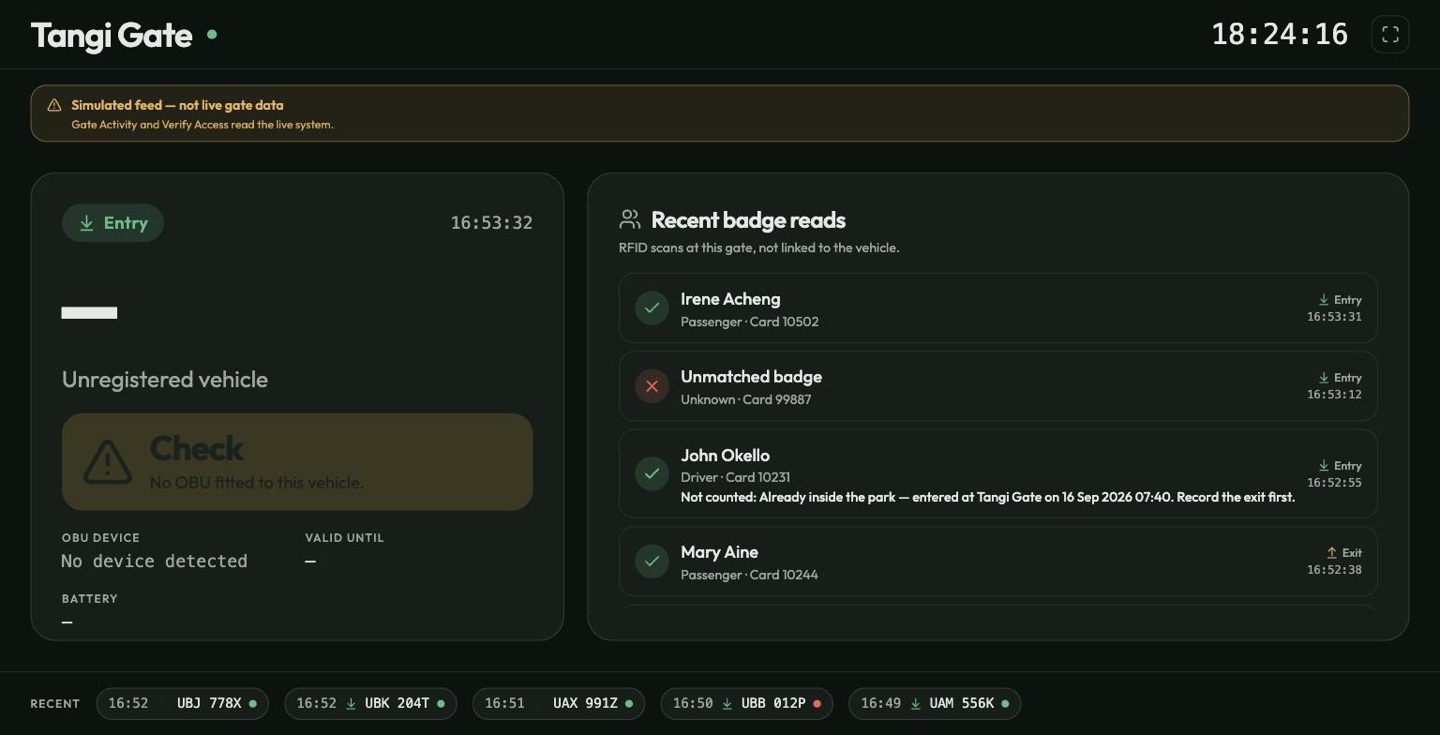
That is the right default for a gatehouse monitor. It does mean a new gate
operator may not realise there is a portal behind it at all — reach the rest of
TPAS by navigating away from /gate-live.
This role is not a kiosk user in the sense of
Role reference. It holds vehicle:read, so it gets the full
shell everywhere except its landing page. Compare Park auditor below,
which is confined to the gate screen.
Sees, once in the shell:
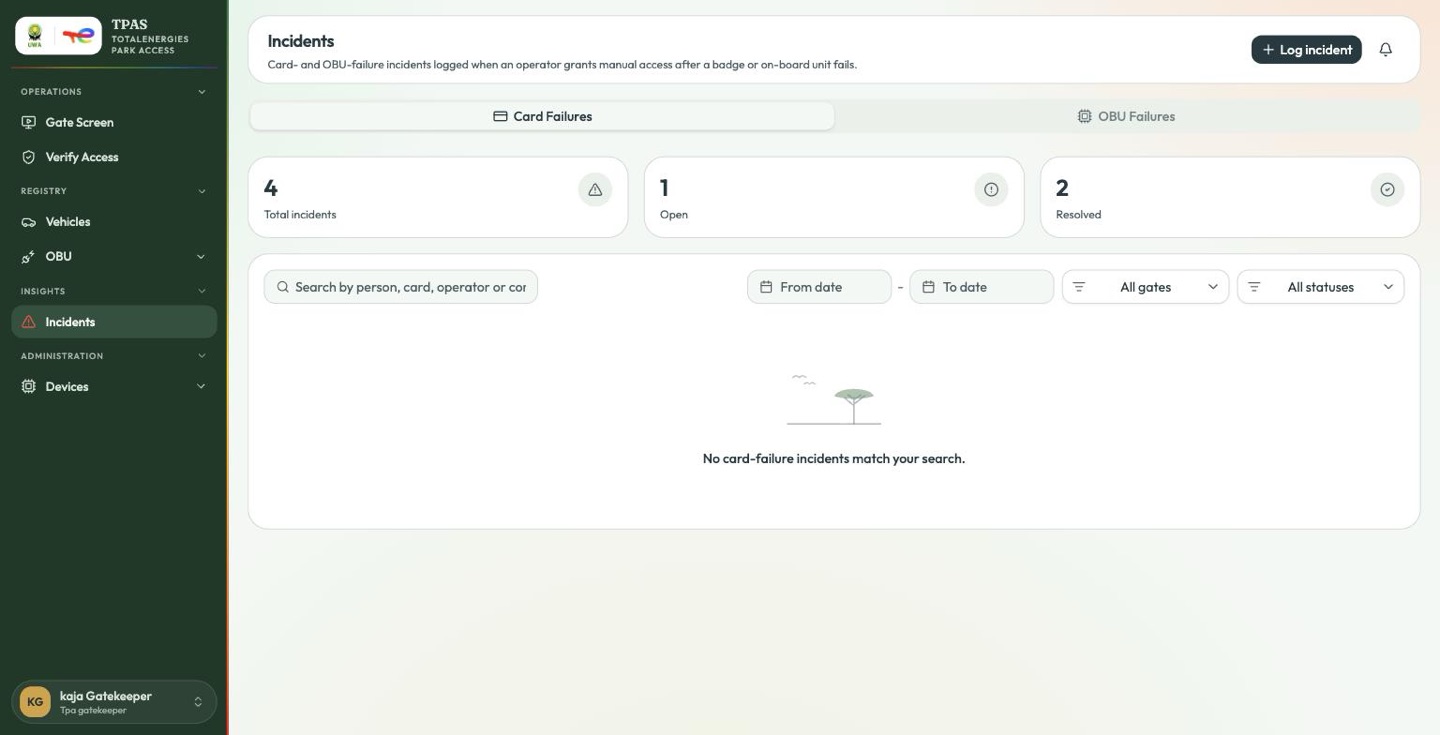
| Group | Entries |
|---|---|
| Operations | Gate Screen, Verify Access |
| Registry | Vehicles, OBU → OBU Installation, OBU Distribution |
| Insights | Incidents |
| Administration | Devices → Device Registry |
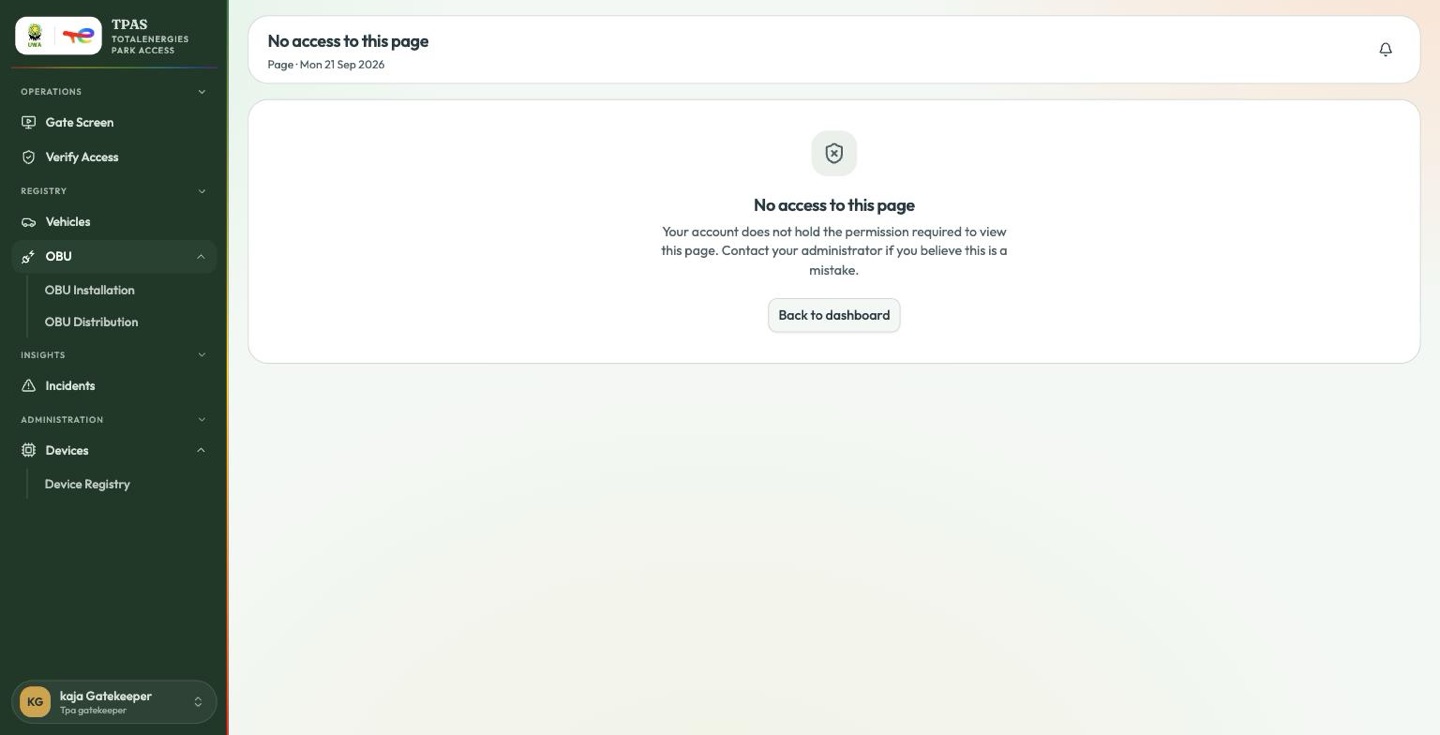
Does not see: Dashboard, Gate Activity, Personnel & Badges, Master List, Access Requests, Stock Overview, Reconciliation, Reports, Tourist Payments, Contractors, Users & Roles, Gate Devices, Settings.
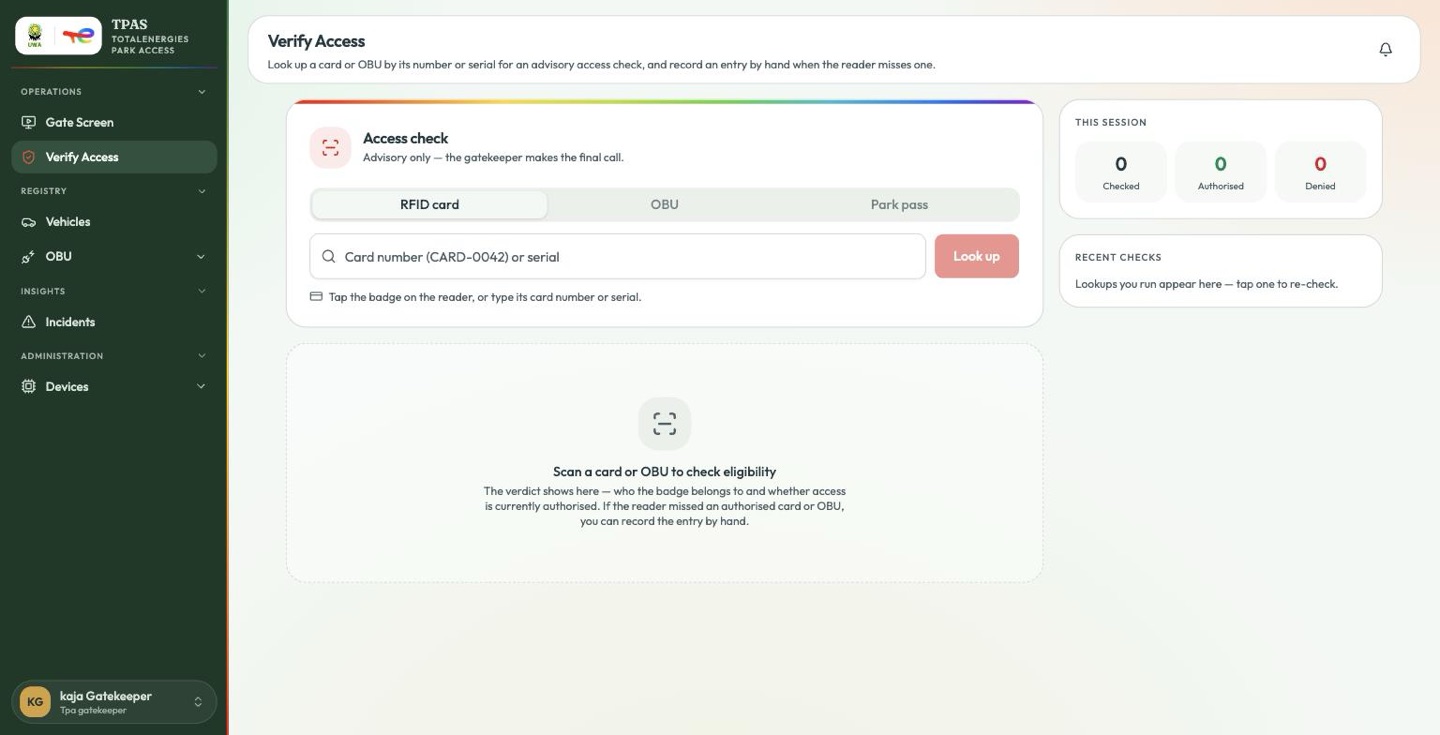
verification:verify gives this role the counter tool
Verify Access describes, and with it the
Park pass tab — the one a gate officer needs most, since it is how a
tourist's QR pass is checked
(Verifying a pass at the gate). No second role is
needed for it.
Refused:
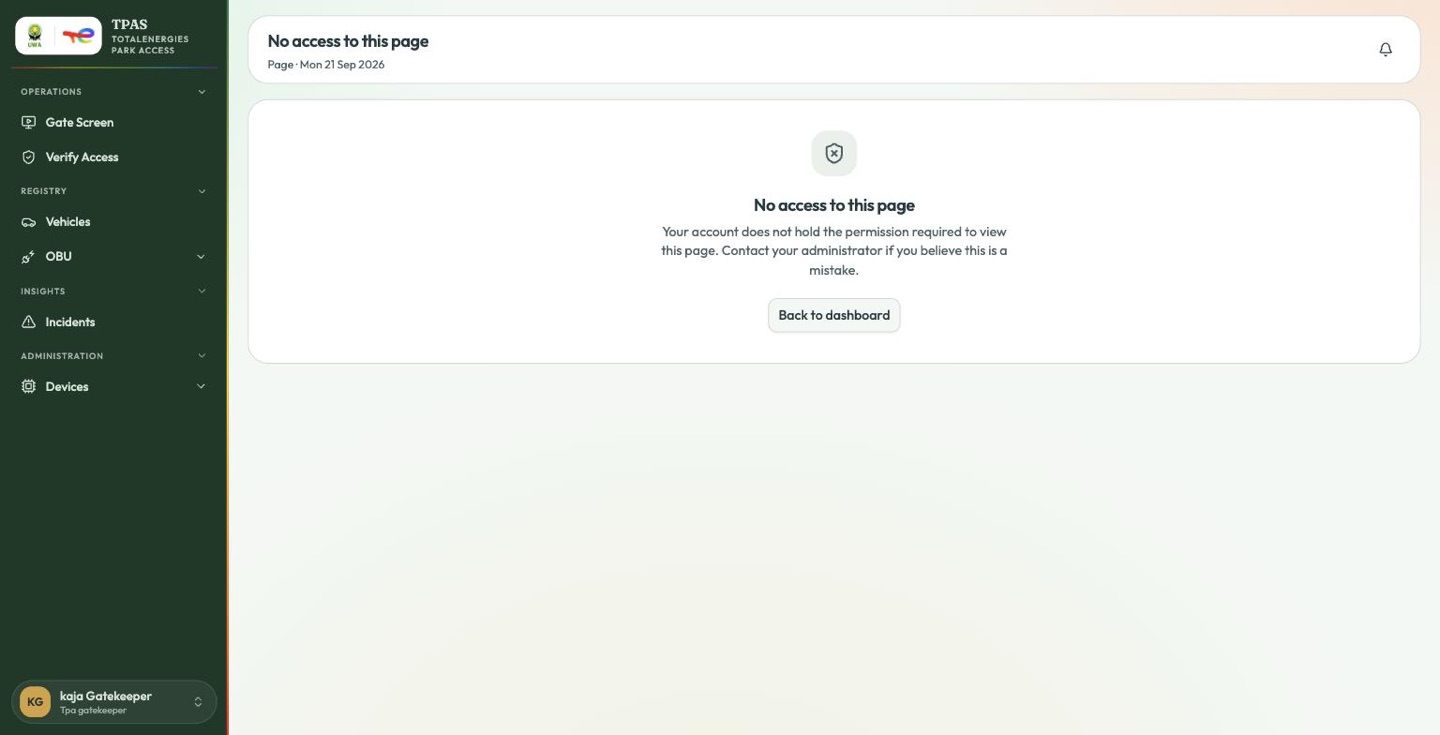
Reports, reconciliation and everything administrative.
The incident list is not narrowed to the operator's own organisation. For somebody working a barrier that is reasonable — an incident belongs to the gate rather than to a company — but expect to see other contractors' names in the list.
5 · Tpa reconciler (tpa-reconciler) — 22 permissions
The role that matches UWA's paperwork against what the gates recorded, and clears what does not line up. Everything in Reconciliation is written for this account.
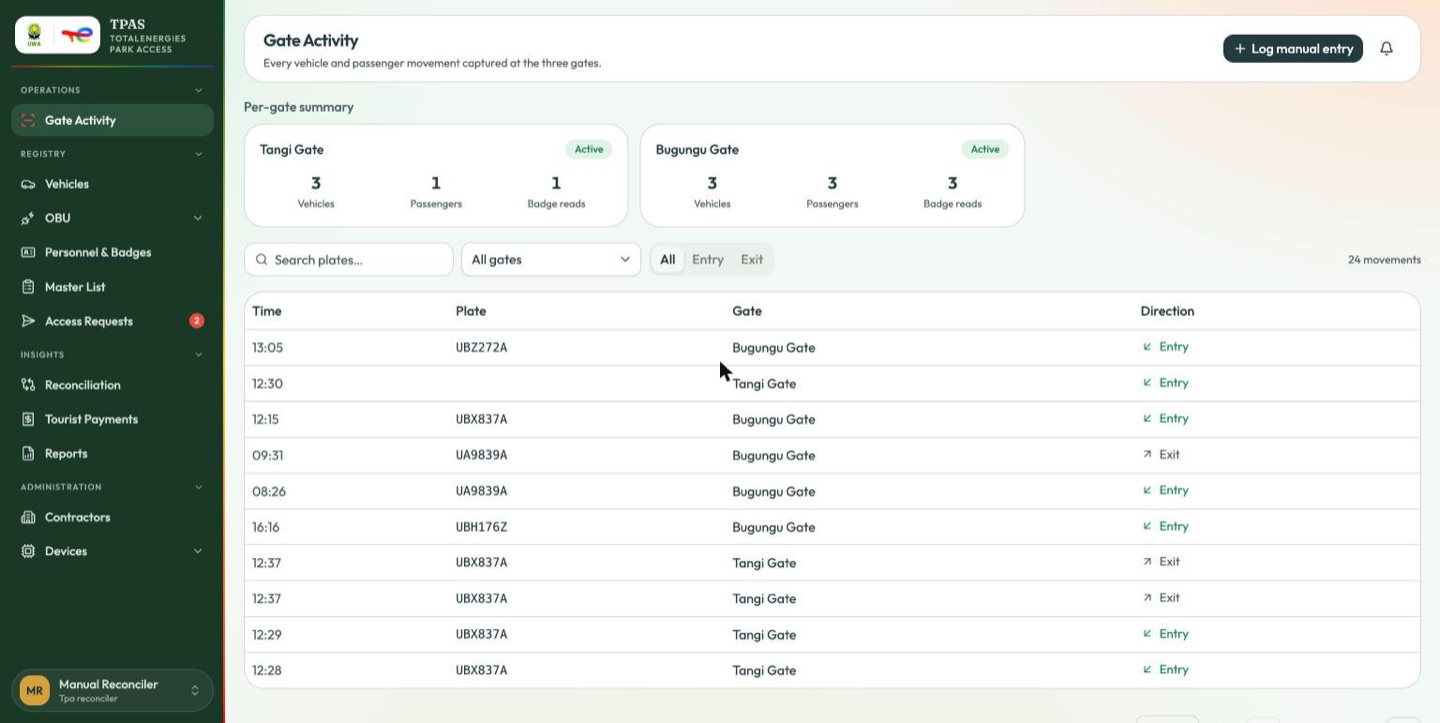
Lands on: Gate Activity — the first page in its menu, complete with the
per-gate summary and Log manual entry.
Sees: Gate Activity · Registry → Vehicles, OBU, Personnel & Badges, Master
List, Access Requests · Reconciliation, Tourist Payments, Reports ·
Administration → Contractors, Devices.
Does not see: Stock Overview (no device-stock:read), Verify Access, Gate
Screen, Incidents, Users & Roles, Settings.
Can, correctly: the whole reconciliation workflow, end to end.
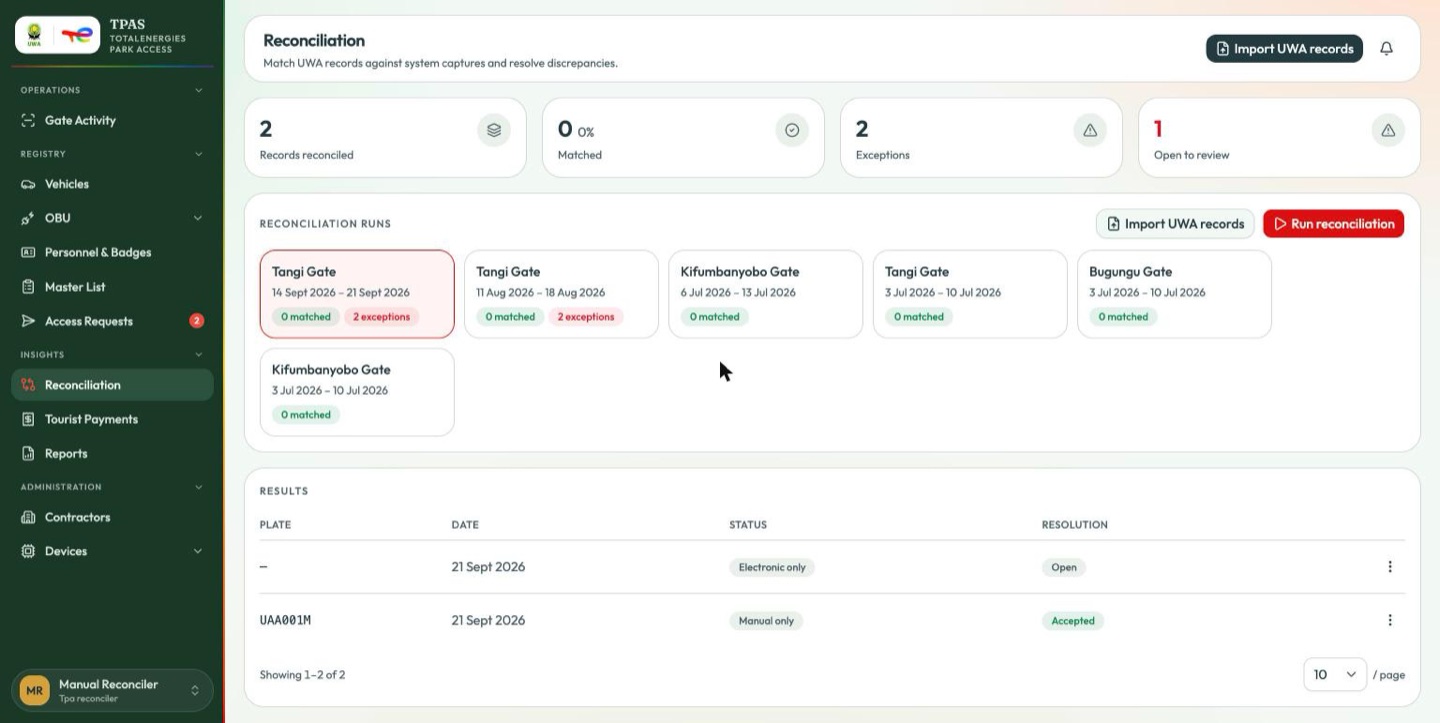
Import UWA records, Run reconciliation and the per-row resolve menu are all
present, because this role holds reconciliation:reconcile and
reconciliation:resolve as well as reconciliation:read. Compare the same page
under Tpa management below, where all three are absent.
Refused:
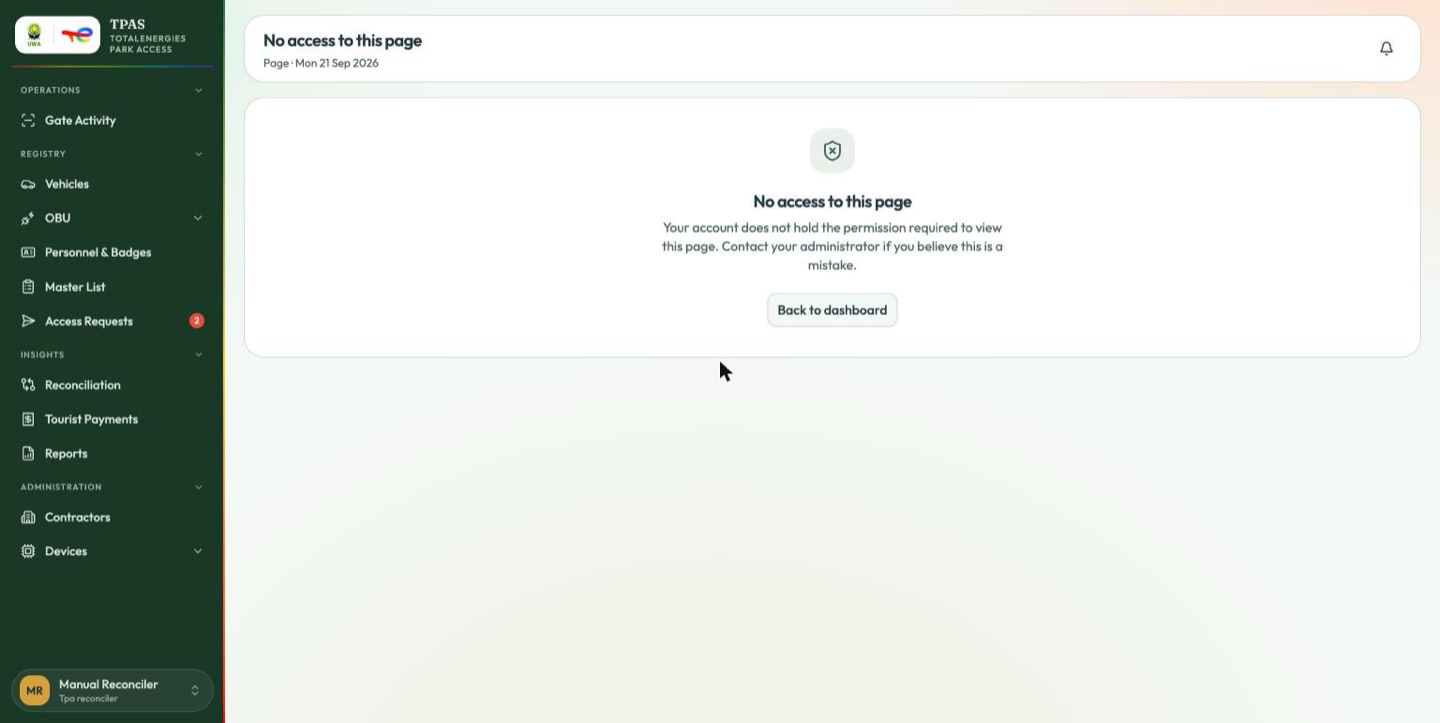
User and role administration. The reconciler is an operational role, not an administrative one.
Important — this role approves requests against a list it can read but not correct. It holds
registration:approveandmaster-list:read, so it can check a request against the contractor's roster — but the automatic cross-check is unavailable to every role (Access requests), so the check is yours to make.
6 · Tpa management (tpa-management) — 21 permissions
Oversight. This role reads everything that matters and changes almost none of
it — outside device stock its only non-read permission is report:export.
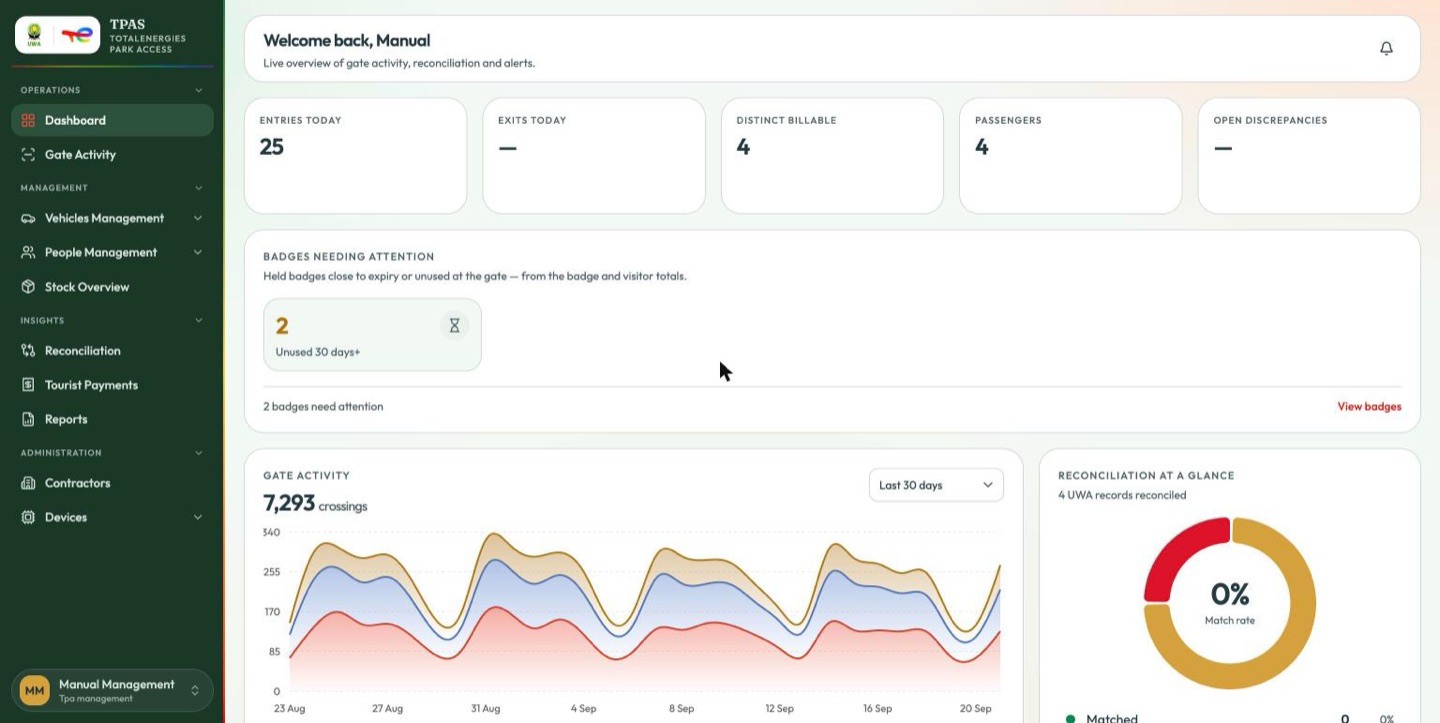
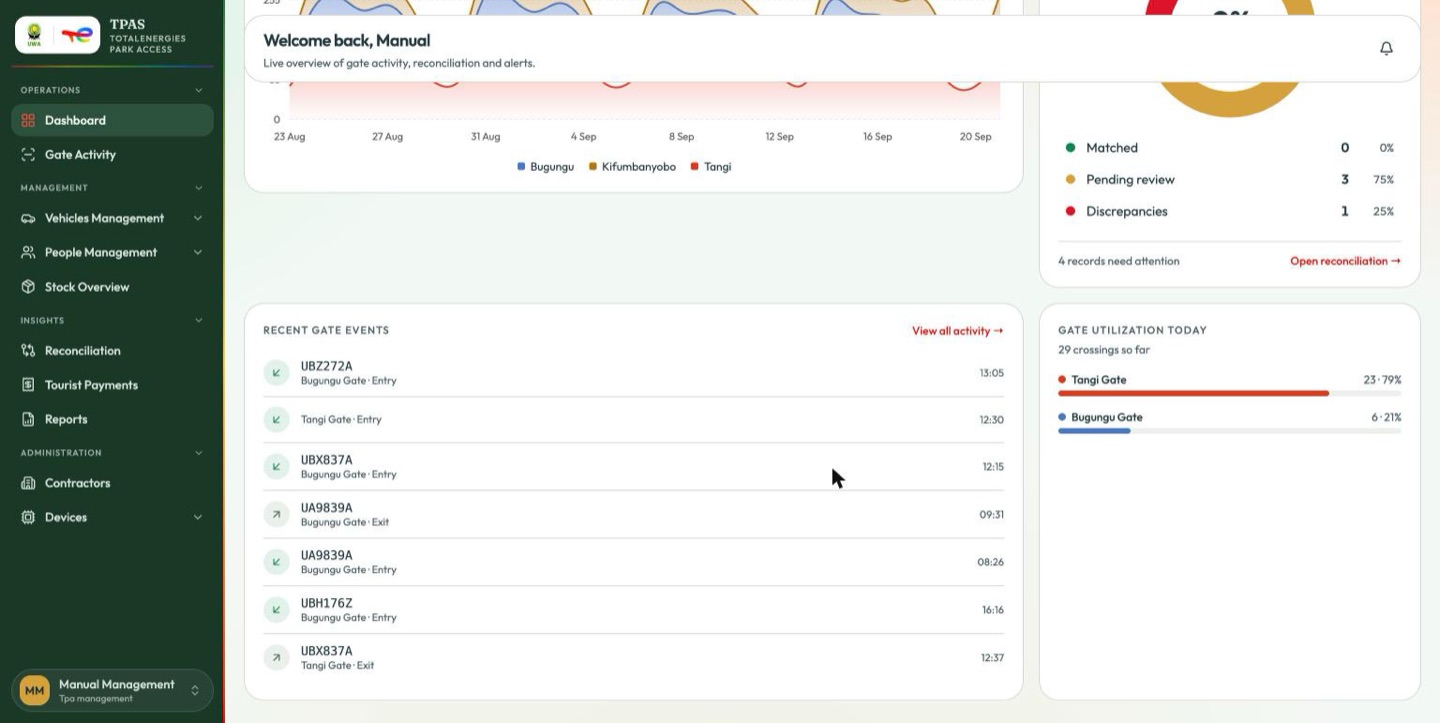
Lands on: Dashboard — the real one, with both attention panels. Sees: the operational portal under Management, minus anything that writes. Visitors, Personnel & Badges and Stock Overview are all present. Does not see: Master List, Access Requests, Verify Access, Gate Screen, Incidents, Users & Roles, Settings.
This role
holds device-stock:dispatch and device-stock:acknowledge, so it can
send devices out, acknowledge returns and declare a device lost. It cannot
triage, close a repair or change a threshold.
Refused:
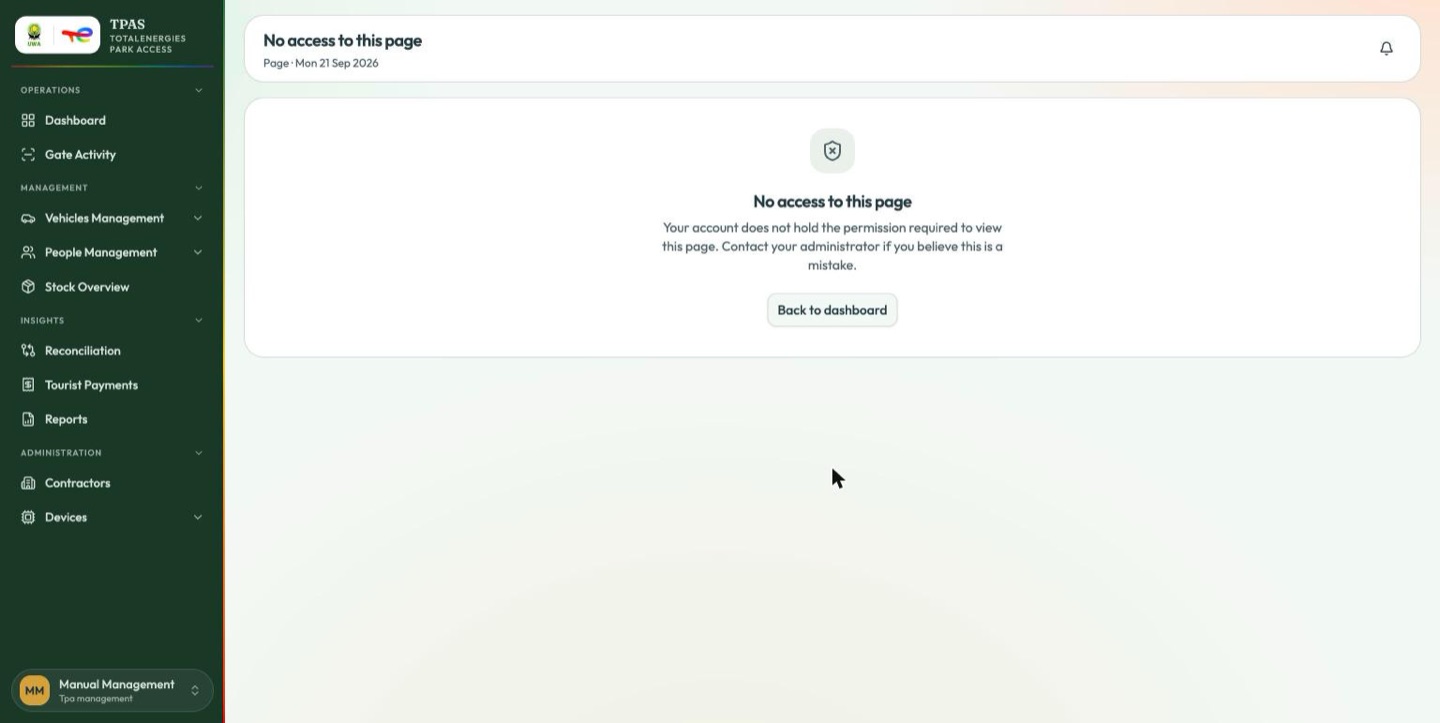
What view-only actually looks like. Compare this against the reconciler's screenshot above — the same page, a different role:
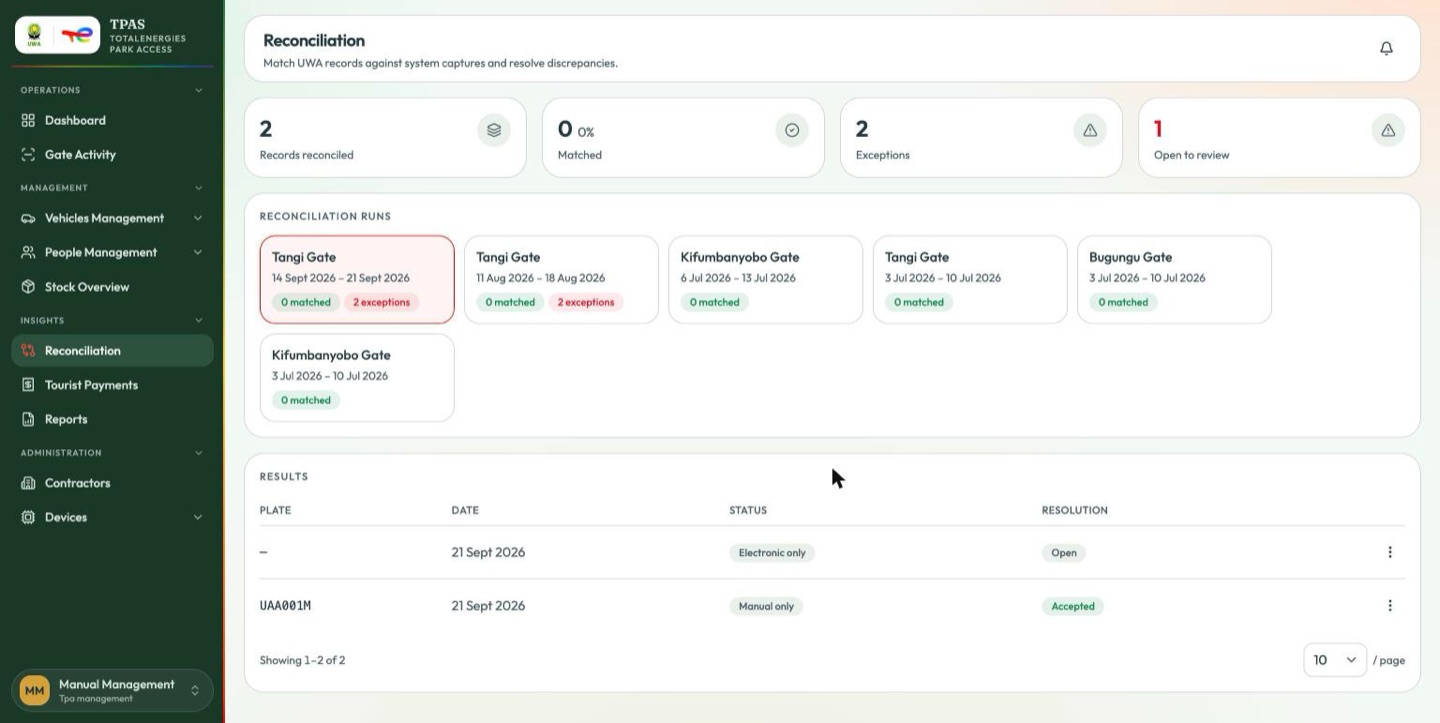
Import UWA records and Run reconciliation are gone from a page that is otherwise identical, and the per-row menu offers only View passengers — no resolve, no accept. Nothing is greyed out or left to fail on click; the actions simply are not there. That is the pattern throughout TPAS.
7 · Tpa uwa (tpa-uwa) — 9 permissions
The Uganda Wildlife Authority's own view: park throughput and park-pass revenue, for reconciling against UWA's records. It is the only role that lands on the UWA dashboard.
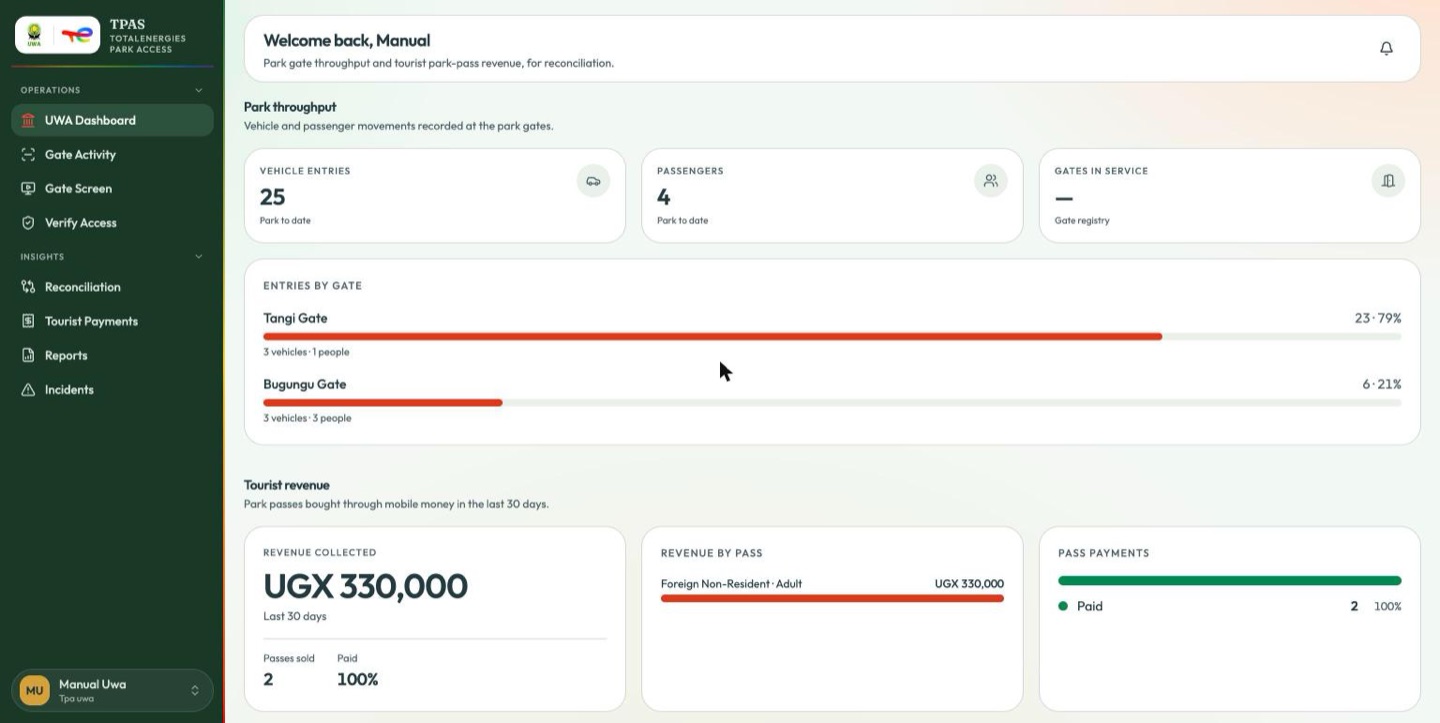
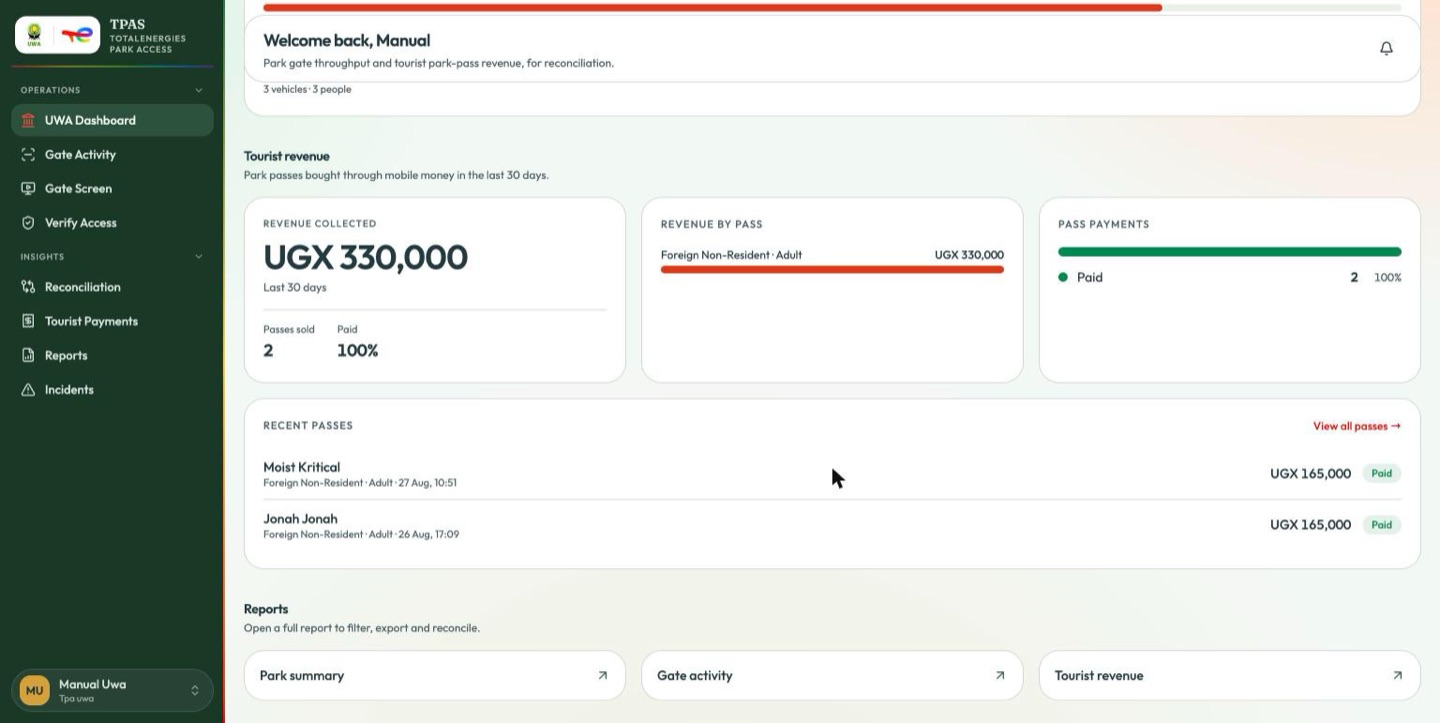
Lands on: UWA Dashboard (dashboard:read-uwa).
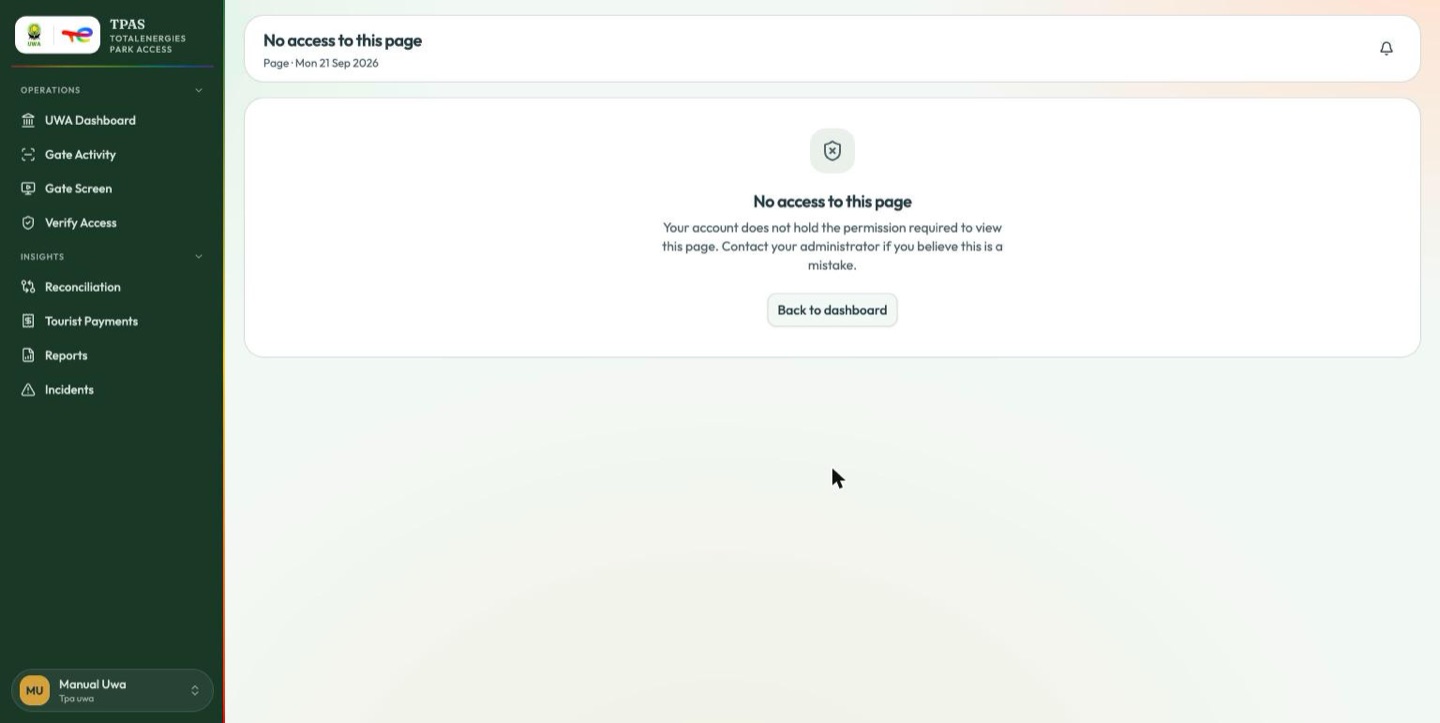
Sees: UWA Dashboard, Gate Activity, Gate Screen, Verify Access,
Reconciliation, Tourist Payments, Reports, Incidents.
Does not see: Vehicles, personnel, the registry, device stock and all
administration. UWA sees movement and money, not TotalEnergies' contractor
records.
The panel totals park passes paid for in the last thirty days. A period with no completed purchases reads zero — that is an empty till, not a broken panel. For the detail behind the figure, open Tourist Payments.
Note — "Gates reporting" counts registry entries The park has three barriers, and the figure reads 4, because the gate registry also holds the Spare / Mobile Unit posting (Gates in service). Use the Entries by gate breakdown underneath it for where traffic actually went.
8 · Tpa viewer (tpa-viewer) — 17 permissions
Read and nothing else. The role to give somebody who needs to look.
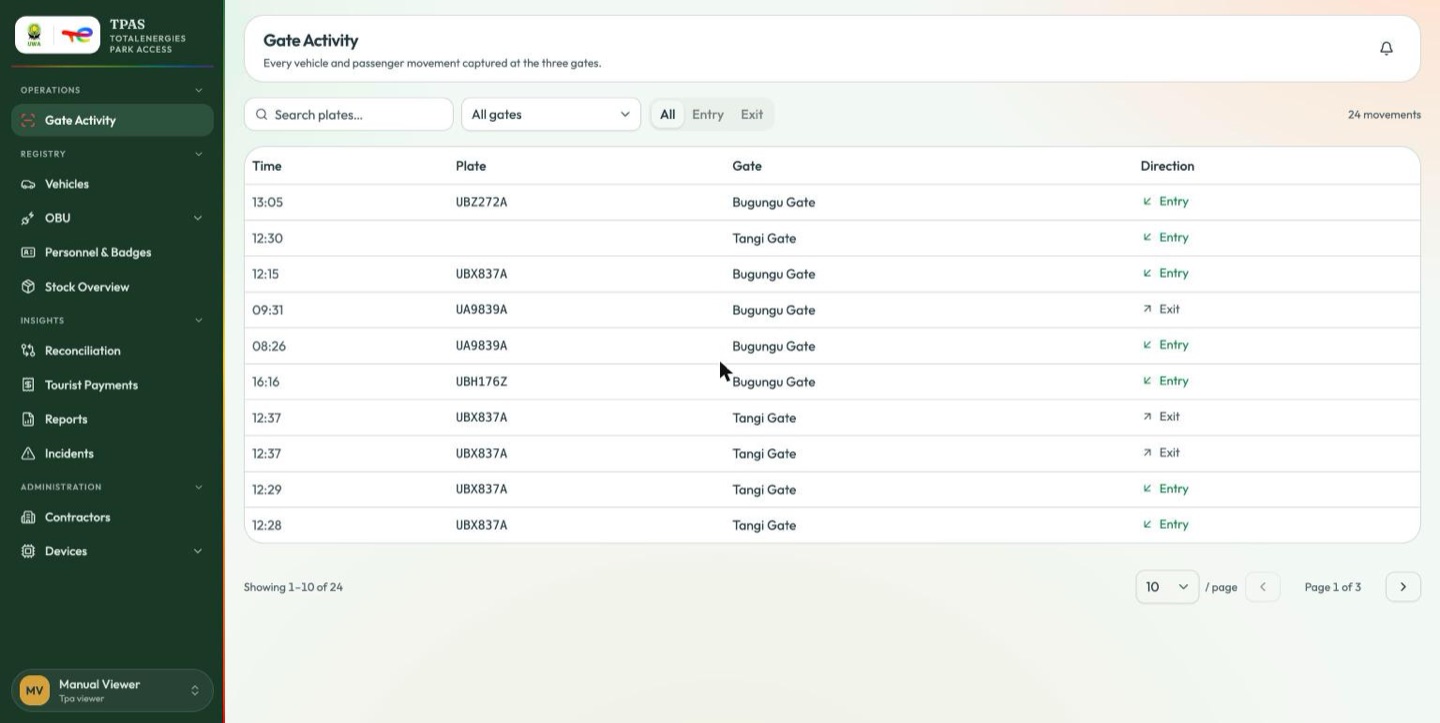
Lands on: Gate Activity — the first page in its menu.
Sees: Gate Activity · Registry → Vehicles, OBU, Personnel & Badges, Stock
Overview · Reconciliation, Tourist Payments, Reports, Incidents ·
Administration → Contractors, Devices.
Does not see: Master List, Access Requests, Verify Access, Gate Screen,
Users & Roles, Settings — and, because it is not a Management-group audience,
no Visitors entry, although it holds visitor:read.
Can, correctly: open every operational page, and change nothing on any of them.
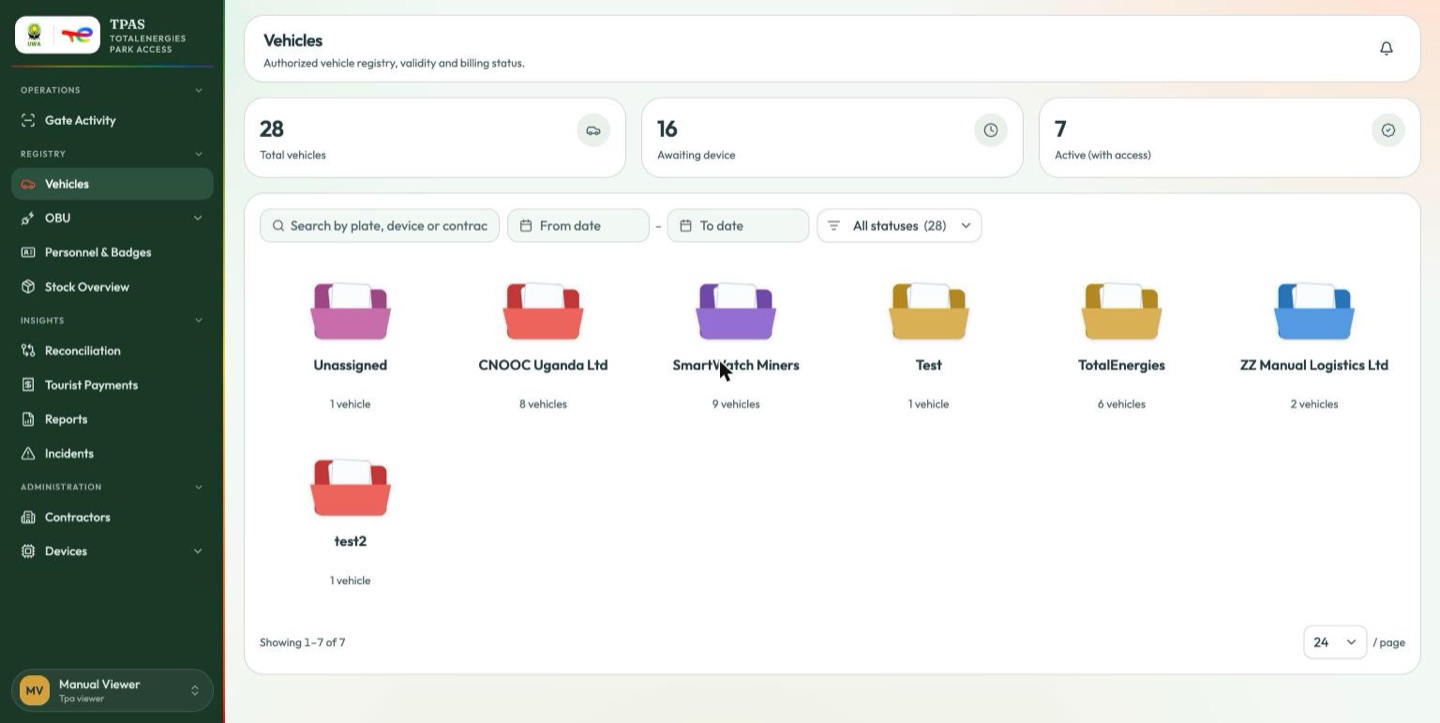
The Vehicles registry with no Add vehicle action. Same page as Registry, one button lighter. Its Gate Activity has no Log manual entry and no per-gate summary panel — compare the reconciler's landing above.
Refused:
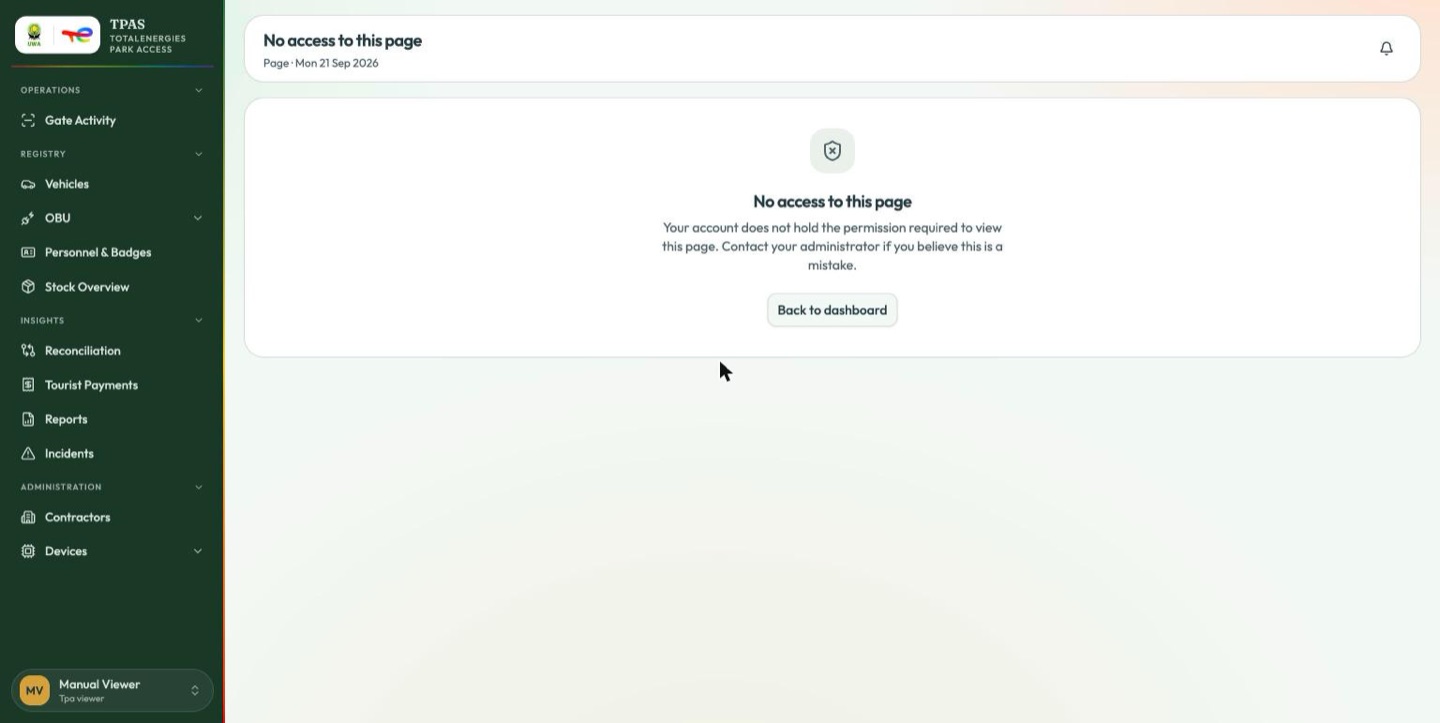
report:exportA report's Excel and PDF buttons appear only for a role holding
report:export as well as report:read. tpa-viewer holds only the second,
so it reads every report and exports none. The same rule governs the Excel and
PDF buttons on the device-custody and triage tables.
Important — an empty report may be a failed one
On this environment the reporting engine refuses requests from tpa-viewer,
and the report viewer renders that refusal as
"No records match the current filters." If a report you know has data comes
back empty for a viewer account and populated for an administrator, the report
did not run — it failed. Re-check it on an account holding report:export
before concluding the data is missing.
9 · Tpa installer (tpa-installer) — 4 permissions
The field role: fit on-board units to vehicles and record what went where. The narrowest working shell in TPAS.
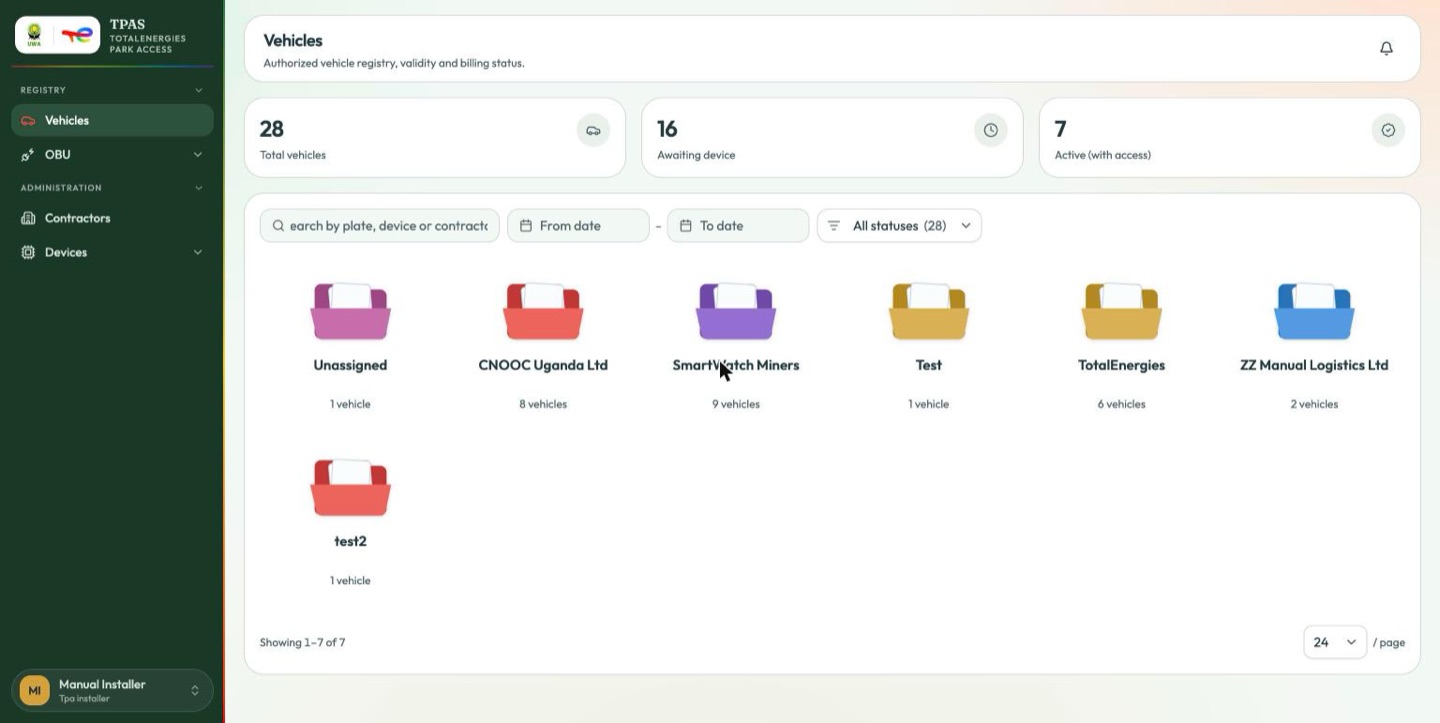
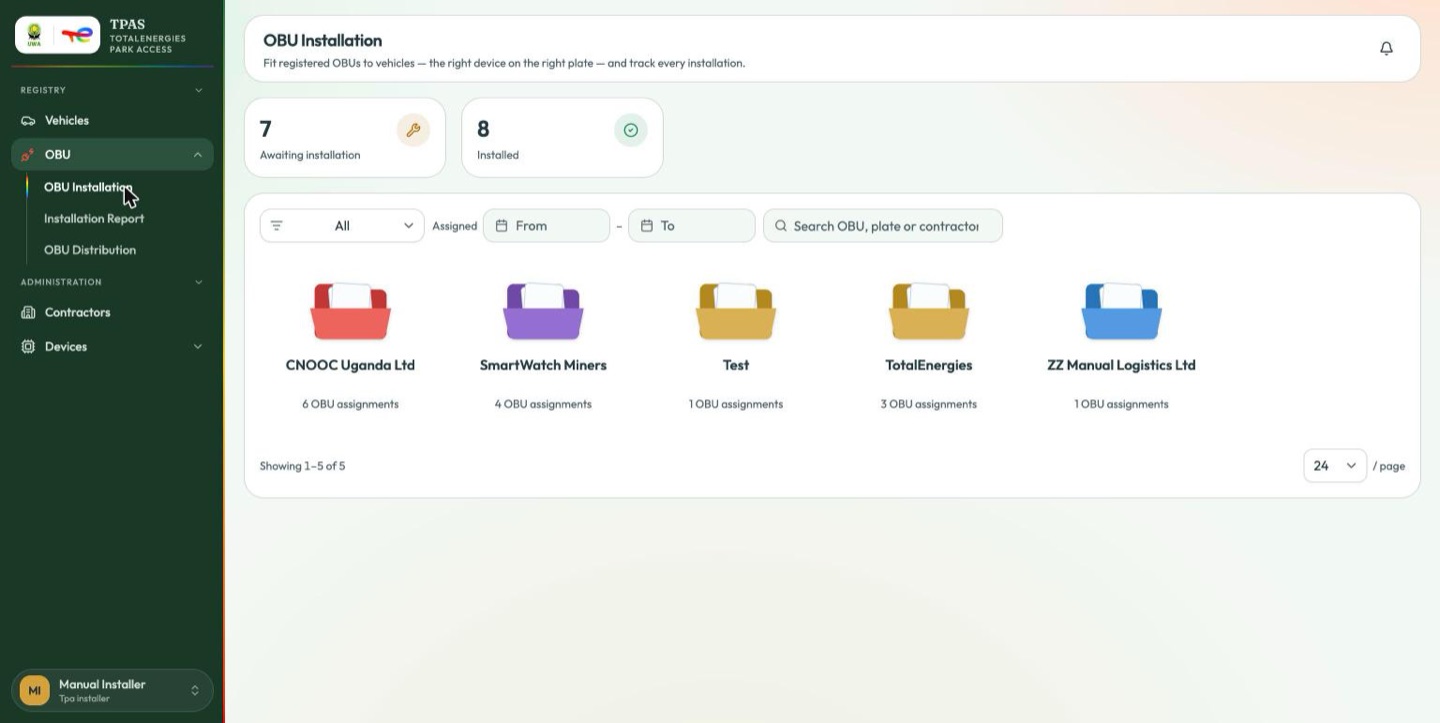
Lands on: Vehicles — the first page in its menu. Sees: Registry → Vehicles, OBU (Installation, Installation Report, OBU Distribution) · Administration → Contractors, Devices. There is no Operations group at all.
Can, correctly: assign devices to vehicles — access-device:assign is its
only write permission.
Refused:
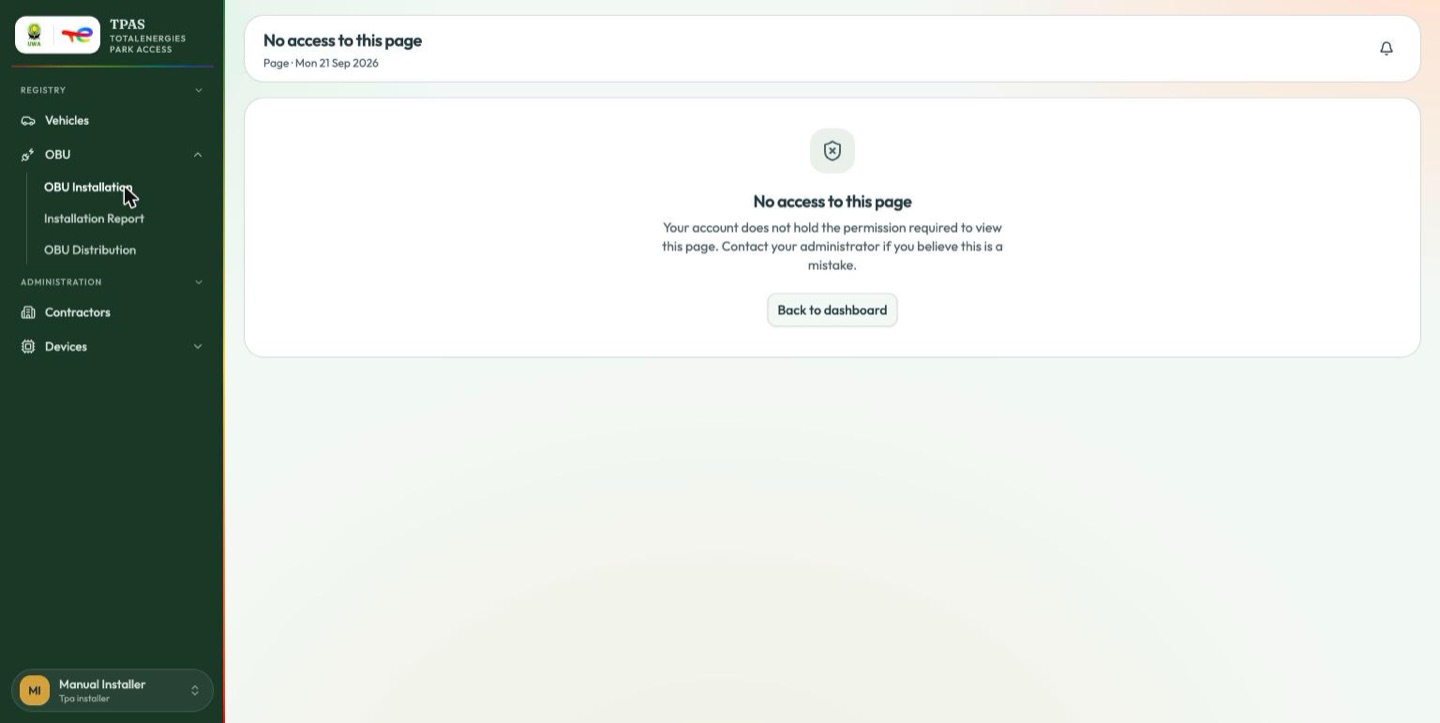
Personnel, badges, device stock, reports, reconciliation and administration. An installer fits hardware; it has no reason to read the staff register.
10 · Tpa line controller (tpa-line-controller) — 3 permissions
The narrowest role in the system: capture:create, gate-device:read,
gate:read. It exists to let a lane device post captures.
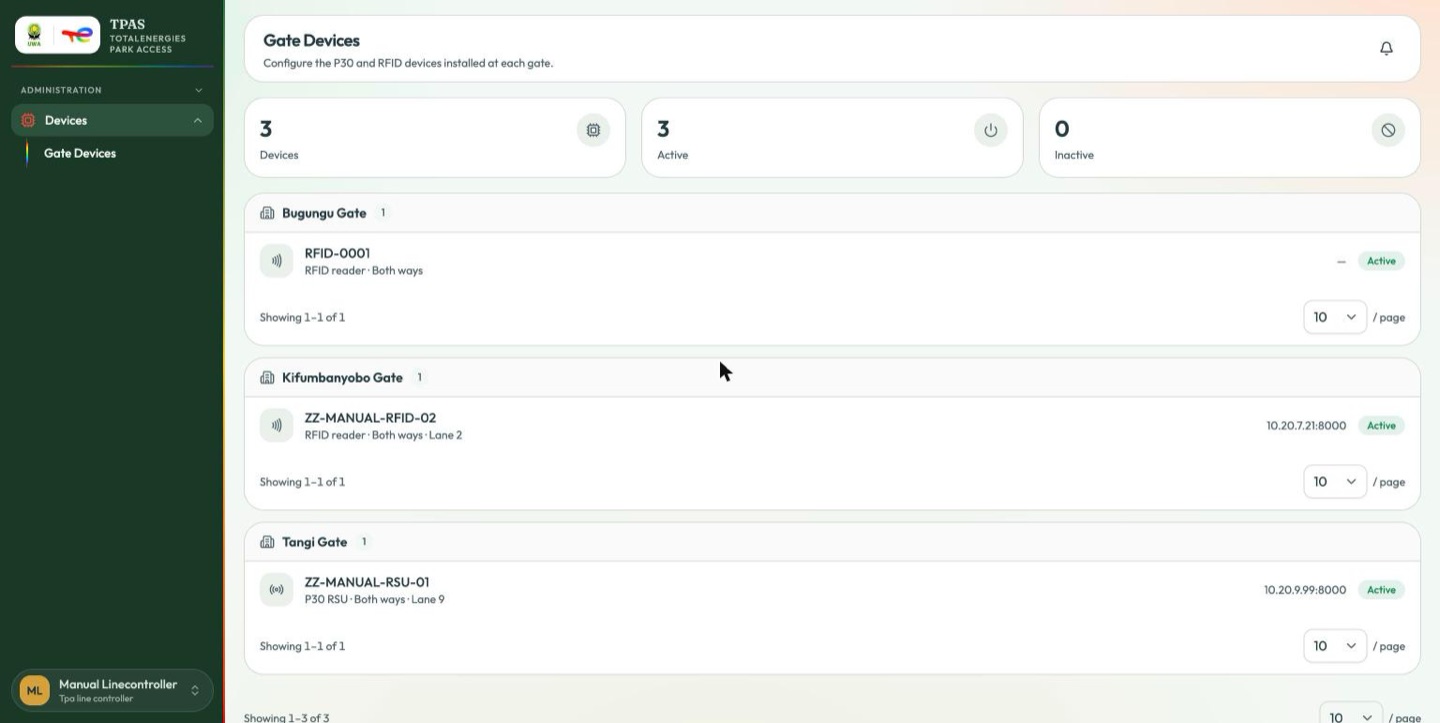
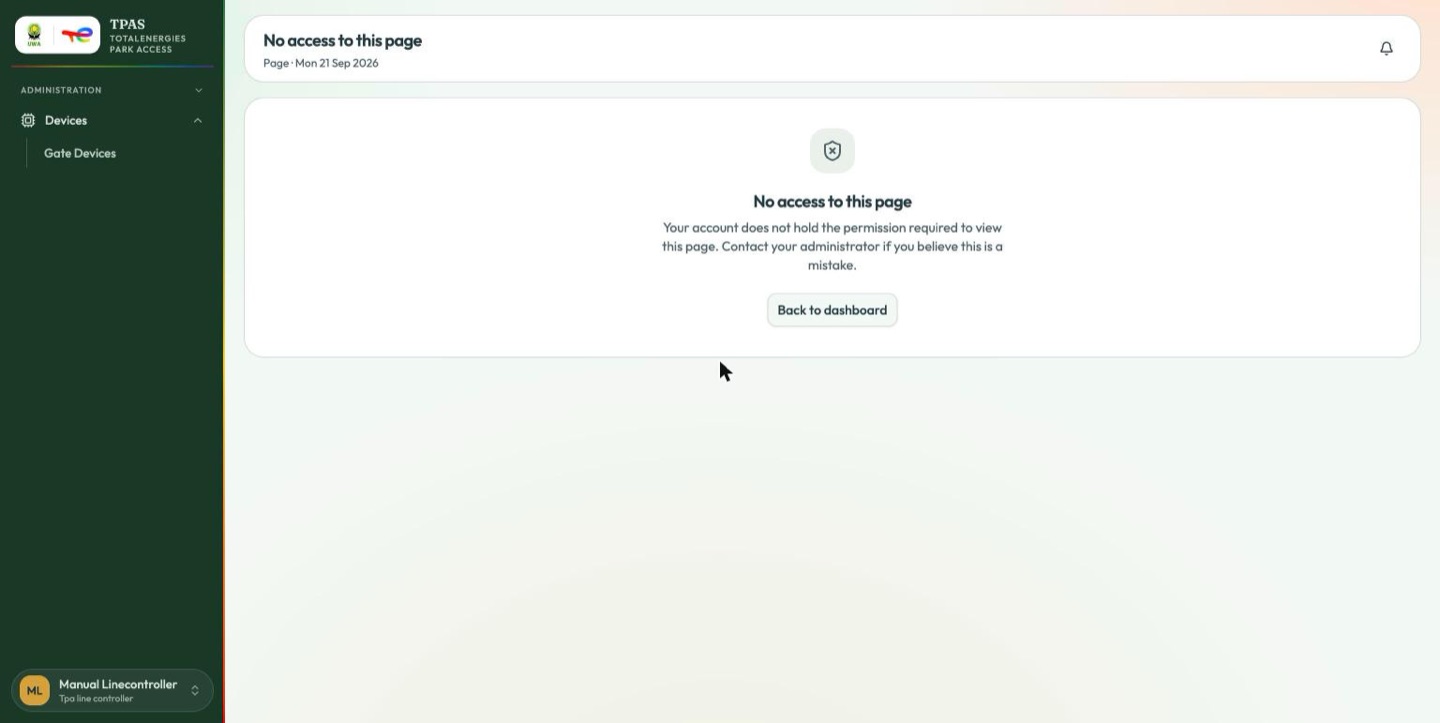
Lands on: Gate Devices — the only page it can open. Sees: Administration → Devices → Gate Devices. That is the entire sidebar: one group, one submenu, one entry.
Refused: everything else.
Gate Devices lists what has been configured at each barrier. A gate with no row here has no reader registered against it, which is why the Gate Monitor's chips report configuration rather than hardware health (Gate devices).
11–18 · The custom and machine roles
The eight roles below are listed by what they grant rather than by what they look like on screen. Three are custom roles built for this tenant, and each needs a decision before it is handed out; five are machine roles that belong to services rather than to people.
11 · Contractor (contractor) — 18 permissions, custom
organisation:create|read|update|delete|import,
personnel:create|read|update|delete|import,
registration:create|read|approve,
visitor:create|read|update|delete|approve
An organisation-and-people role, far wider than the built-in Tpa contractor (13 permissions). Two things to weigh before assigning it:
- It can create and delete organisations — not merely its own records.
- It holds both
registration:createandregistration:approve, and bothvisitor:createandvisitor:approve, so it can approve its own submissions. If your process expects a second pair of eyes, this role does not enforce one.
12 · Organisation Contractor (organisation-contractor) — 12 permissions, custom
vehicle:create|read|update|delete|import,
registration:create|read,
visitor:create|read|update|delete|approve
A fleet-and-visitors role. Despite the name it holds no organisation:*
permission at all. It carries the same self-approval overlap on visitors
(visitor:create together with visitor:approve).
13 · Park Auditor (park-auditor) — 13 permissions, custom
gate:create|read|update|delete|verify,
access-device:create|read|update|delete|assign,
capture:create|read, verification:verify
This is the one role in the realm that is a true kiosk user: it holds
verification:verify and none of the nine shell permissions, so it lands on the
full-screen Gate Screen and has no sidebar at all.
The name says auditor; the permissions say administrator. This role can create, update and delete gates and access devices — through the API, even though the portal gives it no page on which to do so. An auditing role would normally be read-only, and this one can reconfigure the physical estate it is supposedly auditing. It also holds no report or reconciliation permission, so it cannot read the records an audit would actually examine.
14–18 · The machine roles — 0 permissions each
| Role | Belongs to |
|---|---|
Notification publisher (notification-publisher) | The notification service |
Tpas notification publisher (tpas-notification-publisher) | The notification service |
Reporting publisher (reporting-publisher) | The service account that publishes report definitions to the reporting engine |
Tpa bi te (tpa-bi-te) | The BI feed for the TotalEnergies audience |
Tpa bi uwa (tpa-bi-uwa) | The BI feed for the UWA audience — park access only, no device estate, no personal identifiers |
All five hold no permissions. A person holding only one of them can sign in successfully and then reach nothing: they get the empty state, "You don't have access to any dashboards yet — contact your administrator." If somebody reports signing in to an empty portal, check whether one of these is the only role on their account.