The sidebar
The left sidebar is the whole of TPAS. It is grouped by the kind of work you are doing, and you only ever see the entries your account can open — an empty group disappears entirely.
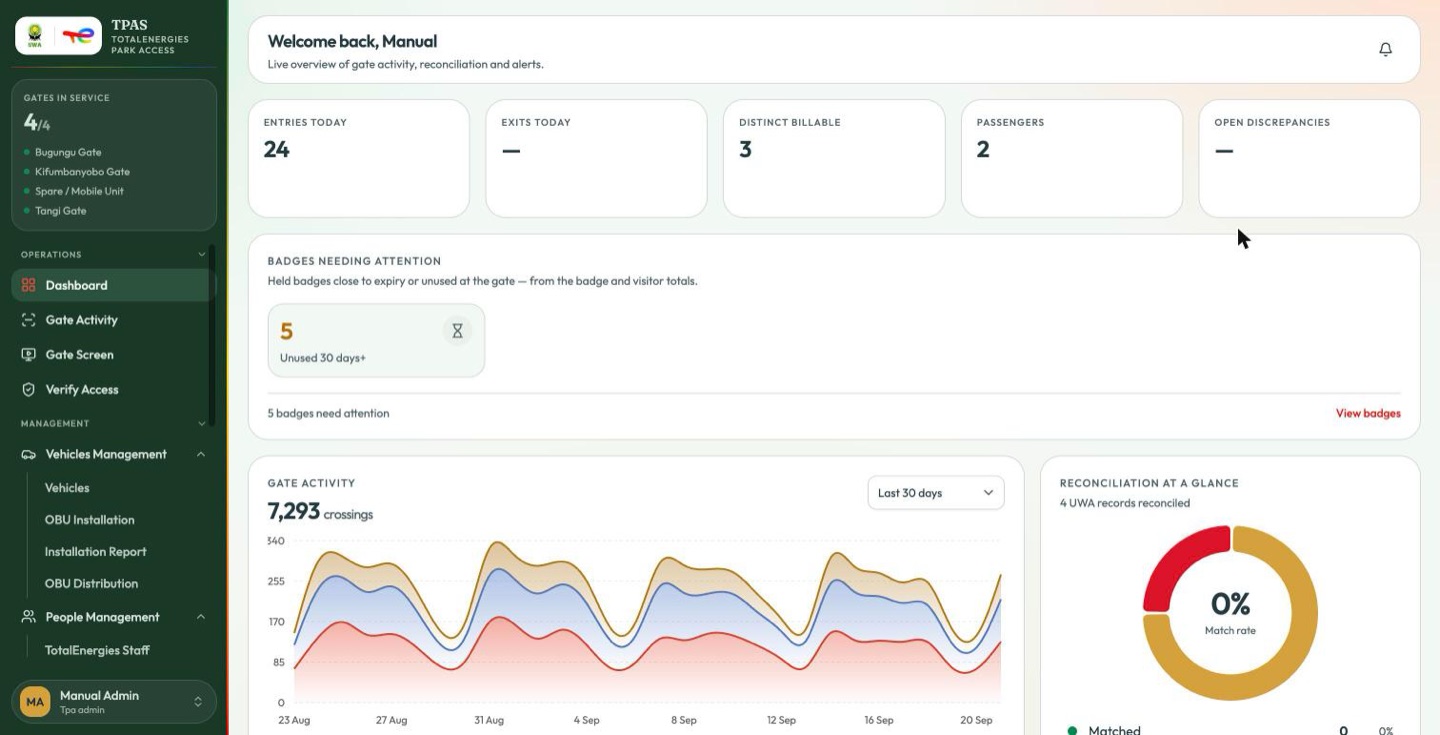
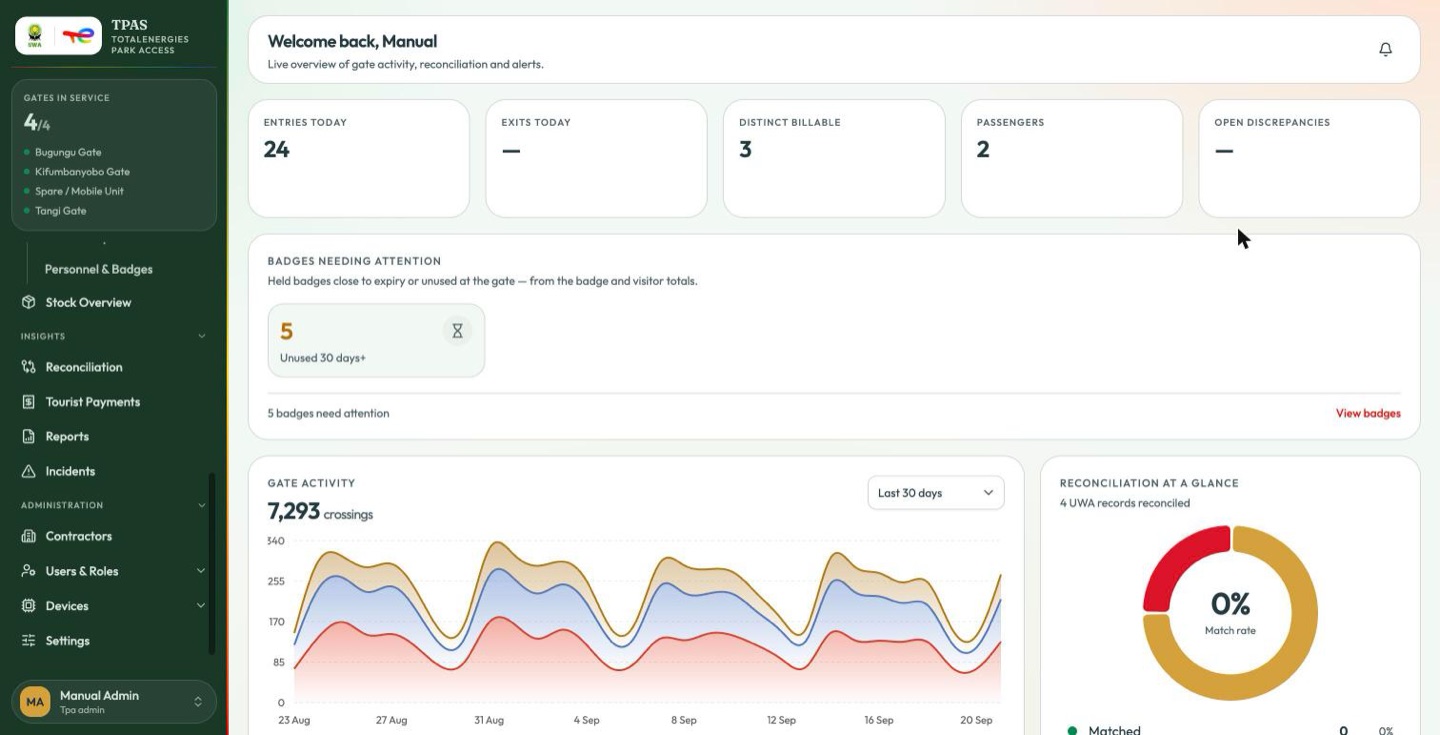
There are five groups, and two of them are alternatives to each other: TotalEnergies' own staff are shown Management, everybody else is shown Registry. They lead to the same pages, arranged differently.
| Group | Shown to | Entries |
|---|---|---|
| Operations | everyone | Dashboard · UWA Dashboard · Gate Activity · Gate Screen · Verify Access |
| Management | anyone with a dashboard of their own | Vehicles Management (Vehicles · OBU Installation · Installation Report · OBU Distribution) · People Management (TotalEnergies Staff · Visitors · Master List · Access Requests · Personnel & Badges) · Stock Overview |
| Registry | everyone else | Vehicles · OBU (Installation · Installation Report · OBU Distribution) · Personnel & Badges · Master List · Access Requests · Stock Overview |
| Insights | everyone | Reconciliation · Tourist Payments · Reports · Incidents |
| Administration | everyone | Contractors · Users & Roles (Users · Roles) · Devices (Gate Devices · Device Registry) · Settings |
Where a chapter prints a path, it prints the one for the audience it is talking to. Management → People Management → Master List and Registry → Master List are the same page.
| Group | Covered in |
|---|---|
| Operations | Ch. 4, Where you land |
| Management / Registry | Ch. 3, Ch. 10 |
| Insights | Ch. 5, Ch. 6, Ch. 7, Ch. 8 |
| Administration | Ch. 2 |
Operations is collapsed when you arrive; the other groups are open. Groups collapse and expand by their headers, and entries with children — Vehicles Management, People Management, OBU, Users & Roles, Devices — expand in place. A red count beside an entry, such as Access Requests ①, is work waiting for you.
Gates in service
Pinned above the menu is the gate panel: how many gates are in service, and which. Green means in service, red means not.
It is shown to accounts holding
authz-role:read — in practice Tpa admin and System admin — and only once the
gate list has loaded. Its absence from your sidebar is not a fault.
Read "in service", not "online". In service means the gate is marked active in the gate registry — configured and open for business. It does not mean the hardware at that gate is reachable right now: TPAS has no gate liveness signal, and nothing in the estate reports whether a gate's readers are up. The sidebar and the Gate Monitor read this one definition, so they always agree.
The count can exceed the three physical gates. It counts gate registry entries, and the registry holds a Spare / Mobile Unit alongside Tangi, Bugungu and Kifumbanyobo — so the panel reads 4/4, not 3/3. That is the roving-operator posting somebody can be assigned to on the user form, not a fourth barrier. The same four rows are behind the Gate registry entries figure on the Park summary report.