Where you land
Most TotalEnergies staff land on the Dashboard.
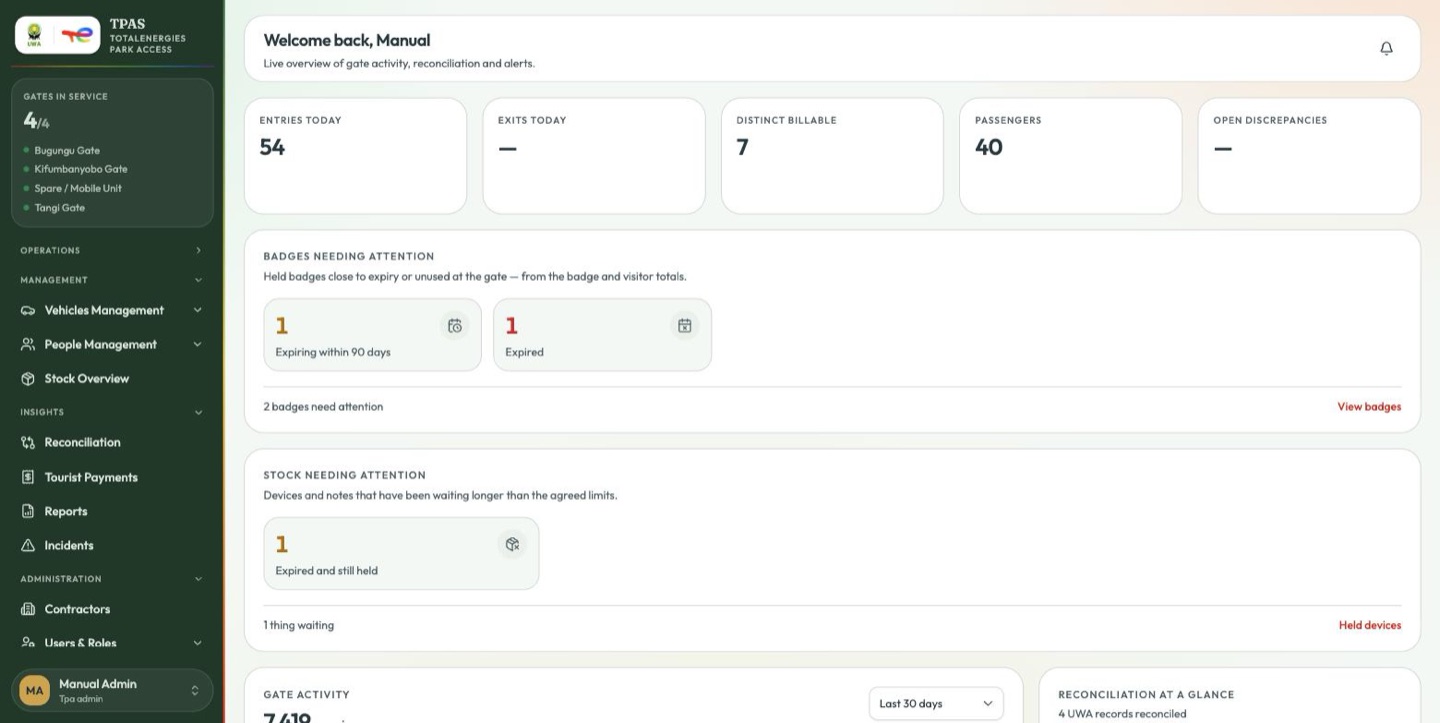
The dashboard is a read-only overview of the whole park operation. It is headed with your name — Welcome back, … — and carries, top to bottom:
| Panel | What it tells you |
|---|---|
| KPI tiles | Entries and exits recorded today, distinct billable vehicles, passengers carried, and discrepancies still open |
| Badges needing attention | Held badges close to expiry or unused at the gate, drawn from the badge and visitor totals |
| Stock needing attention | Devices and notes that have been waiting longer than the agreed limits |
| Gate activity | Crossings per gate over the selected window, one coloured band per gate, with a range selector |
| Reconciliation at a glance | How imported UWA records compare with TPAS records — matched, pending review, discrepancies |
| Recent gate events | The last few crossings as they happened, plate by plate, with a link through to the full log |
| Gate utilisation today | Share of today's crossings taken by each gate |
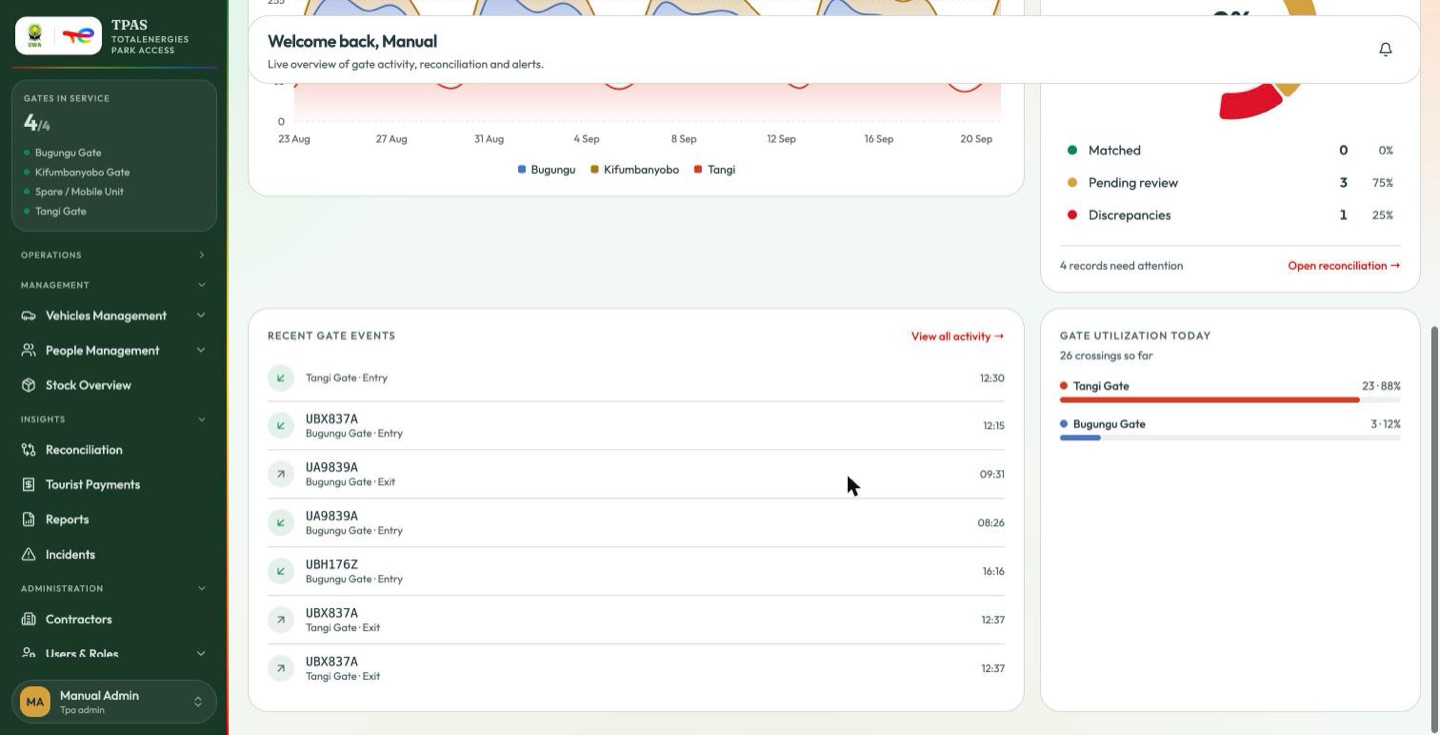
The two attention panels
These are the dashboard's only work lists — everything else on the page is a figure to read. Each shows one tile per problem, a count of how many things are waiting, and a link through to the page where you can act.
| Panel | Tiles | Link |
|---|---|---|
| Badges needing attention | Expiring within 90 days, Expired, Unused 30 days+ | View badges → Personnel & Badges |
| Stock needing attention | Dispatches not confirmed, Expired and still held, Returns not acknowledged, Overdue at the repairer | Held devices → Stock Overview |
A tile appears only when its count is above zero, so an empty panel is a panel with nothing to do. The stock tiles are measured against thresholds an administrator sets, and they are the same four counts the stock module chases by email (What needs attention).
Who lands where
You do not always land on the dashboard. TPAS decides in this order:
- A kiosk account — one that can verify at a gate and holds no other permission — goes to the full-screen gate screen.
- Anyone holding
dashboard:readgoes to the Dashboard. - A UWA officer (
dashboard:read-uwa) goes to the UWA Dashboard. - A contractor — someone who submits access requests — goes to the contractor dashboard, a different page framed around your organisation.
- Everyone else goes to the first page in their menu they can actually open.
Rule 5 catches more roles than you would expect: a reconciler lands on Gate Activity, an installer on Vehicles, a line controller on Gate Devices. Nobody is ever dropped on a page they will be refused. See Role reference.
- Reconciliation at a glance totals every reconciliation run. With no runs yet it says so plainly instead of showing a figure.
- Distinct billable counts vehicles, not crossings, and only those inside a billing window.
- A delta chip (
+9.8% vs yesterday) and its sparkline appear only on demo data. Where a tile carries a real figure there is no trend beneath it. - Where a figure is unavailable, the tile shows — rather than a number nobody can stand behind. A dash is not a zero.
Use the Reports chapter for numbers you intend to act on.