Sending, and the receipt
A TPAS account with a gate role that an administrator has assigned to a gate (Adding a user). The app has no gate picker: it works at the gate your account is assigned to, and nowhere else.
Select Send. When TPAS has recorded the session, the receipt replaces it:
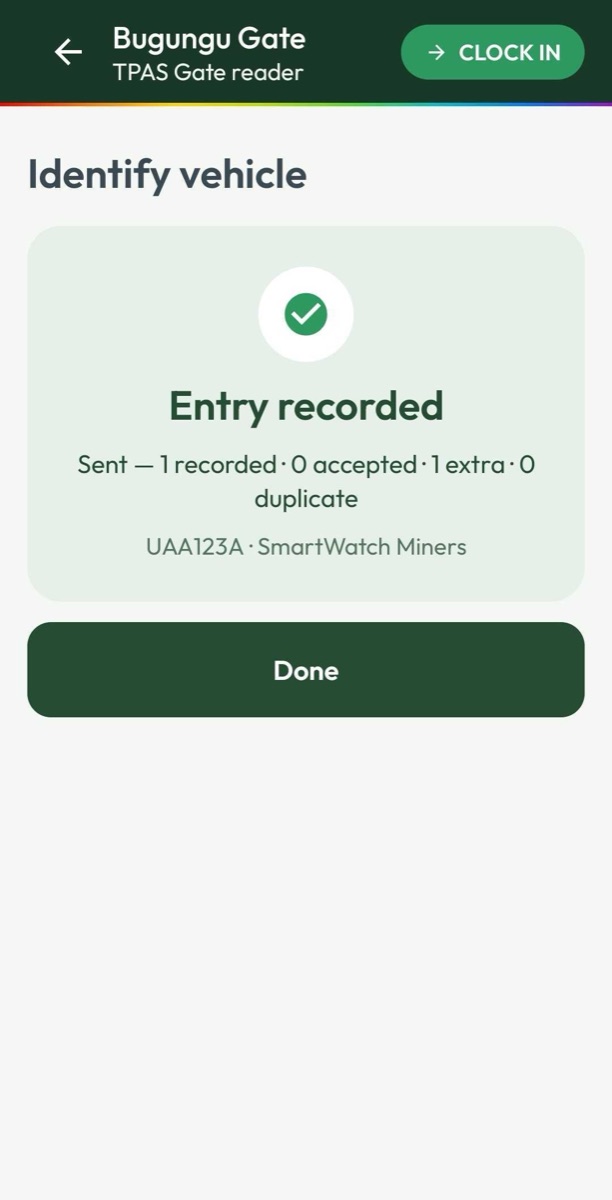
The title says Entry recorded or Exit recorded, then a line such as Sent — 1 recorded · 0 accepted · 1 extra · 0 duplicate, then the plate and contractor.
| Figure | Means |
|---|---|
| recorded | Everyone TPAS recorded crossing on this vehicle. |
| accepted | Recorded, and expected in this vehicle — on its visitor list, or working for the contractor that owns it. |
| extra | Recorded, but not expected in this vehicle — somebody from another company riding along. Allowed, and flagged. |
| duplicate | Already recorded crossing this gate the same way today. Not counted twice. |
Select Done to return to an empty Identify vehicle screen, ready for the next vehicle in the same direction.
TPAS keeps every badge in order: an entry only after an exit, and an exit only after an entry (In and out, in order). Somebody the system believes is already inside cannot be clocked in again, and somebody who never entered cannot be clocked out. Such a person is left out of the session, and the receipt does not list them. When recorded is lower than the number of people you sent, that is what happened. Look the badge up in the portal's Verify Access — it shows Inside since … — and record the missing crossing there with Manual entry.
If sending fails, the people stay on the list and Send can simply be pressed again. It is safe: the app sends the same session each time, and TPAS records it once, however many attempts it takes.